



Molecular modelers and researchers often face the challenge of exploring chemical substitutions to optimize key properties of a molecule. Streamlining this process can save time and provide quick insights into alternative structures. In this blog post, we delve into an efficient and practical solution for generating analogue series using the Positional Analogue Scanning feature in the SAMSON platform.
Why Positional Analogue Scanning Matters
When analyzing molecular interactions or preparing data for further studies like docking, it is crucial to explore how minor changes affect molecular behavior. For instance, substituting groups in specific positions can significantly alter binding properties, solubility, or interaction profiles. The pain often lies in manually generating these analogues and ensuring accuracy throughout the entire process. SAMSON’s SMILES Manager addresses this by simplifying analogue generation directly within the platform.
Getting Started
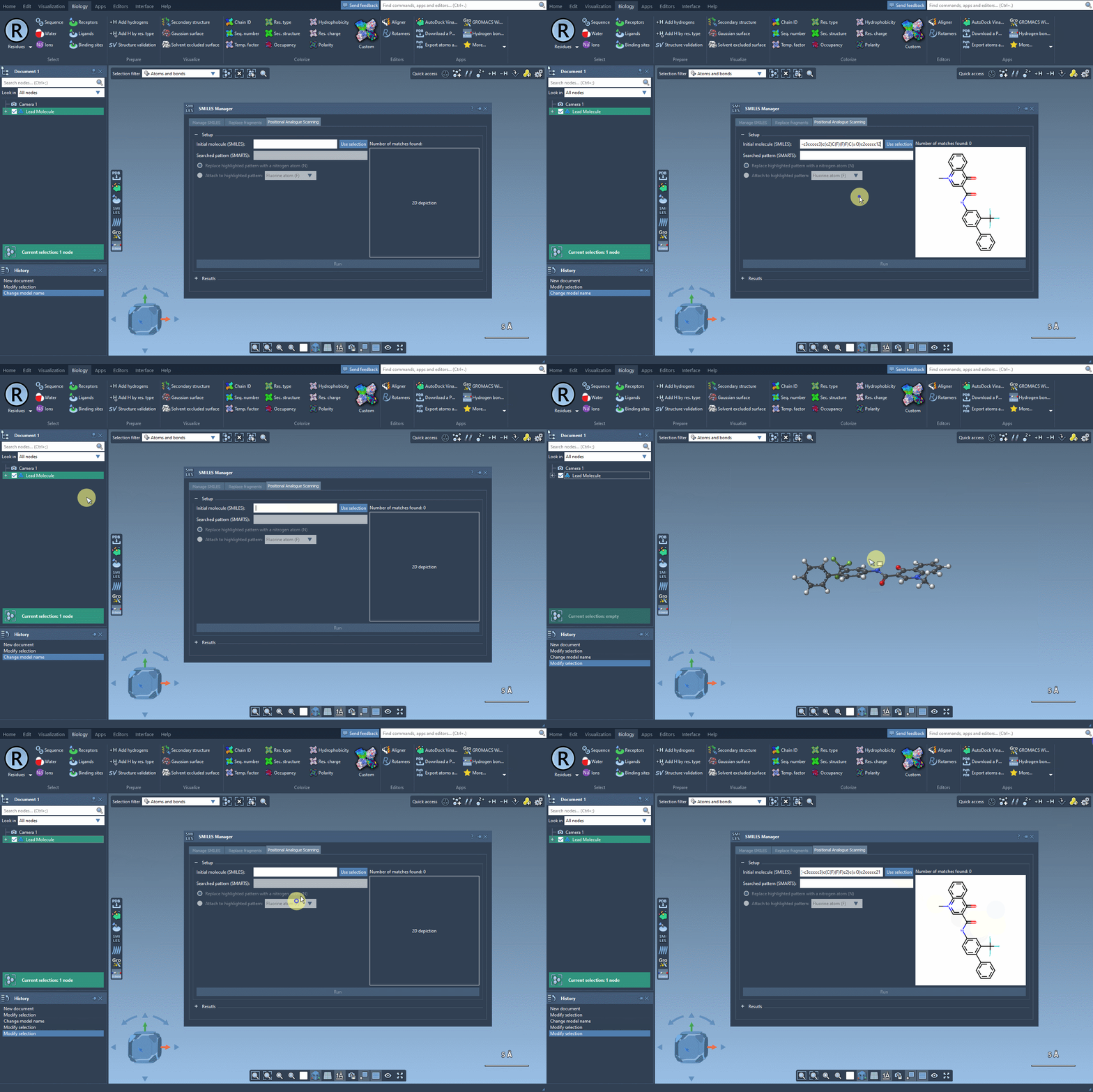
To use this feature, begin by adding the SMILES Manager extension to SAMSON. Once added, open the extension and switch to the Positional Analogue Scanning tab.
From here, you’ll need to define the starting molecule. You can either input the SMILES code of your molecule or select it within a SAMSON document and press the Use selection button. Below is a visualization of selecting a molecule:
Specifying the SMARTS Pattern
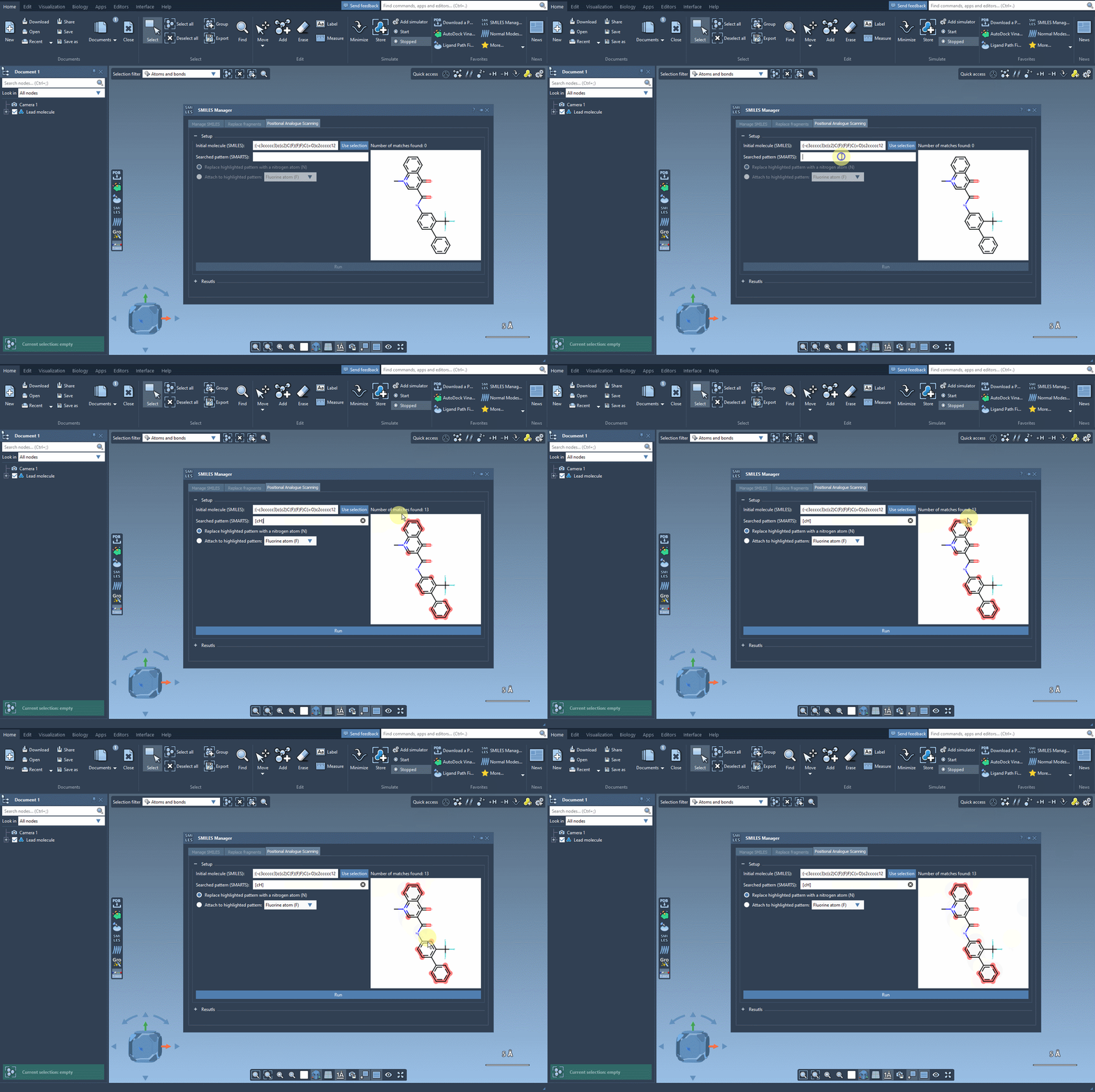
The next step is defining the specific pattern within your molecule to scan for replacements or attachments. For example, to target aromatic carbon, you can use the SMARTS code [cH]. SAMSON will highlight all matching patterns within your molecule:
Replace or Attach Elements
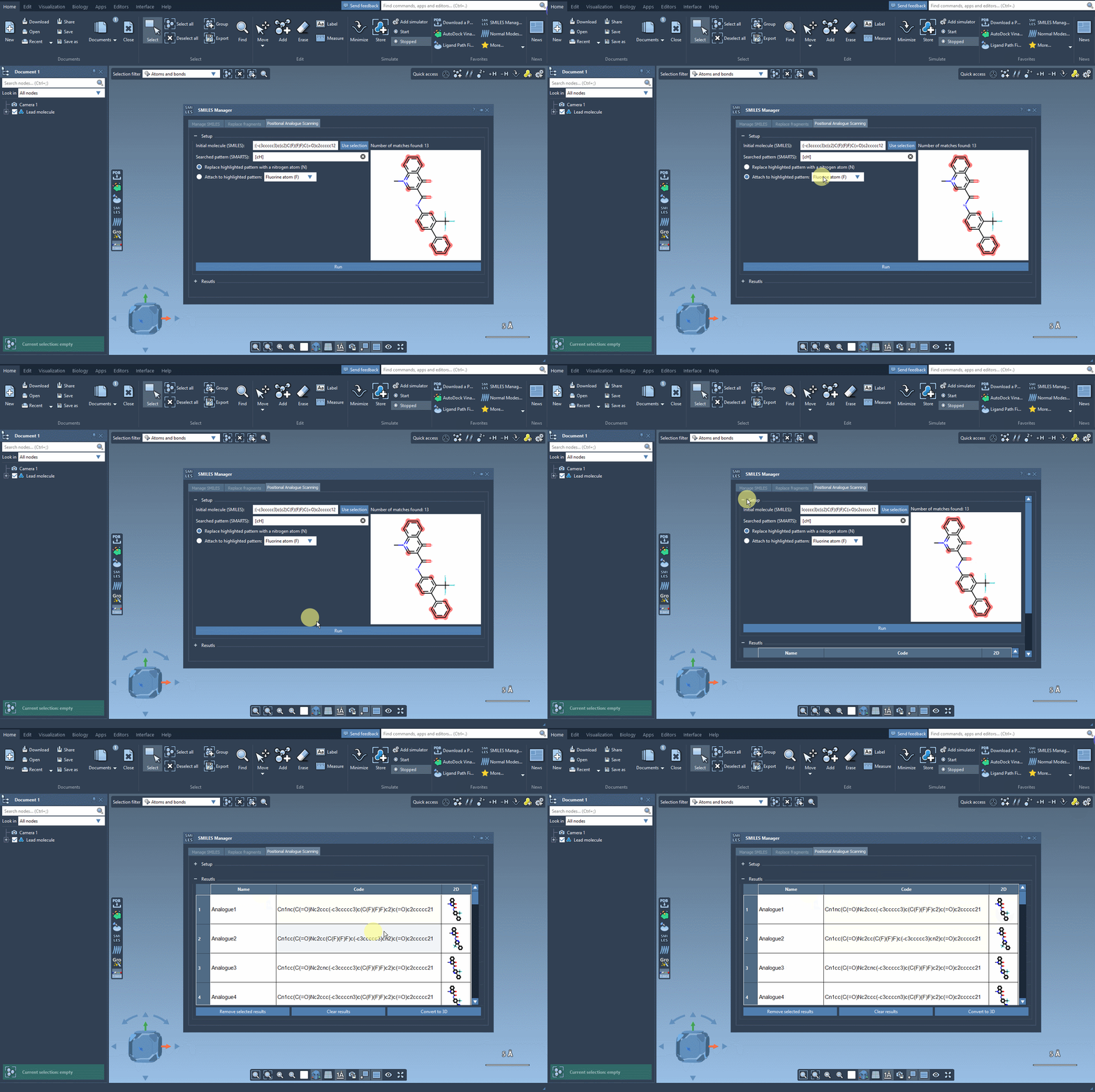
Once the pattern is identified, choose whether you want to replace it (e.g., with a nitrogen atom) or attach a new group (e.g., fluorine or methyl). Simply click Run to generate the analogues. The results, including both SMILES codes and 2D depictions, will appear instantly in the interface:
Working with the Results
The results table offers several options for managing your data:
- Modify analogues: Change the names or SMILES codes by double-clicking a cell.
- View 2D images: Double-click the 2D depiction for a larger view, or show/hide images in the table.
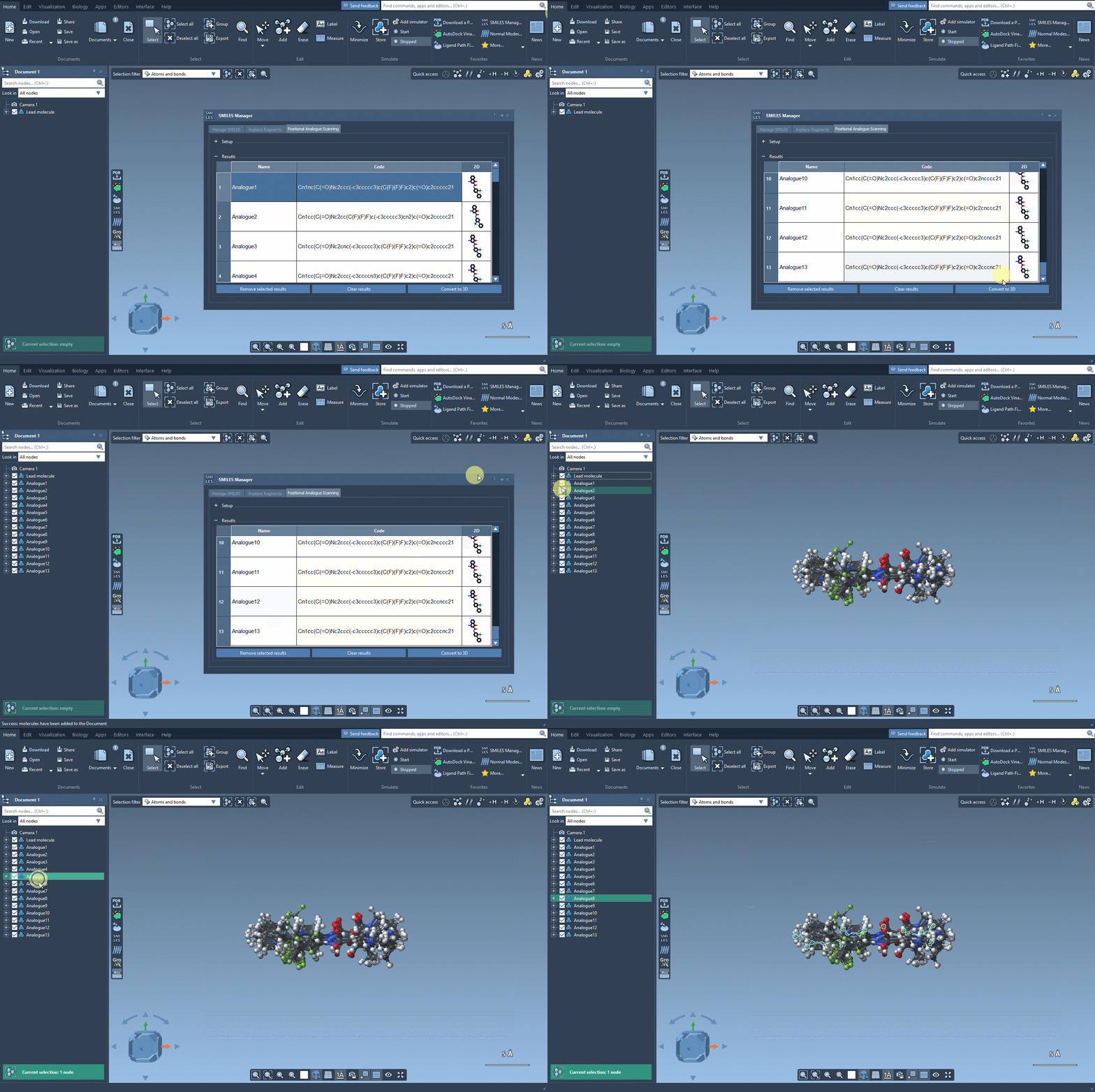
- Generate 3D structures: Right-click an analogue’s 2D image to convert it into a 3D structure.
- Remove results: Delete selected analogues or clear the entire results table.
Taking it Further
One of the most powerful aspects of this feature is its seamless integration with SAMSON’s other tools. After generating the analogues, consider converting them into 3D structures for further analysis. For example, you could dock the analogues using the AutoDock Vina Extended extension to examine how substitutions impact interactions with a target protein. This workflow allows you to pinpoint promising candidates quickly while making informed decisions about their design.
Conclusion
The Positional Analogue Scanning feature in SAMSON’s SMILES Manager offers a streamlined, accurate solution for generating analogue series. This tool not only reduces manual effort but also integrates smoothly with other molecular design workflows. To learn more, visit the original documentation page: SAMSON SMILES Manager Documentation.
Note: SAMSON and all SAMSON Extensions are free for non-commercial use. You can download SAMSON at www.samson-connect.net.