



When working as a molecular modeler, managing molecule representations effectively is often essential for analyzing structures and presenting results. SAMSON’s SMILES Manager, powered by RDKit, offers an intuitive way to generate, update, and manipulate 2D depictions of SMILES strings. Let’s explore how these features can enhance your workflow.
Why Use 2D Depictions?
2D depictions are a fundamental part of molecular modeling. They simplify complex molecular data, make structures more visually interpretable, and are essential for communicating findings. However, generating accurate depictions while ensuring the data integrity often requires specialized tools. SAMSON’s SMILES Manager streamlines this process and integrates several handy features for a smoother molecular modeling experience.
Generating and Updating Depictions
Using SAMSON’s SMILES Manager, 2D depictions are generated automatically as you load SMILES strings. These depictions appear directly in a table alongside the corresponding SMILES codes and molecule names. If a SMILES string is invalid, the affected line is highlighted, and an error image is displayed instead of the 2D depiction. This feature makes it easy to spot and correct issues in your dataset.

You can also modify SMILES strings directly in the table, and the 2D depiction will update instantly. This live feedback ensures that edits are captured accurately and visually confirmed, reducing the room for error during data preparation.
Flexibility to Tailor Your View
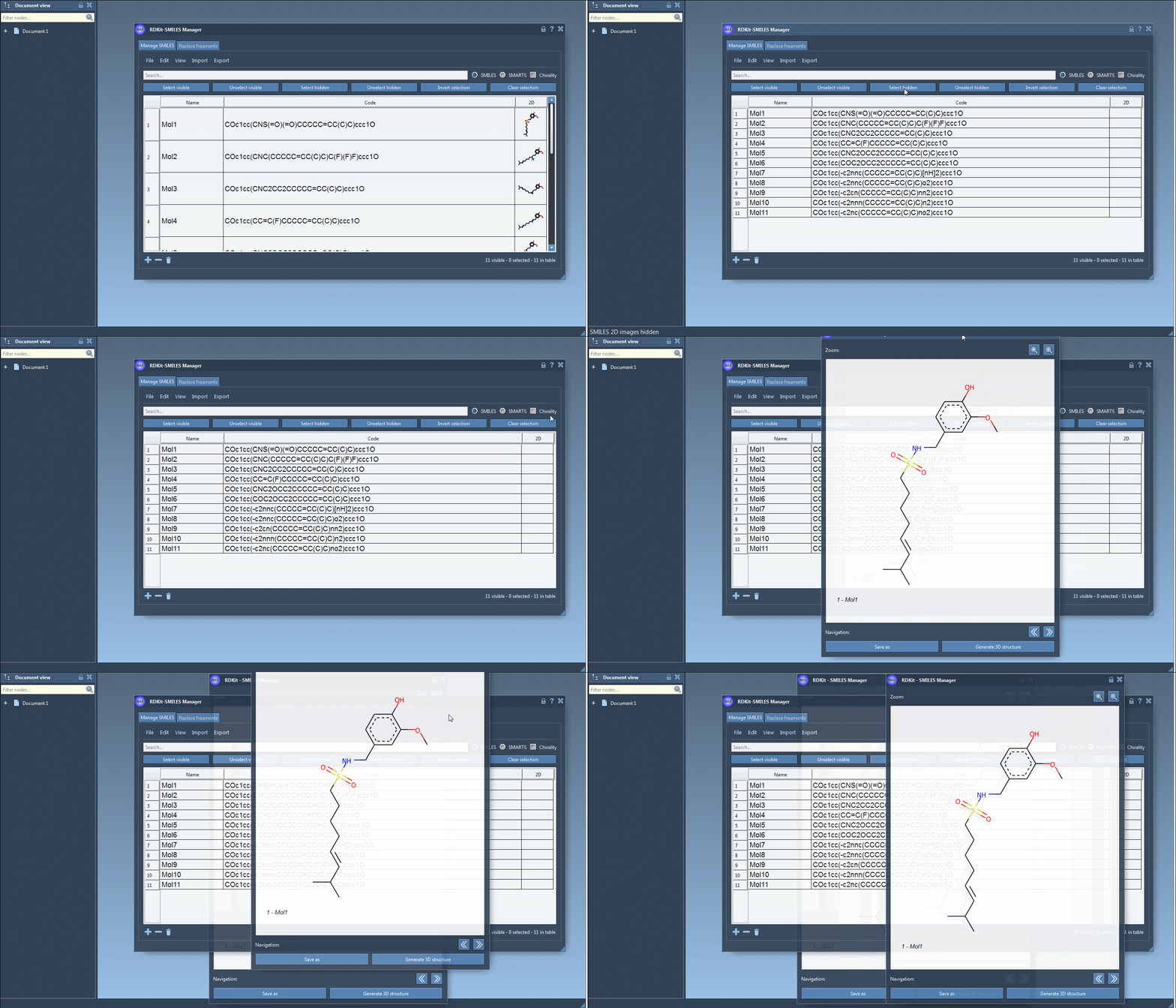
The SMILES Manager allows you to customize the way depictions are displayed. You can hide images by clicking on the table’s 2D header cell or selecting the Hide 2D image option in the View menu. Despite hiding images, you can still open individual depictions by right-clicking on them or double-clicking the cell to open a larger view.
Saving and Sharing 2D Representations
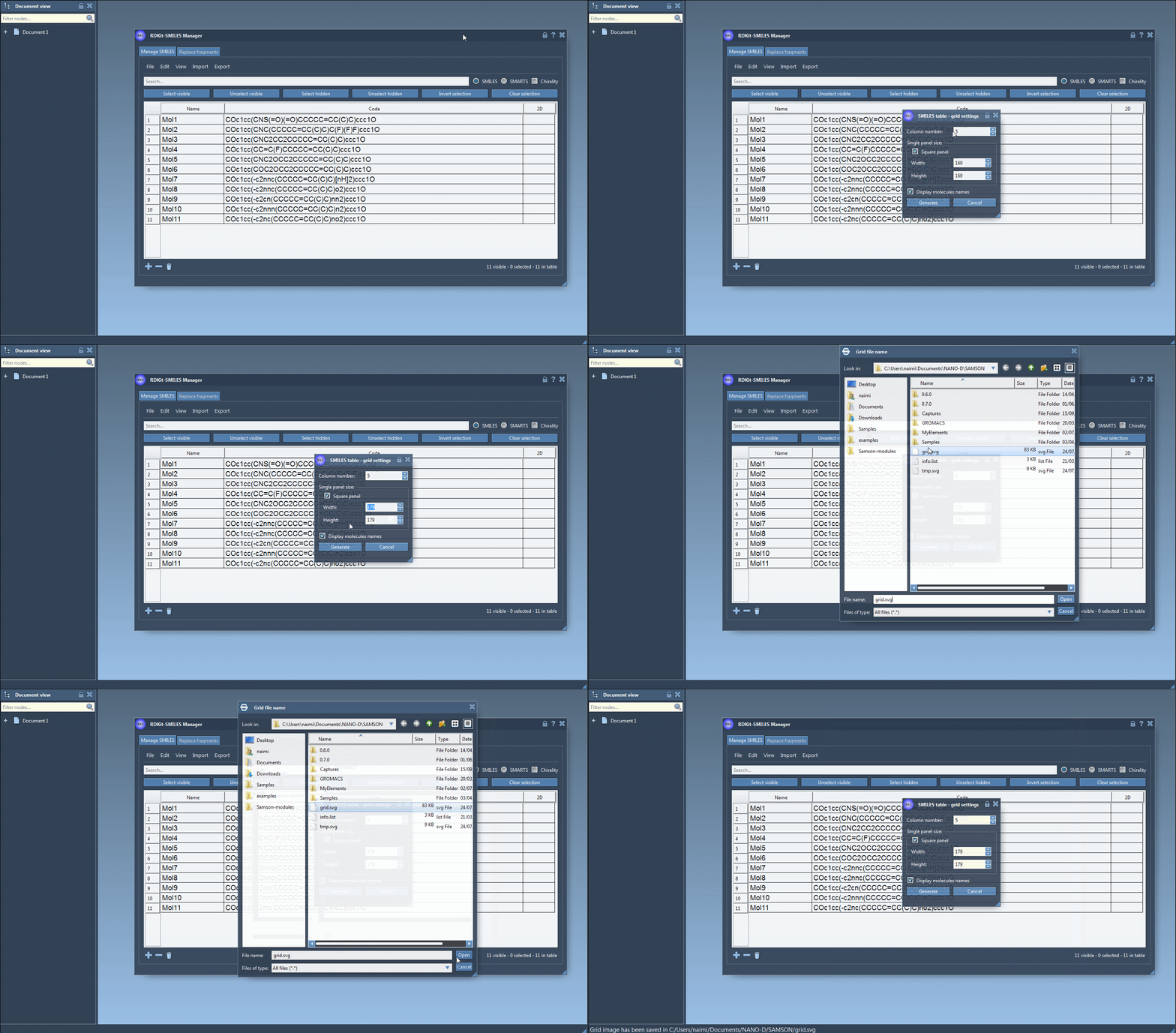
SAMSON allows you to save individual 2D depictions in PNG or SVG format through the right-click context menu in the large view window. Beyond individual images, you can also save groups of 2D depictions as a grid, which is especially useful for documenting or comparing molecules. From the File drop-down menu, actions like Save as grid image or Save selection as grid image enable you to set grid parameters, such as the number of columns and image size.
Enhance Workflow with Comparison Features
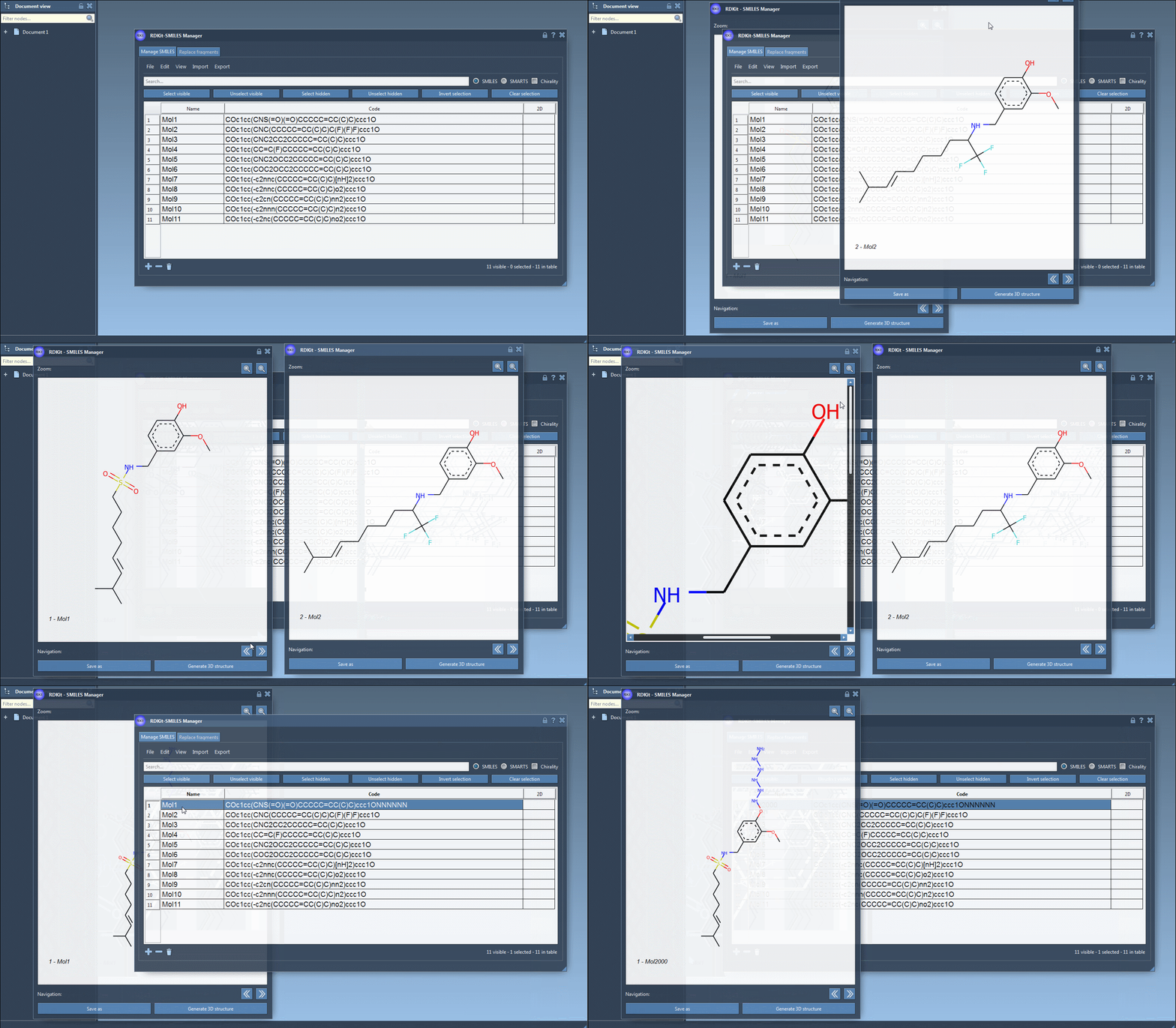
For detailed analysis, SAMSON supports opening multiple 2D depictions simultaneously in separate windows. You can zoom in and out for larger molecules and switch between depictions using navigation buttons. The tool’s ability to update depictions automatically based on changes to SMILES strings or molecule names further ensures that representations are always accurate and up to date.
Conclusion
From seamless generation to advanced customization and saving options, SAMSON’s SMILES Manager simplifies the management of 2D molecular depictions. Whether you are preparing datasets, visualizing molecules, or sharing results, this tool ensures accuracy and enhances productivity.
Explore the full capabilities of the SMILES Manager by visiting the original documentation page at this link.
Note: SAMSON and all SAMSON Extensions are free for non-commercial use. Download SAMSON today at https://www.samson-connect.net.