



Understanding symmetry in protein structures is a key aspect of molecular modeling and design. Symmetry analysis helps researchers visualize how proteins interact, form biological assemblies, and function at the molecular level. Yet, generating and analyzing these symmetry mates efficiently can be a challenge. The Symmetry Mate Editor in SAMSON offers an intuitive way to overcome this hurdle. Let’s explore how to use it effectively, making complex molecular arrangements clear and approachable.
The Pain Point: Making Protein Symmetry Tangible
When studying protein crystal structures or biological assemblies, researchers often need to recreate symmetry mates from transformation data stored in PDB files. However, extracting and visualizing these symmetric configurations isn’t always straightforward. Understanding protein-protein interactions, potential binding sites, or reconstructing quaternary structures can feel like piecing together a jigsaw puzzle with limited guidance. The Symmetry Mate Editor streamlines this process, allowing for hands-on exploration of symmetry.
Activating the Symmetry Mate Editor
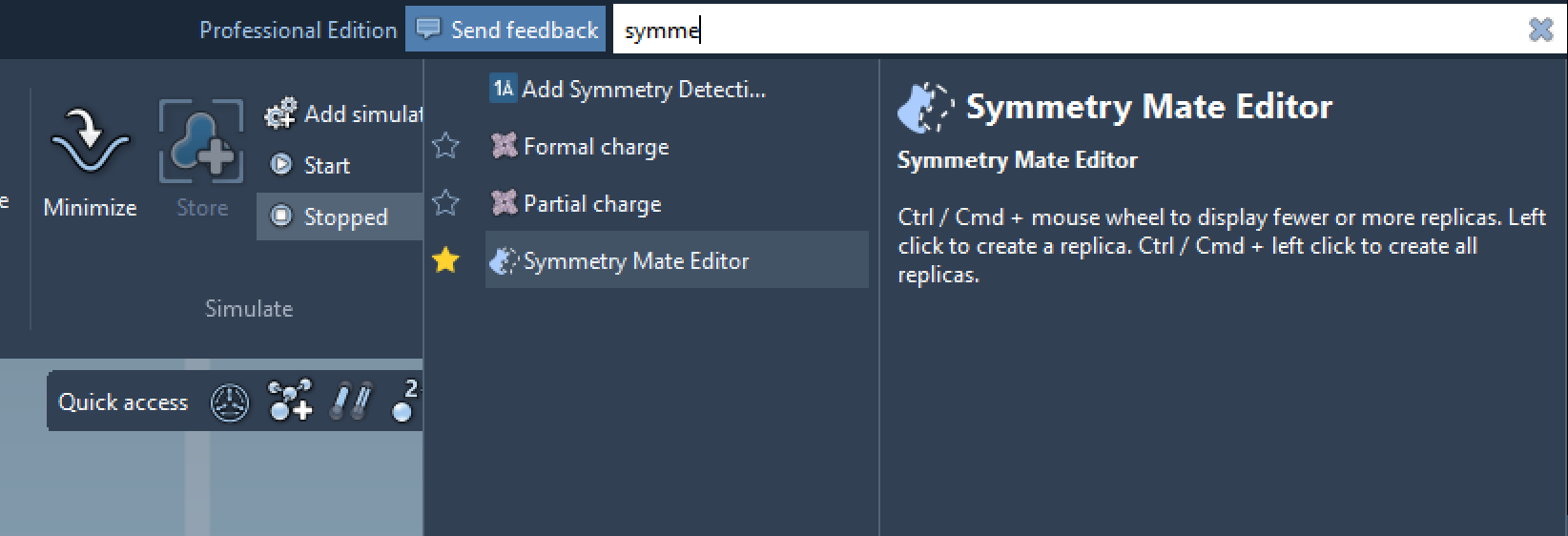
Getting started is easy. Open the Symmetry Mate Editor by using one of the following methods:
- Find everything: Press Shift + E and search for “Symmetry Mate Editor.”
- Editors menu: From the left-side viewport menu, navigate to … > General > Symmetry Mate Editor.
Once activated, SAMSON’s viewport will display control nodes representing symmetry transformations, letting you interact with these structures in real time.
Interactive Exploration of Symmetry Mates
Exploration is where the Symmetry Mate Editor shines. Here’s how you can intuitively navigate and visualize symmetry:
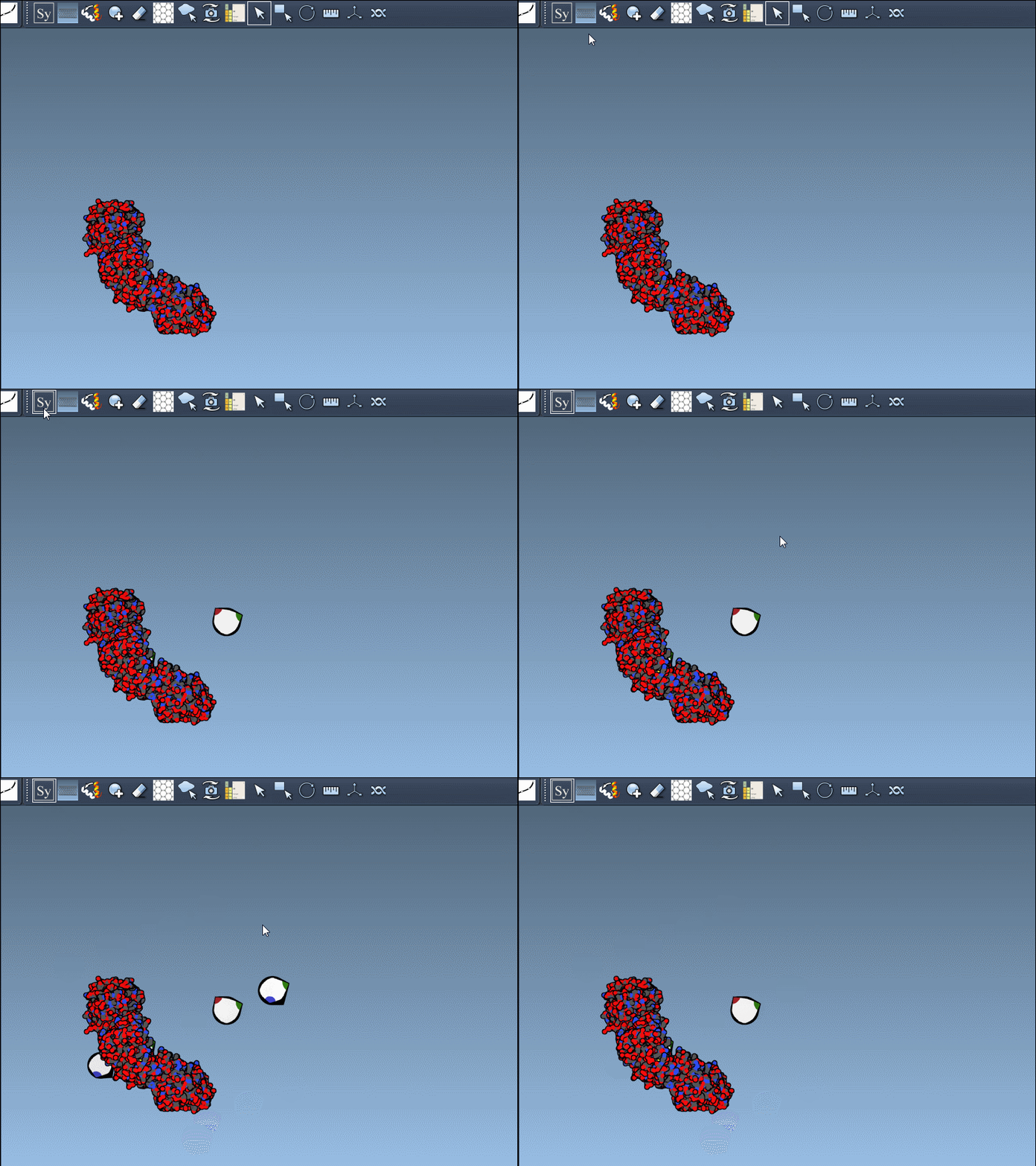
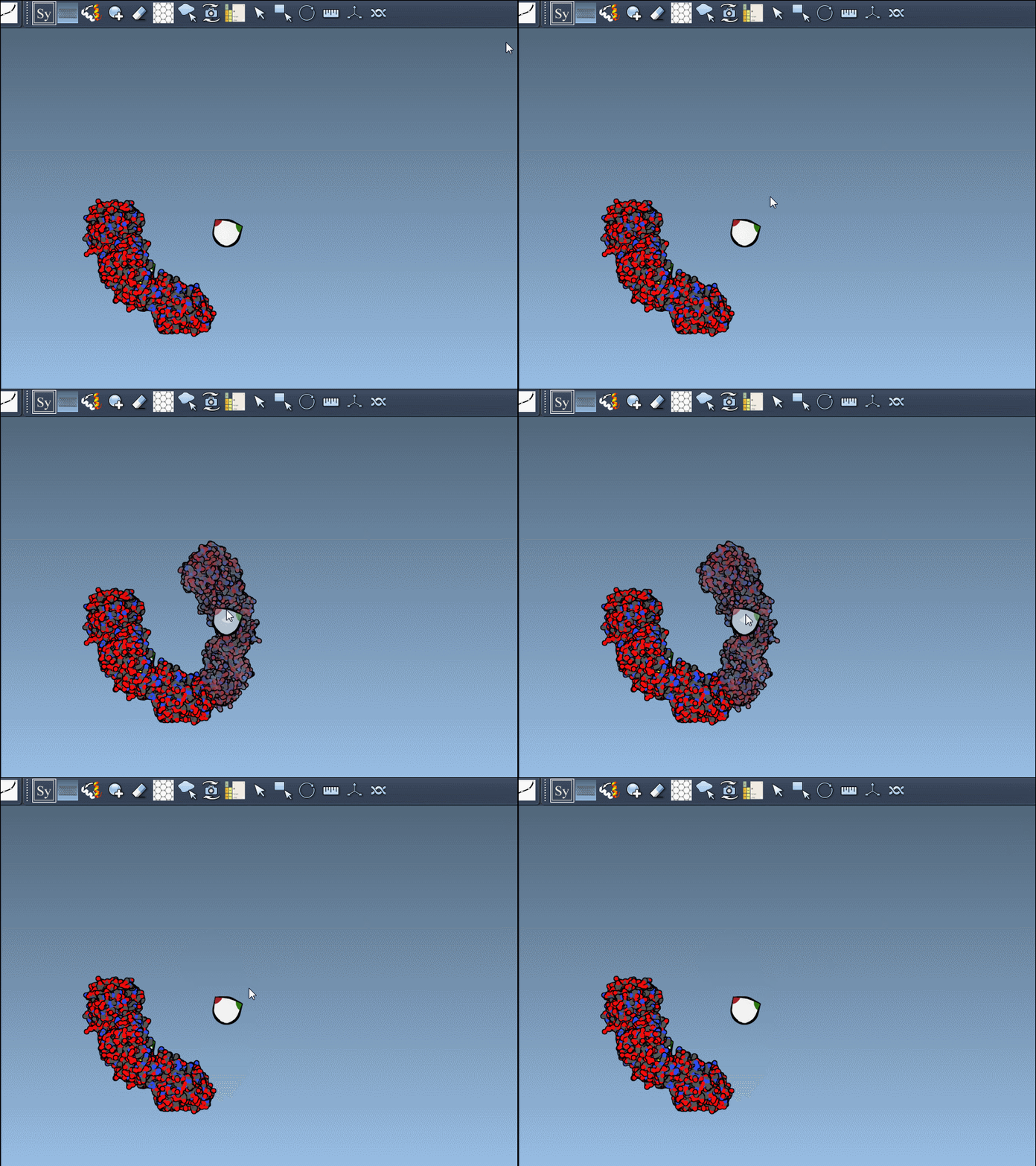
- Zoom In/Out: Hold Ctrl/Cmd and scroll the mouse wheel to scale the number of visible control nodes. This makes it easy to switch between detailed views and macro-level overviews.
- Real-Time Previews: Hover over a control node to see a preview of the replicated structure in real time.
- Generate Structures: Left-click on a node to permanently create the replica, enabling you to construct entire assemblies step by step.
CRYST1 vs. BIOMT: Different Records, One Tool
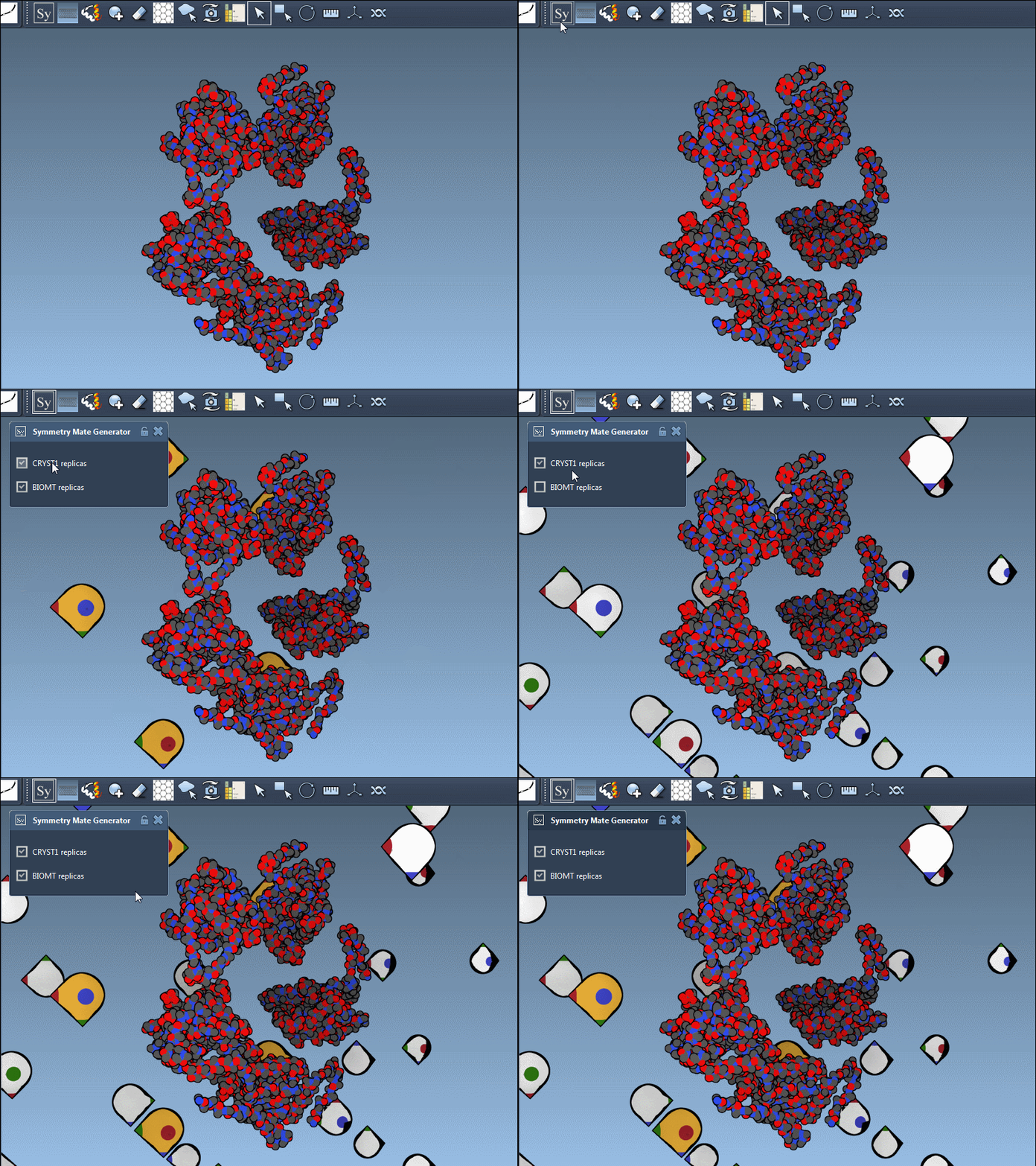
PDB files often contain two types of symmetry-related records: CRYST1 for crystal lattice symmetries and BIOMT for biological assemblies. The Symmetry Mate Editor supports both. By toggling between these records in the editor’s interface, you can compare different configurations, providing insight into how proteins structure themselves within crystals versus their biological environments.
Why This Matters in Molecular Design
Symmetry visualization isn’t just about aesthetics. It has practical applications in molecular modeling:
- Reconstructing oligomeric assemblies.
- Identifying protein-protein binding interfaces.
- Designing symmetric scaffolds and protein cages.
- Simulating interactions between symmetric units in molecular dynamics software.
Push Beyond Visualization
The Symmetry Mate Editor doesn’t just help you visualize. By combining it with other tools in SAMSON—like Symmetry Detection or molecular dynamics preparation workflows—you can expand your analysis and simulation capabilities.
Want to dive deeper? Visit the full documentation to learn more details about using the Symmetry Mate Editor effectively: Symmetry Mate Documentation.
SAMSON and all SAMSON Extensions are free for non-commercial use. Get started with SAMSON today by visiting SAMSON Connect.