



Molecular modelers are often faced with the challenge of customizing molecular systems for simulations. Whether you’re dealing with intricate structures or exploring unique bonding scenarios, precise typization is essential for accurate results. Fortunately, SAMSON’s UFF offers advanced customization options to tailor the typization process to your specific needs. This guide walks you through these options, empowering you to control coordination, valence, bond orders, and atom types effectively.
Why Customize Typization?
By default, UFF in SAMSON perceives molecular systems automatically, setting maximum coordination, valence, bond orders, and atom types based on predefined rules. However, advanced modelers working on unusual molecules or systems may require deviations from the default settings. Customizing typization ensures precise simulations and helps avoid errors caused by unique molecular configurations.
Step-by-Step Guide to Typization Customization
SAMSON makes it easy to adapt typization settings directly in the UFF interface. Below is a breakdown of the options:
1. Adjusting Coordination and Valence
Each atom in your molecular system is assigned default values for maximum coordination and valence. If your model requires non-standard coordination or valence:
- Select the atom(s) you want to modify.
- Set the desired maximum coordination or valence using the combo box in the UFF parameter window.
- Click the Set button to apply the new values.
Note: These changes will only take effect if the new values are lower than the defaults.
2. Forcing Bond Orders
If specific bonds in your structure require manual customization:
- Select the bond(s) you want to alter.
- Choose a bond order between 0.1 and 3.9 from the UFF parameter window.
- Click the Set button to enforce the new bond order.
- Optionally, use the Freeze button to prevent the bond order from being recalculated during perception updates.
Tip: Non-integer bond orders are also supported for more complex configurations.
3. Assigning Atom Types
Manually assigning atom types is crucial when the default automatic perception doesn’t align with your desired configuration:
- Choose the atom(s) you want to modify.
- Select the desired UFF type in the parameters window.
- Press the Set button to enforce the new type.
- Use the Freeze button to lock the assigned type and prevent automatic updates.
4. Resetting Customizations
If you wish to revert all adjustments, simply click the Reset all buttons available in the coordination, valence, bond order, or typization groups. To regenerate perception based on current customized settings, positions, and atomic distances, use the Reset perception button.
Visualizing Your Changes
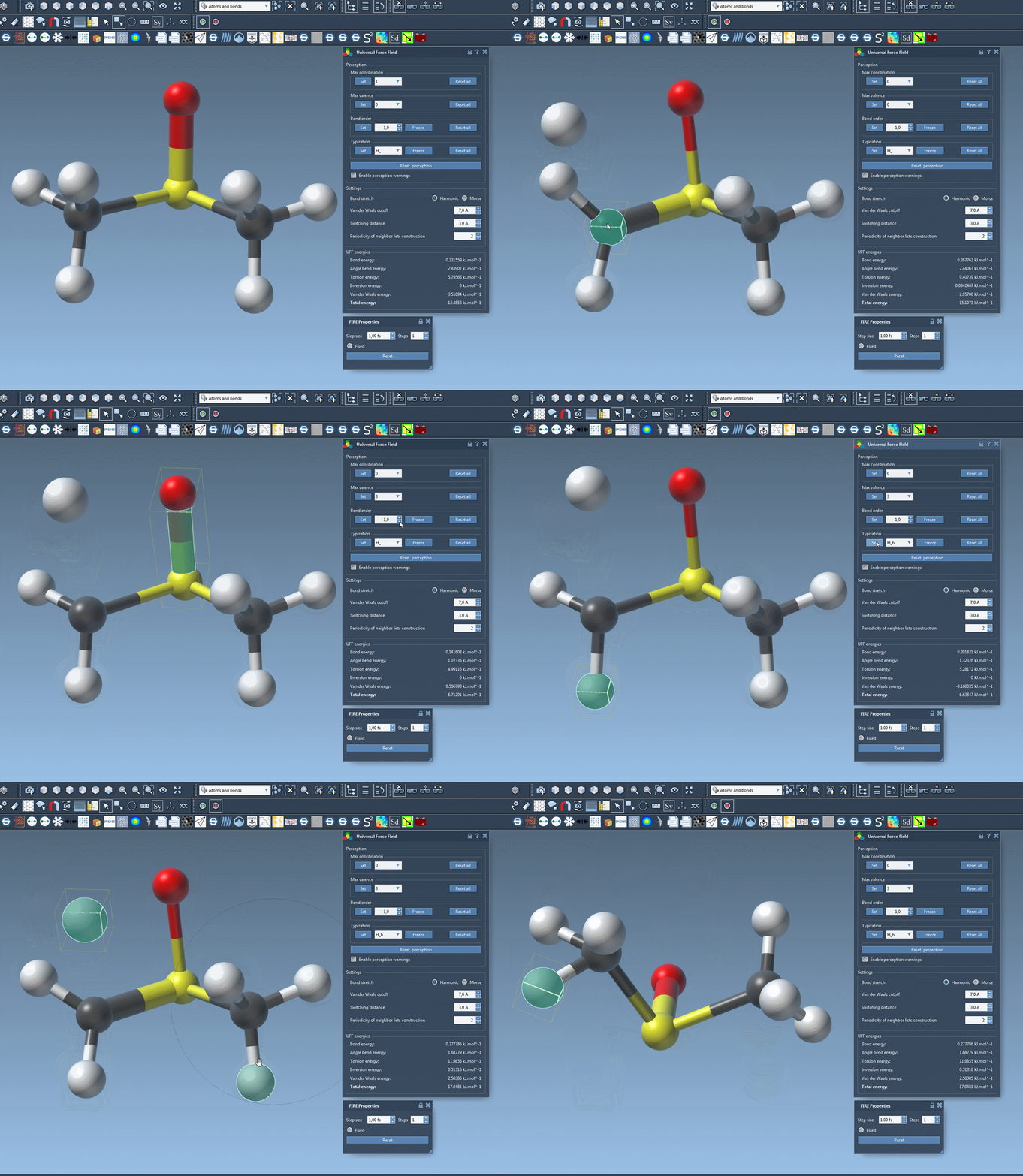
Interactively updating typization settings while modeling allows you to observe its impact on the molecular structure immediately. Take advantage of SAMSON’s responsive UFF simulation window to fine-tune your system in real-time.
Key Considerations
While customizing typization can add foundational accuracy to specialized systems, it’s recommended for experienced users who understand molecular structures well. Incorrect adjustments can lead to unrealistic configurations. If you’re uncertain, relying on the default automatic typization may be a safer choice.
For further details, refer to the complete UFF documentation.
Note: SAMSON and all SAMSON Extensions are free for non-commercial use. Get SAMSON at https://www.samson-connect.net.