



For molecular modelers, achieving precision in molecular interactions often requires careful customization of structural parameters for simulations. The Universal Force Field (UFF) in SAMSON provides advanced tools for customizing molecular typization, helping you to delve deeper into tailored molecular modeling scenarios. Let's explore how you can effectively customize UFF typization in SAMSON to address specific modeling needs.
Why Customize UFF Typization?
Customization of UFF typization allows experienced modelers to override default settings for atom coordination, bond orders, and atom types. This is particularly valuable for advanced simulations where default assumptions may lead to suboptimal or inaccurate molecular representations. However, these features should be used cautiously, as improper customization can introduce structural inconsistencies.
How to Customize UFF Typization
To ensure flexibility in your modeling, SAMSON provides multiple options for customization:
1. Adjust Maximum Coordination and Valence
The maximum coordination (number of neighbors) and maximum valence (weighted number of neighbors by bond order) are set by default for each atom. You can modify these values:
- Select the atom you want to customize.
- Choose a new coordination/valence value from the dropdown menu in the UFF parameter window.
- Click the Set button to finalize the changes.
Note: Updates will only be applied if the new maximum coordination or valence value is lower than the default setting.
2. Control Bond Orders
For specific applications, you may need to force bond orders to predefined values. Here’s how:
- Select the bond(s) you wish to modify.
- Choose a bond order value between 0.1 and 3.9 from the UFF parameter window.
- Use the Set button to save the change.
You can also Freeze a bond order to prevent it from being altered in subsequent perception steps. Simply select the bond, then click the Freeze button in the Bond Order section.
3. Force Specific Atom Types
If you need to assign specific UFF atom types, follow these steps:
- Select the atom(s) you want to modify.
- Choose the desired UFF type from the parameter window.
- Click Set to assign the new type.
Similar to bond orders, atom types can also be Frozen to ensure they remain unchanged during typization updates.
Resetting and Recomputing Perceptions
Made changes and need a fresh start? You can reset customizations at any point:
- Use the Reset all buttons in the relevant sections to clear modifications.
- Recompute the perception using the Reset perception button to incorporate your custom settings and current atom positions. This ensures bond creation aligns with atomic distances in the model.
Visualize and Learn in Real-time
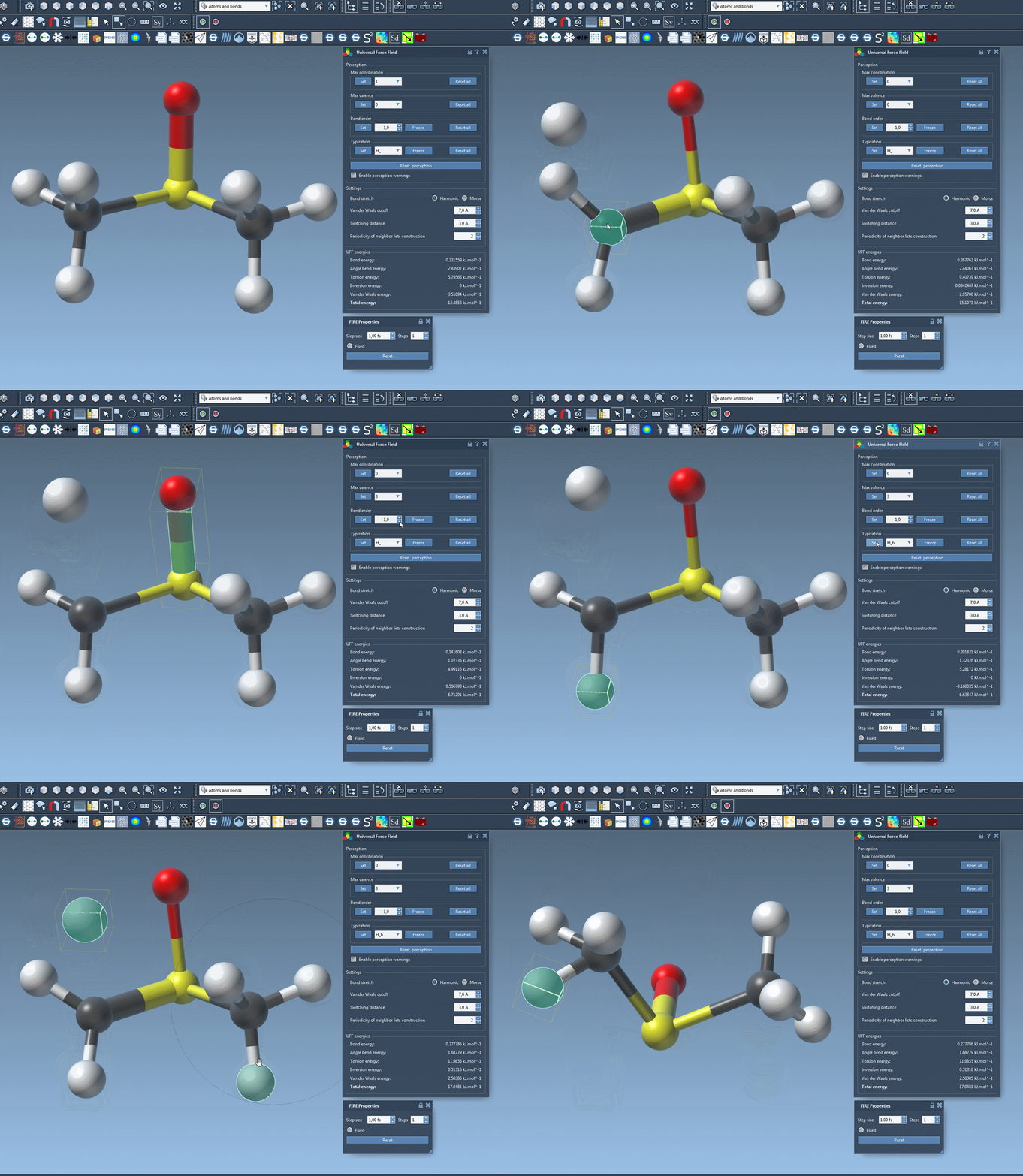
SAMSON’s interface allows you to observe your customization effects interactively. For example, you can visualize how the software recalculates atom types or updates bonds as you adjust parameters. Here’s a quick peek at customizing UFF with dynamic changes:
Proceed with Care
While these tools provide incredible flexibility, it’s important to use them responsibly. Incorrect customizations can lead to invalid molecular structures. These advanced features are best utilized by experienced modelers who understand the impact of typization changes on simulation results.
To learn more about customizing the Universal Force Field (UFF) and other advanced UFF options, visit the official documentation page.
Note: SAMSON and all SAMSON Extensions are free for non-commercial use. You can explore SAMSON’s full range of capabilities by downloading it here.