



When working with molecular modeling, force fields like the Universal Force Field (UFF) can automatically determine atom types, bonds, and bond orders based on molecular geometry. While this is convenient, it can sometimes lead to frustrating mismatches if the automatic perception doesn’t align with expert knowledge or desired chemical intuition — especially when modeling unusual molecules or fine-tuning molecular assemblies for simulations.
This tutorial explains how to manually control bond orders within SAMSON’s UFF environment, without needing to modify source files or re-import data. This can be particularly useful when:
- You’re building new materials with non-standard bonding patterns.
- You want to keep a specific bond order fixed throughout trajectory steps.
- You’re correcting automatic guesses that don’t make chemical sense in a given context.
Here’s how you can take over UFF’s automatic bond order perception and force the model to align with your needs.
How to Set Custom Bond Orders
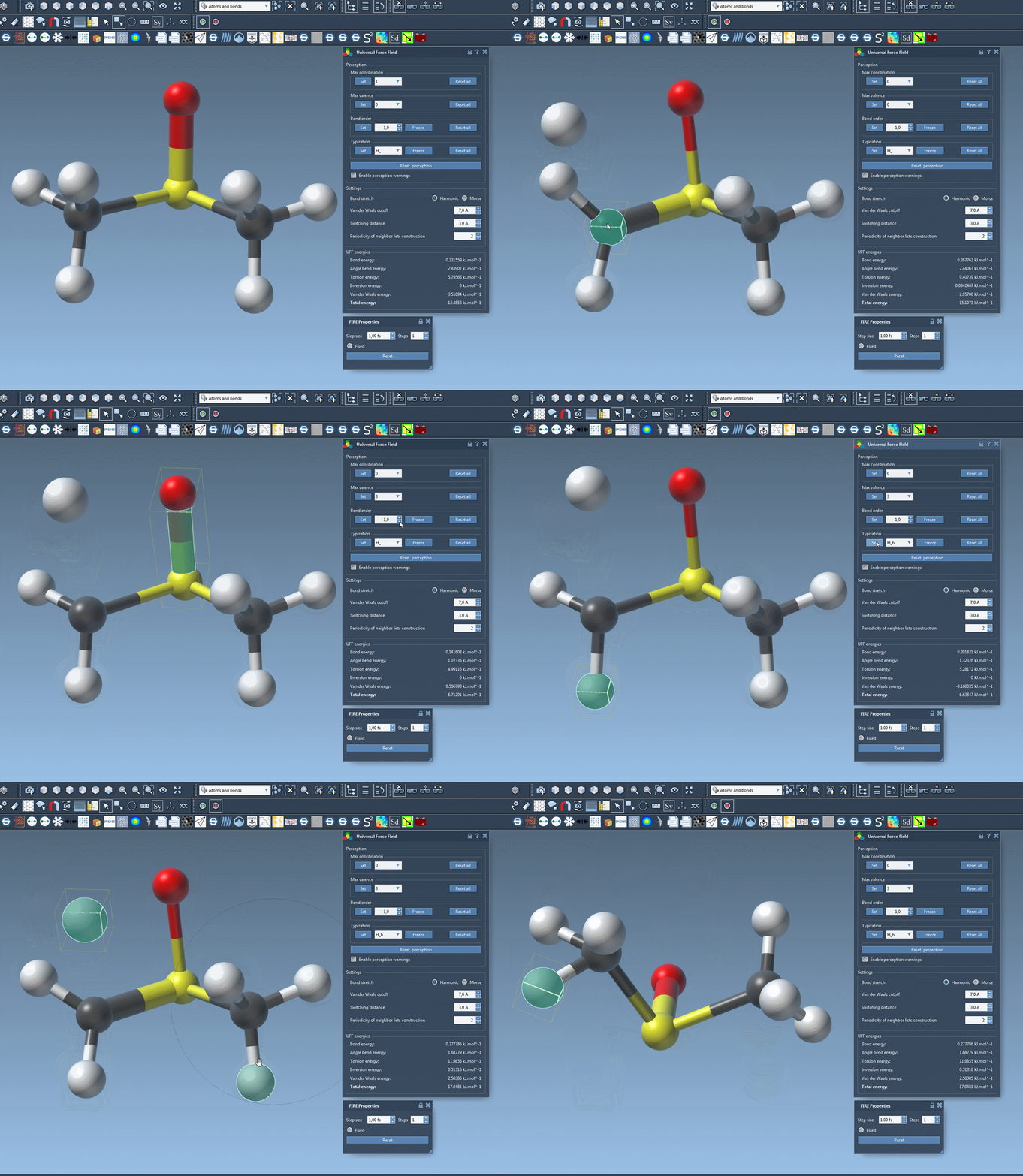
Once the UFF simulator is set up on your molecular model in SAMSON, follow these steps:
- Select one or several bonds in your structure that you want to modify.
- Locate the Bond order group in the UFF parameter window.
- Select a bond order value between
0.1and3.9. Non-integer values (e.g., 1.5) are acceptable. - Click the Set button to apply this bond order to the selected bonds.
After setting a bond order, you may also want to prevent it from being overwritten in future perception updates. To do this, use the Freeze button in the same Bond order group. This keeps the value fixed even if you recompute the atom perceptions later.
When Should You Freeze Bond Orders?
Freezing is especially useful when working with dynamic models where atoms may shift, or if perception is set to be recomputed during simulation. Blocking changes ensures your chemical model behaves consistently throughout.
A common use-case: modeling resonance structures or partial bonds where bond orders deviate from classical single/double/triple settings. For example, benzene rings or metal-ligand complexes often require careful tweaking for meaningful simulation results.
Resetting to Automatic Mode
If you’re unhappy with the modifications or just want to start over, you can:
- Press the Reset all button in the Bond order group to remove all manual interventions.
- Use the Reset perception button to recompute atom and bond types based on current geometry (including any recent atom additions or deletions).
Final Notes
Manually setting and freezing bond orders gives experts greater control over their molecular systems, which can be crucial in both qualitative modeling and quantitative simulation. While default detection works well for standard molecules, edge cases benefit from human chemistry insight.
Learn more in the full documentation: UFF in SAMSON
SAMSON and all SAMSON Extensions are free for non-commercial use. Get SAMSON at https://www.samson-connect.net.