



When you need a molecule or material fragment with a particular outline, selecting atoms one by one is slow and difficult to reproduce. The challenge is especially clear with a large graphene sheet: the atoms are arranged regularly, but the shape you want may have curved edges, narrow sections, or several distinct regions.
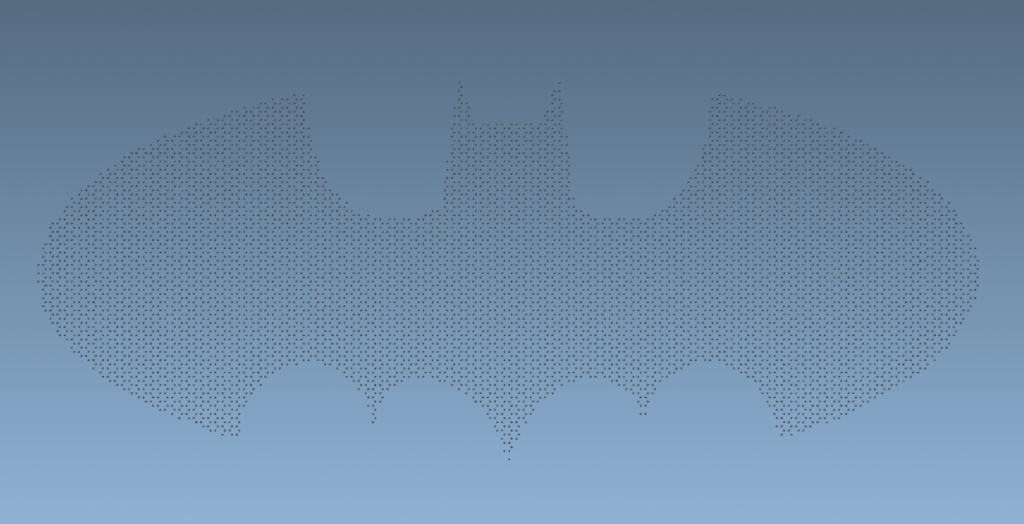
SAMSON’s Simple Script Extension offers another approach: describe the shape with mathematical conditions on atom coordinates, then use those conditions to select atoms or change their visibility. The nano-batarang example is playful, but the practical idea applies to many modeling tasks: turn a geometric rule into a repeatable atom-selection workflow.
Think in coordinates, not clicks
Each atom has position variables a.x, a.y, and a.z. A script can test these values against a mathematical expression. For example, the following rule shows atoms within a sphere of radius 10 centered at (0, 0, 2), and hides atoms outside it:
|
1 2 |
if ((a.x^2 + a.y^2 + (a.z - 2)^2) < 100) a.visibilityFlag:=1; else a.visibilityFlag:=0; |
The expression is the squared distance from the sphere’s center. Comparing it with 100 is equivalent to comparing the distance with 10, but avoids calculating a square root for every atom. The coordinates and radius must use the same length units as the structure.
This kind of test is useful beyond spheres. A condition can combine coordinate ranges and mathematical expressions to define a more intricate outline. The script can then set n.selectionFlag to select matching atoms, or set a.visibilityFlag to control which atoms are shown. These are different outcomes: selection marks atoms, while visibility controls whether they appear.
Build a shape from smaller rules
The batarang script demonstrates how a complicated outline can be described in manageable pieces. It first defines scaled coordinates:
|
1 2 3 |
var x:=a.x / 2; var y:=a.y / 2; var iambatman:=false; |
It then tests regions such as the wings, head, and ears using conditions involving abs(x), y, and curves. If an atom falls within one of those regions, the script sets iambatman to true. At the end, that result controls both selection and visibility:
|
1 2 3 4 5 6 7 |
if (iambatman) { n.sf:=1; a.vf:=1; } else { n.sf:=0; a.vf:=0; }; |
In practice, this structure is easier to debug than one long expression. Start with a simple region, check the result, and add another condition only when needed. Use comments to label the parts of the outline, and check the coordinate scale before tuning numerical thresholds. The tutorial’s batarang example notes that its coordinates should be at least in nanometers, so a scale mismatch can make an otherwise valid shape rule select the wrong atoms.

A reusable workflow
- Open the structure you want to edit and inspect its orientation and coordinate units.
- Write a simple geometric test, such as a sphere or coordinate range, and apply it.
- Confirm that the selected or visible atoms match the intended region.
- Extend the test into several labeled conditions for more complex shapes.
- Keep the original structure available while experimenting, especially when changing atom positions or element types.
If you only need to select atoms with an expression, the Atoms Selector Extension can use the same variables, operators, and functions. For example, its expression for a cylindrical region of radius 10 around the z-axis is ((a.x-15)^2 + (a.y-15)^2) < 100; this selects by x and y position without restricting z.
See the original tutorial for the complete batarang scripts, additional examples, and the Simple Script and Atoms Selector Extensions.
Note: SAMSON and all SAMSON Extensions are free for non-commercial use. Get SAMSON.