



Predicting how molecules transition from one state to another is at the heart of molecular modeling. Whether you’re studying protein folding, ligand binding, or conformational changes, knowing the minimum energy path (MEP) between two states can shed light on kinetics and energy barriers. Yet, computing these paths can be challenging, particularly when the intermediate states are unknown or poorly optimized.
If you’re working with just a set of conformations — perhaps manually generated or interpolated between two known structures — you may be wondering: How can I turn this set into a more realistic, physically meaningful transition path? This is where the Parallel Nudged Elastic Band (P-NEB) app in SAMSON becomes a valuable ally.
Why use P-NEB on conformations?
While P-NEB can work directly on paths (which tend to be quicker), you might not always have a trajectory to begin with. Sometimes, you’ll only have a handful of conformations — initial and final states, plus a few interpolated guesses. Applying P-NEB to these conformations lets you optimize their positions under physical constraints, moving you closer to a realistic MEP.
Before you begin
To use this workflow in SAMSON, make sure you have installed the following:
- P-NEB Extension
- FIRE Optimizer (used during NEB optimization)
How to apply NEB to conformations
Once your conformations are available in the Document view of SAMSON:
- Select all the conformations you want to optimize.
- Open the P-NEB app from
Home > Apps > All > P-NEB. - Set the following parameters:
- Spring constant: 1.00
- Number of loops: 100
- Interaction model: Universal Force Field (UFF)
- Optimizer: FIRE
- Climbing image: leave unchecked (can try later)
- Parallel execution: check this to speed up computation
- Suffix name: NEB
- Click Run.
During initialization, you’ll be asked if you want to use existing bonds — choose “Yes” to maintain molecular integrity. Once optimization begins, you’ll be able to monitor progress in the status bar:

What happens next?
Once the calculation is complete, SAMSON will generate a new set of conformations, now optimized to represent a plausible energy-minimized transition path:
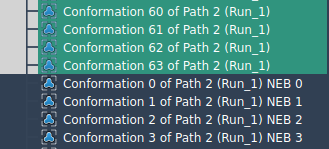
You can double-click any of these to see how the atomic positions evolve. For further analysis, you might use SAMSON’s Inspector or even convert these conformations into a continuous path using Conformation > Create path from conformations in the context menu.
Tip for better performance ⚡
If you already have a path — for example, from simulations or generated using the Ligand Path Finder — applying NEB directly on the path is faster for the same resolution. You can combine conformations into a path as well, which combines both flexibility and better performance.
Conclusion
Modeling complex molecular changes doesn’t need to be elusive. The NEB approach implemented in SAMSON helps bridge the gap between known states by optimizing the unknowns in-between. Whether you start with paths or conformations, P-NEB provides a structured way to uncover energetically feasible transitions.
To learn more about using P-NEB and optimizing transition paths, visit the full documentation here: Optimize transition paths with the Parallel Nudged Elastic Band method.
SAMSON and all SAMSON Extensions are free for non-commercial use. You can get SAMSON at www.samson-connect.net.