



Building a polymer model can become tedious before the chemistry even gets interesting. You may have the fragments you want, but still need to choose connection atoms, repeat the right units in the right order, and keep track of bond types. Polymer Builder in SAMSON brings those steps into one workflow: register monomers, save reusable sequences, then assemble them with a compact expression.
The key is to treat the connection points as part of the model—not as an afterthought. A fragment’s start and end atoms determine how it can join its neighbors and influence the generated chain’s shape. Taking a moment to check those atoms before assembling a long sequence can help avoid having to rebuild it later.
Start with fragments you can inspect
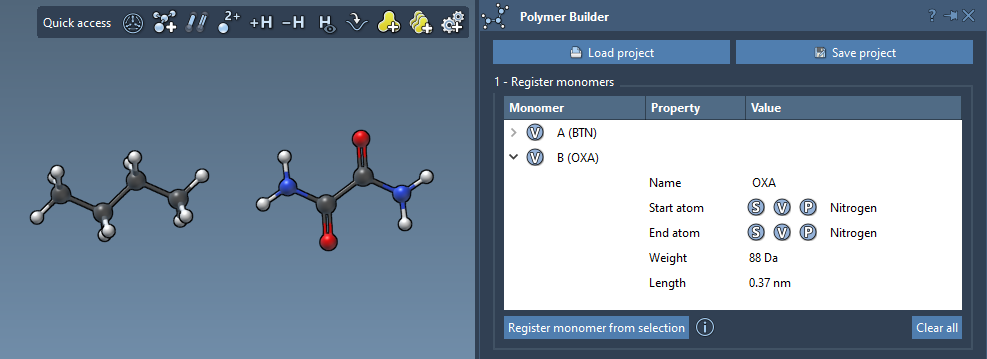
Open Polymer Builder from Home > Apps > Assembly > Polymer Builder, or find it using SAMSON’s Find everything… search. Select a candidate monomer in the Document view or Viewport, then choose Register monomer from selection. The app assigns it a unique letter, such as A or B, and automatically picks start and end atoms at opposite ends of the fragment.
Automatic selection is a useful starting point, but it may not match the connection direction you intend. To override an endpoint, select a single atom and use S, or use P to pick an atom from a list. The V control highlights the relevant structure or atoms. Check the registered-monomer table too: it shows molecular weight and the distance between the chosen endpoints. Those values provide a quick way to spot a fragment whose connection span deserves a closer look.
Use sequences to reduce repetition
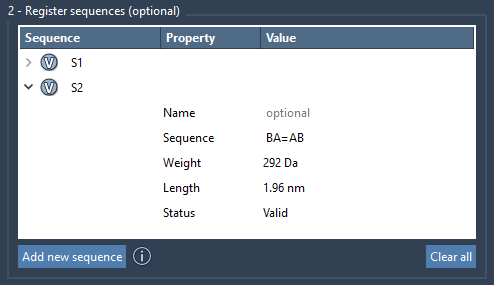
If a section of your polymer repeats, register it once as a sequence rather than re-entering every monomer each time. Choose Add new sequence and type the registered monomer IDs—for example, ABBA. Each sequence receives an identifier such as S1. A sequence’s status indicates whether its expression is valid; if it is not, check that the letters correspond to registered monomers. The V control can highlight the monomers used, which is helpful when a project contains several fragments.
Bond notation lets you specify connections beyond the default single bond. Use = for a double bond and # for a triple bond: A=B and A#B are examples. You can also give a sequence a name if you want its monomers grouped under a common parent structural group in the generated polymer.
Build the chain with an expression
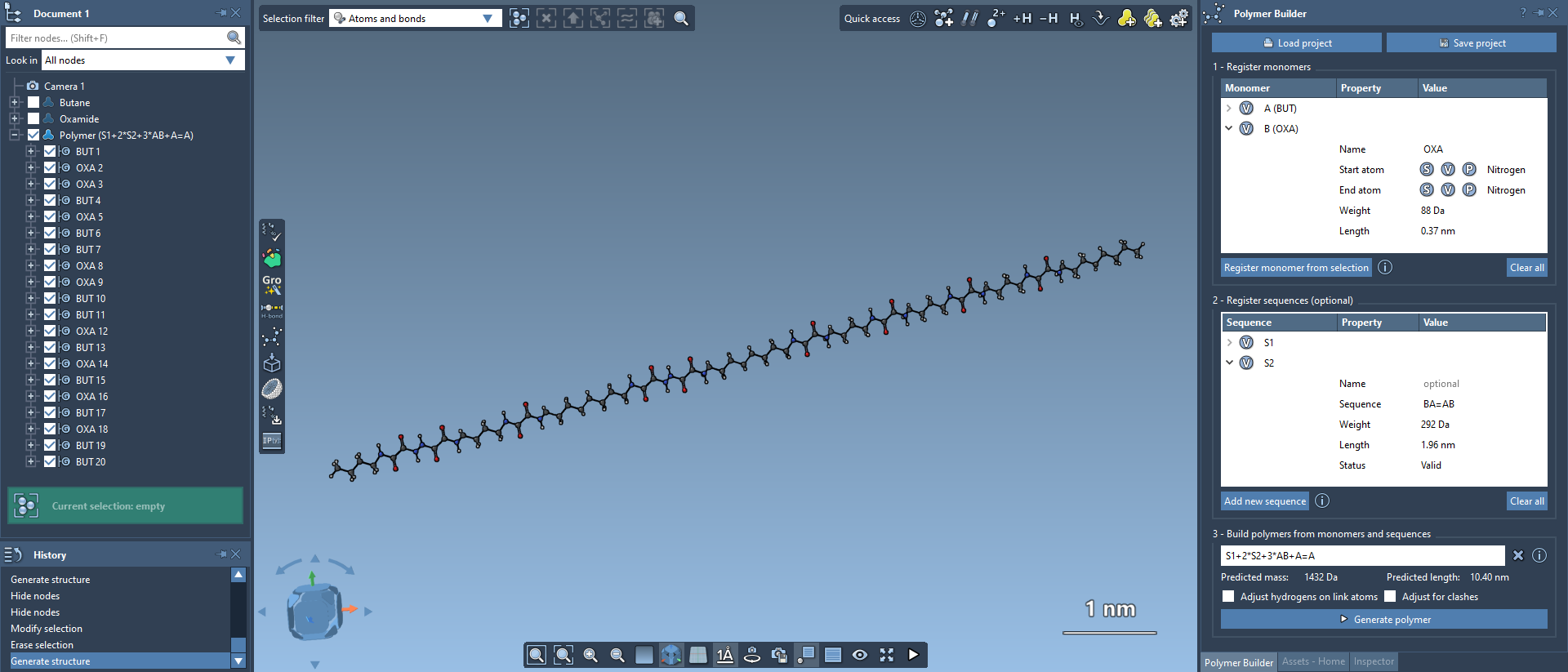
The final expression can combine individual monomers, saved sequences, repeats, and bond notation. For example, 2*AB means two repeats of AB, producing ABAB. An expression such as 2*S1 + 2*S2 repeats two saved sequences twice each. You can also specify bond types between components, as in AB=BA or AB#BA.
Before generating, review the predicted molecular weight and length shown by the app. These are useful checks on whether the expression represents the intended scale and composition. Then select Generate polymer. Polymer Builder forms the chain using the directions between each monomer’s start and end atoms and removes excess hydrogens at connection sites.
Check the result and keep your work
Two options can help with the generated structure. Adjust Hydrogens on connection atoms adjusts hydrogens at the connection atoms based on valence and also adjusts their positions. Adjust for clashes tries to avoid steric overlaps as monomers are connected, though it may introduce slight curvature. These options support construction; they do not replace checking the resulting structure for your modeling purpose.
If the geometry needs refinement, SAMSON’s built-in minimizer is available through Edit > Minimize; click again to stop. The built-in minimizer uses the Universal Force Field. You can save the selected polymer with Home > File > Save selection as…, or save the full project to preserve the monomer and sequence tables for later work.
This workflow is especially useful when you want to iterate: refine a monomer’s connection atoms, update a reusable sequence, and regenerate the chain without manually assembling every unit. For the full instructions and interface details, see the Polymer Builder tutorial.
Note: SAMSON and all SAMSON Extensions are free for non-commercial use. Get SAMSON.