



A familiar bottleneck in molecular modeling is turning a promising structure into a manageable set of alternatives. Manually editing SMILES can be quick for one molecule, but becomes tedious when you want to compare several replacements for the same region—and a misplaced bond or mismatched attachment point can derail the process.
SAMSON’s RDKit-based SMILES Manager provides a way to organize the starting molecules, define the fragment to change, and generate replacement candidates in one workflow. The useful part is not simply producing a larger list: it is making the transformation explicit, so you can inspect the structures before moving on to 3D generation or other analysis.
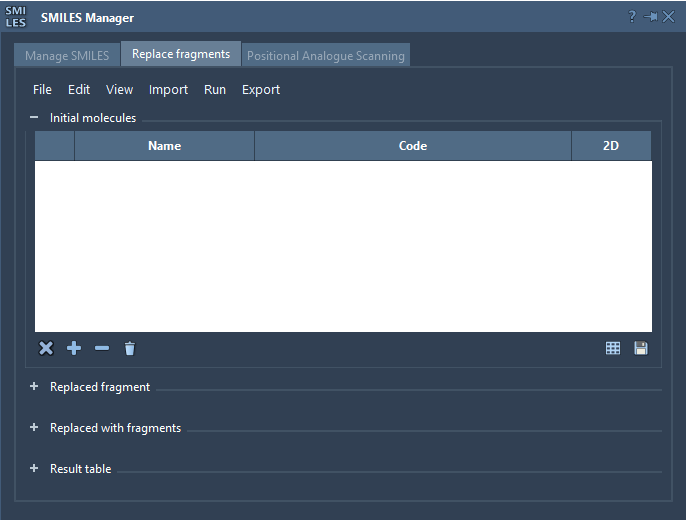
Think in three pieces
Before running a replacement, separate the input into three roles:
- Initial molecule: the molecule or molecules that contain the region you intend to change.
- Replaced fragment: the pattern that identifies the region to remove.
- Replacement fragments: the alternative patterns to insert in its place.
This framing helps prevent a common source of confusion: the target fragment and the replacement fragments are not complete molecules. They describe the part being exchanged and how it connects to the rest of the structure.
Make the attachment points explicit
In the example workflow, the starting molecule is COc1cc(CNC(=O)CCCC/C=C/C(C)C)ccc1O, and the target pattern is [*:1]C(=O)NC[*:2]. The numbered dummy atoms, [*:1] and [*:2], mark the two ends of the fragment. Replacement patterns need the same two attachment labels so the surrounding parts of the initial molecule can be joined to the new fragment.
That detail is worth checking before you run the operation. Confirm that the target pattern represents the intended region, and that each replacement has the attachment points at the intended ends. If the pattern does not match the structure you mean to edit, the resulting set will not answer the design question you started with.
A compact workflow
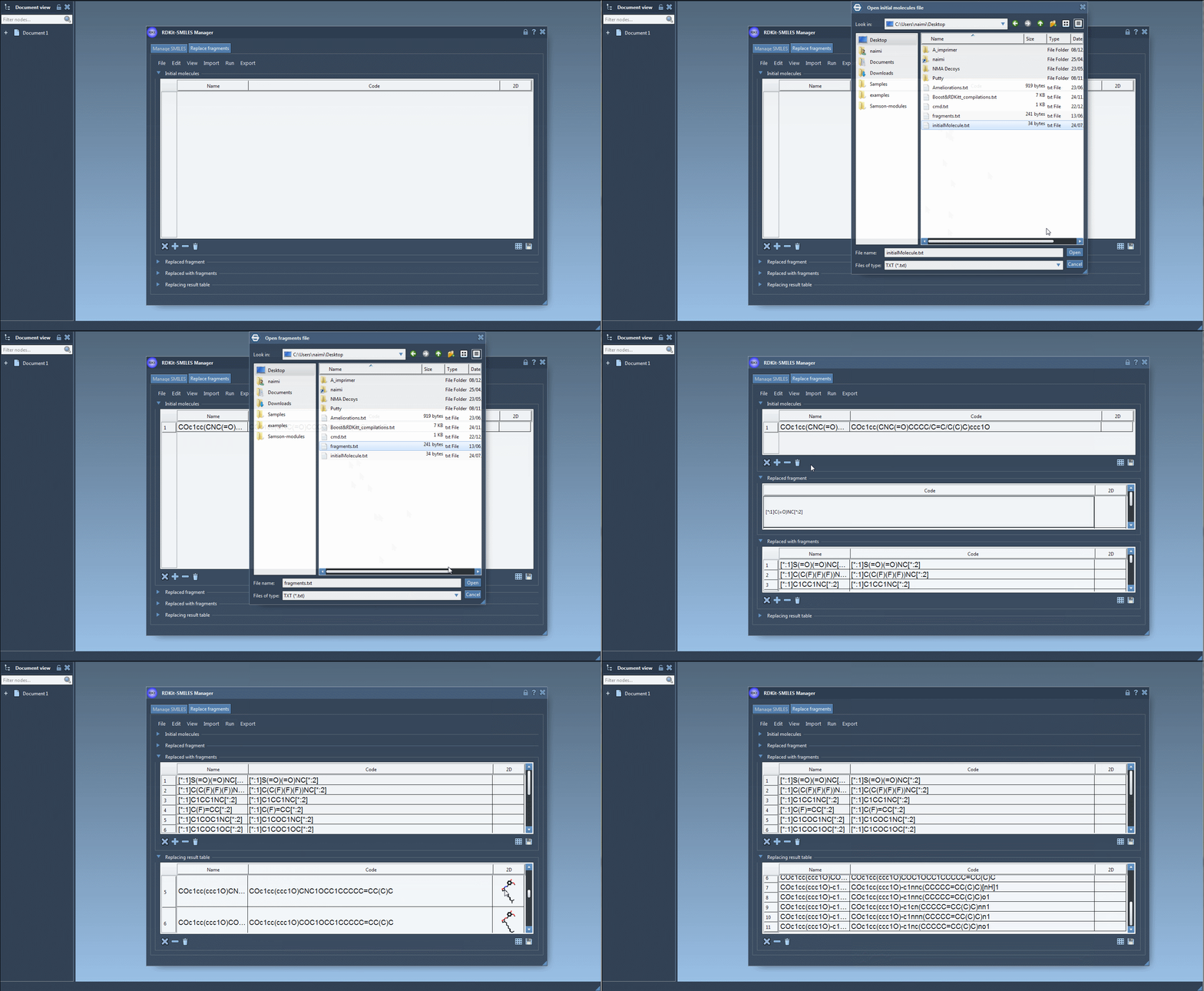
- Load the starting molecule. Use Open initial molecules from the File menu, add an entry manually, or import a molecule from the active SAMSON Document. The manager also supports common text-based SMILES inputs, including
.smiand.txtfiles. - Specify the region to replace. Enter the fragment pattern or import it from the active document using SAMSON Selection as replaced fragment.
- Prepare alternatives. Add replacement fragment patterns manually or import them with Open fragments to replace with…. You can supply multiple alternatives in one run.
- Run the replacement. Choose Replace fragments from the Run menu. The generated molecules appear in the Results table.
- Review before using downstream. Inspect the resulting SMILES and their 2D depictions. The table supports the same kind of entry review as the Manage SMILES tab, and results can be viewed in the active document through the Export menu.
For a larger set, begin with a small, representative group of replacement fragments. This makes it easier to check whether the attachment logic and resulting structures are what you intended before expanding the input library. The manager can generate many combinations, but generation itself does not tell you which molecule is preferable; the resulting candidates still need to be assessed using the modeling and analysis methods relevant to your project.
Keep the next step in view
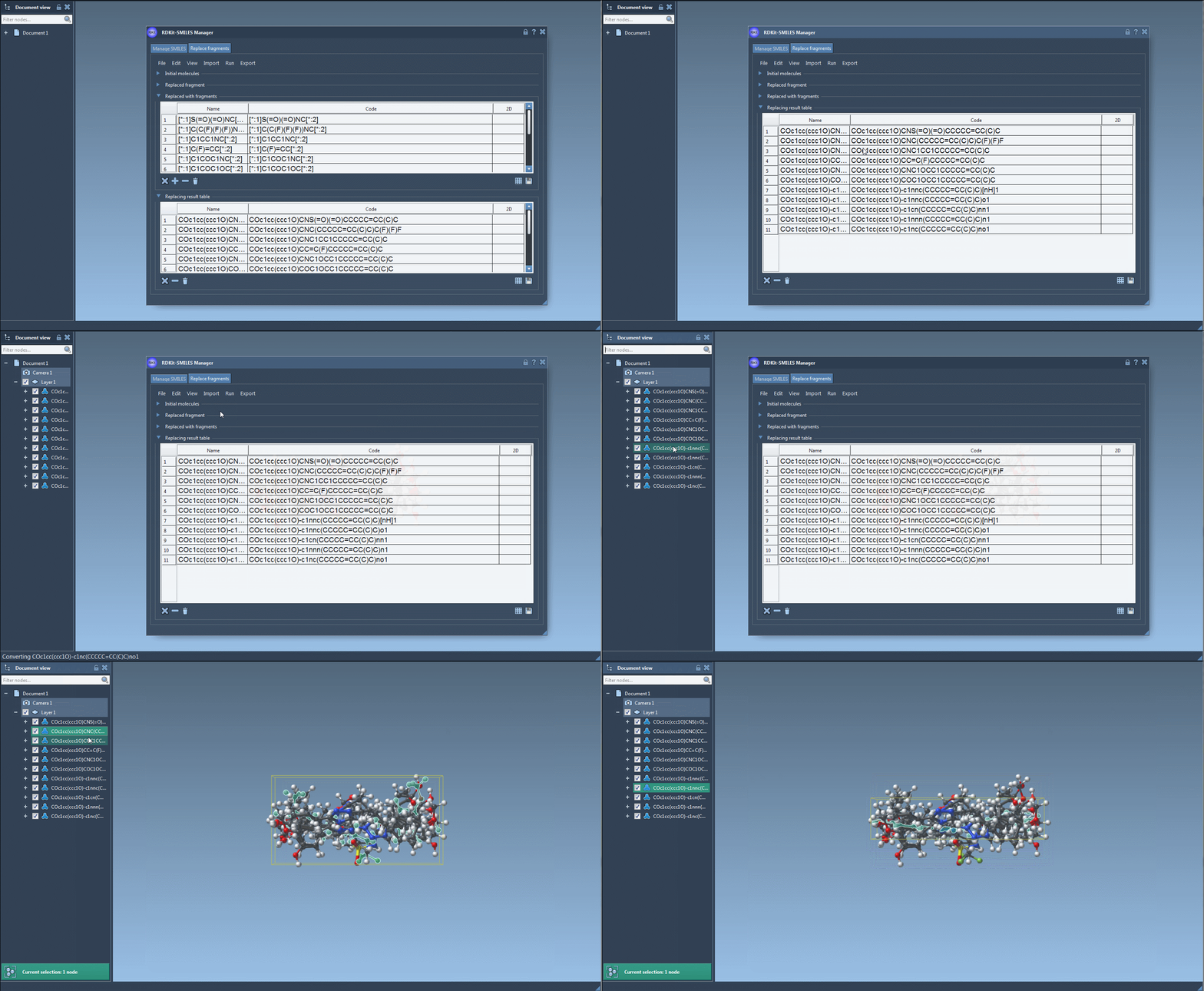
Once the replacements are generated, you can convert resulting molecules into 3D structures, modify them, or save them in a file or as a grid image. A useful habit is to preserve the connection between each candidate and its SMILES/name while reviewing the series; clear labels make later comparisons easier.
Fragment replacement is most useful when you have a specific region to vary and want a consistent way to create alternatives. It does not replace structural review, but it can make the repetitive part of building that candidate set easier to manage.
For the full interface details and additional SMILES Manager features, read the original documentation tutorial.
Note: SAMSON and all SAMSON Extensions are free for non-commercial use. Get SAMSON.