



Understanding how ligands bind to proteins is at the core of molecular modeling and drug design. But when the complexity of a 3D structure makes it difficult to spot key interaction patterns, zooming out to a clean, clear 2D representation can be a game-changer. That’s where the Interaction Designer in SAMSON comes in.
The Interaction Designer offers a tightly coupled 2D–3D environment so you can inspect and manipulate both views at once. Molecular modelers can now quickly generate editable 2D diagrams of complex interactions like protein-ligand bindings, making it much easier to communicate findings with collaborators, include insights in reports and publications, or even just make sense of molecular behavior at a glance.
Automatically generate interaction diagrams
To get started, simply use the Home > Diagram command. It creates a 2D interaction diagram based on your current selection—or, if nothing is selected, on the entire molecular document. This diagram shows selected atoms, overlays interactions, and lets you directly manipulate the visualization.

What you can see (and do) in 2D
The diagram highlights various types of interactions, such as:
- Hydrogen bonds and hydrophobic interactions
- Ionic and metal coordination
- van der Waals contacts and steric clashes
- Aromatic stacking and atom-plane interactions
But it goes beyond static viewing. Each interaction format can be edited: move labels, show/hide specific interaction types, and change their colors for emphasis. The 2D layout becomes fully customizable, letting you tailor your diagram to the focus of your analysis or presentation.
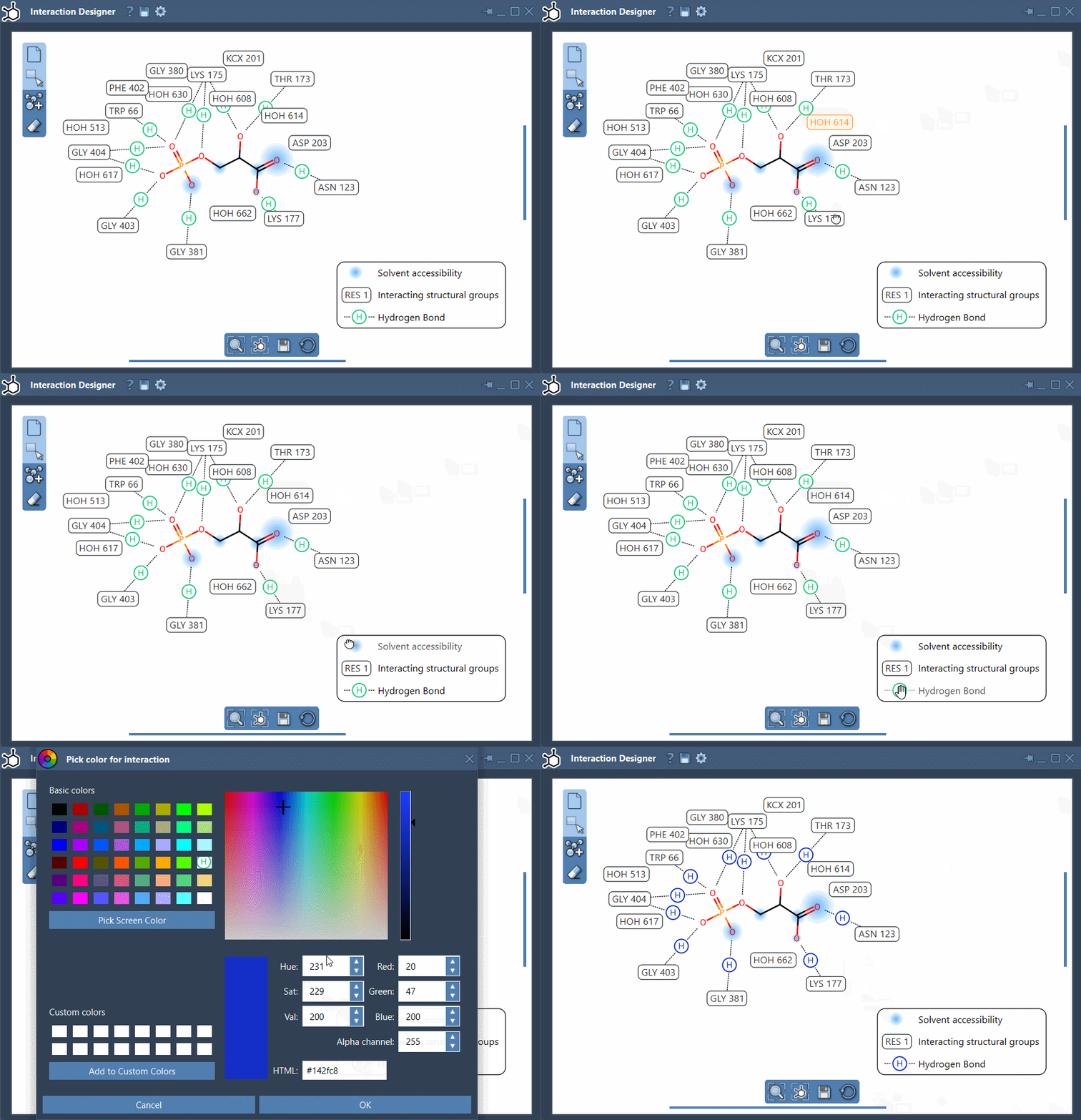
Synchronized 2D and 3D exploration
One of the most practical features for researchers is the ongoing synchronization between views: selecting an atom in 3D highlights it in 2D, and vice versa. You can zoom, translate, and rotate the 3D view while keeping context in your 2D layout—great for spotting environments, binding pockets, or solvent-accessible regions.
Export for documentation and communication
Once you’ve refined your diagram, export it in high-quality formats like PNG, JPEG, BMP, or SVG using the Save button in the bottom panel. This makes it straightforward to include clean visuals in lab notebooks, slide decks, or manuscripts.
Who benefits?
This feature is especially helpful for:
- Medicinal chemists analyzing docking results
- Structural biologists exploring residue interaction networks
- Students trying to learn the complexity of protein-ligand interfaces
- Anyone needing to summarize complex 3D interactions in a human-readable way
Whether you’re debugging a docking result or preparing a slide, the interaction diagram gives you clarity and control over how molecular relationships are presented.
To go deeper into what the Interaction Designer can do, visit the full documentation page.
SAMSON and all SAMSON Extensions are free for non-commercial use. You can download SAMSON at www.samson-connect.net.