



For molecular modelers, transforming 2D chemical representations like SMILES (Simplified Molecular Input Line Entry System) into 3D structures can often be a critical step in exploring molecular properties, docking studies, or preparing for simulations. The process is often riddled with technical hurdles, from compatibility issues to ensuring accuracy in conversion. Enter SAMSON’s SMILES Manager – an intuitive tool to streamline this workflow effectively.
The User Pain
Molecular modelers frequently encounter scattered workflows when dealing with SMILES strings. Whether it’s handling diverse input formats, correcting erroneous entries, or generating accurate 3D structures, the challenges can slow down critical research tasks. SAMSON’s SMILES Manager tackles these issues head-on, simplifying the conversion process and saving valuable time with its seamless integration of RDKit, a powerful cheminformatics toolkit.
How to Convert SMILES to 3D Structures with Ease
The SMILES Manager module in SAMSON is specially designed to empower researchers to move quickly from simple textual representations of molecules to functional 3D-ready structures in just a few steps:
1. Importing SMILES Data
The SMILES Manager supports multiple input formats, including:
- RDKit-style
.smifiles with molecule names and SMILES strings. .txtfiles containing one SMILES string per line.- RDKit-SMILES files with extra attributes (ignored during import).
You can load your SMILES data by selecting the Open option from the File menu. Choose your preferred format, and the tool automatically organizes the SMILES strings into an efficient table structure.
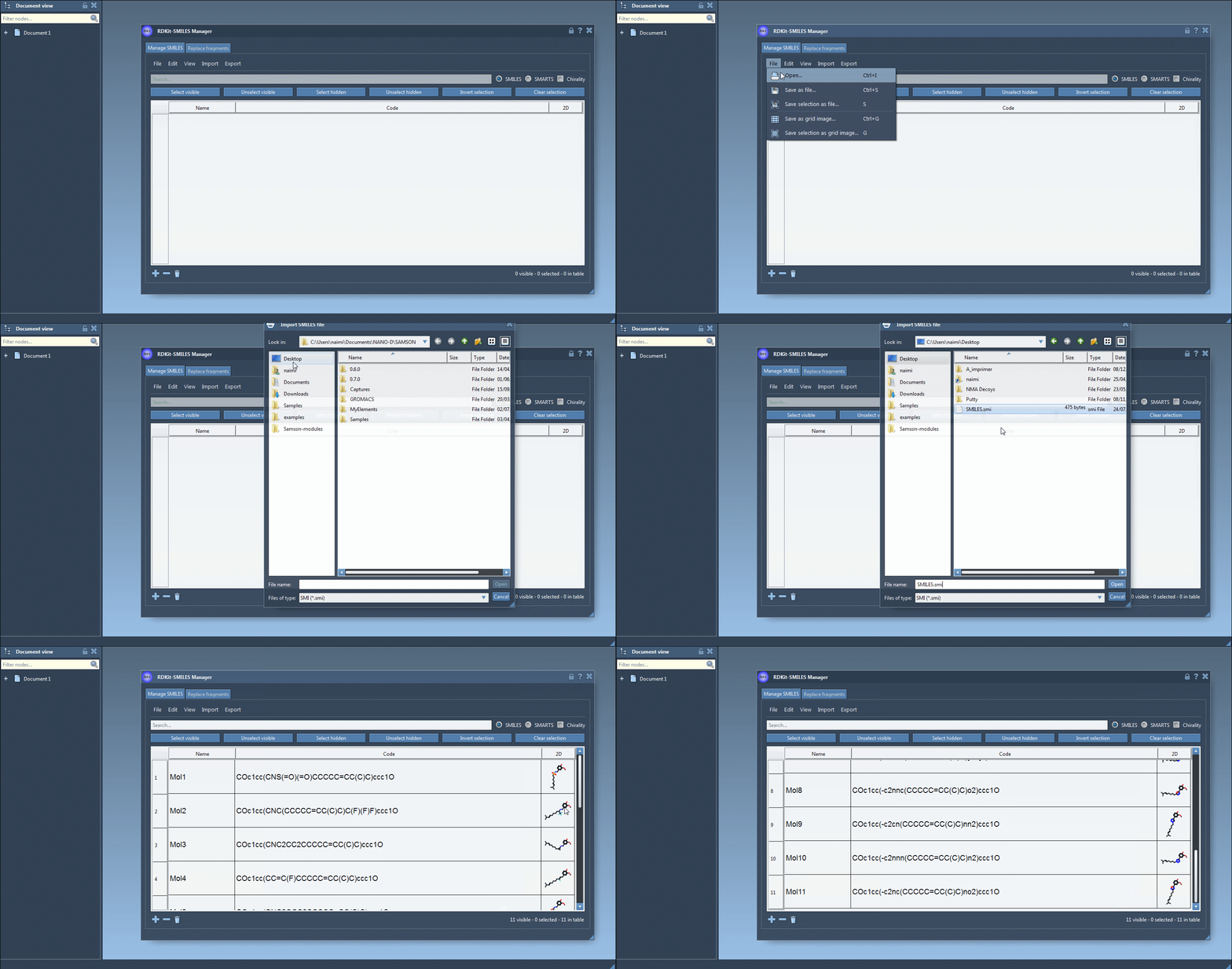
2. Managing and Validating Your SMILES Data
The SMILES Manager allows you to easily identify potential issues with invalid SMILES strings. Errors are flagged automatically, along with visual indicators. You can add, modify, or remove SMILES strings directly in the interface, all within a few clicks.
3. Generating 3D Structures
After reviewing your SMILES strings, generating 3D molecular structures is a breeze with the embedded RDKit functionality:
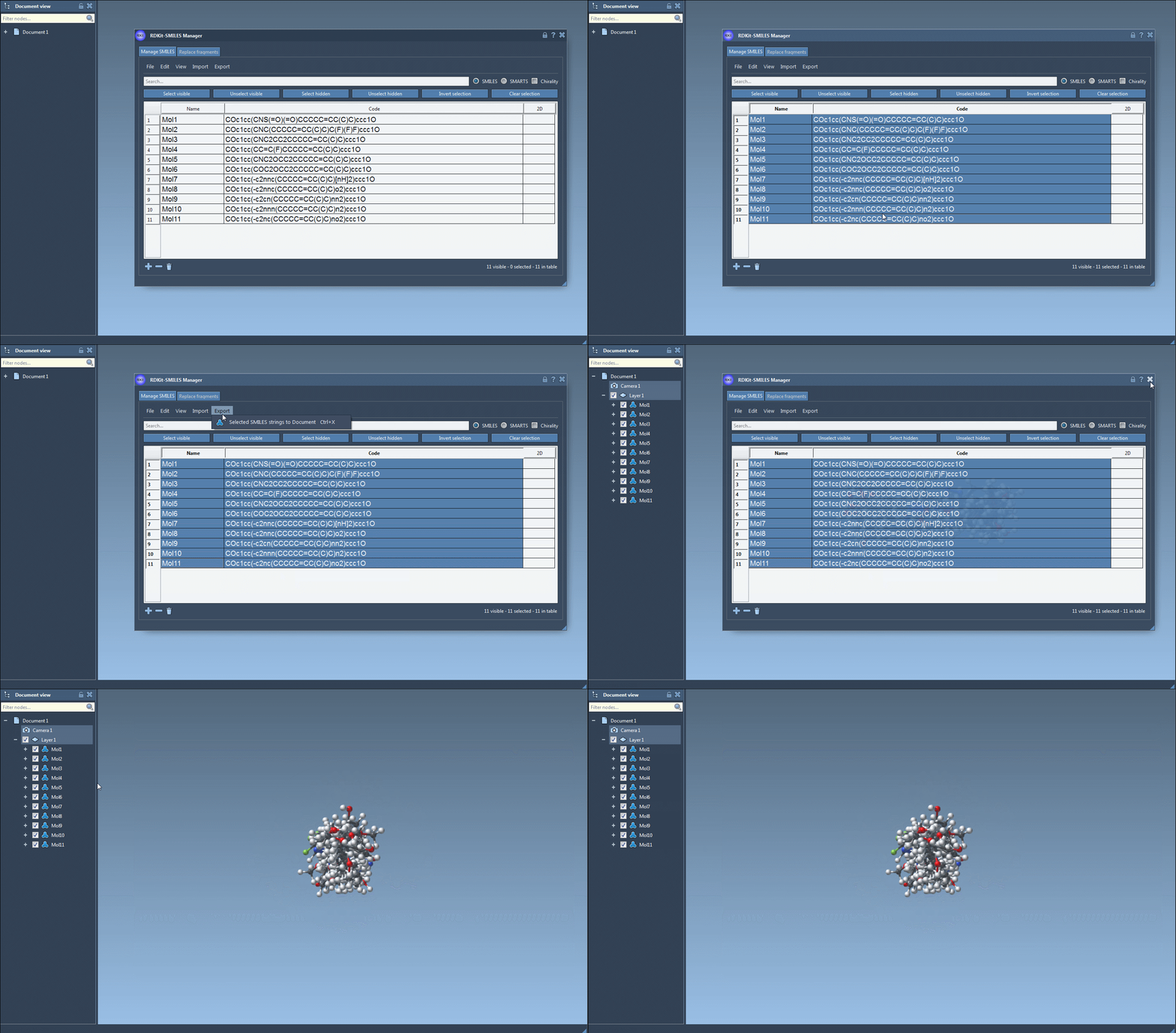
- Select the molecules you wish to convert in the table.
- From the Export menu, choose Selected SMILES string to Document.
The corresponding 3D molecular structures, complete with their designated names, are then added to your active SAMSON document. This makes them immediately available for other downstream tasks such as docking or molecular visualization.
4. Refined Single-Molecule Conversion
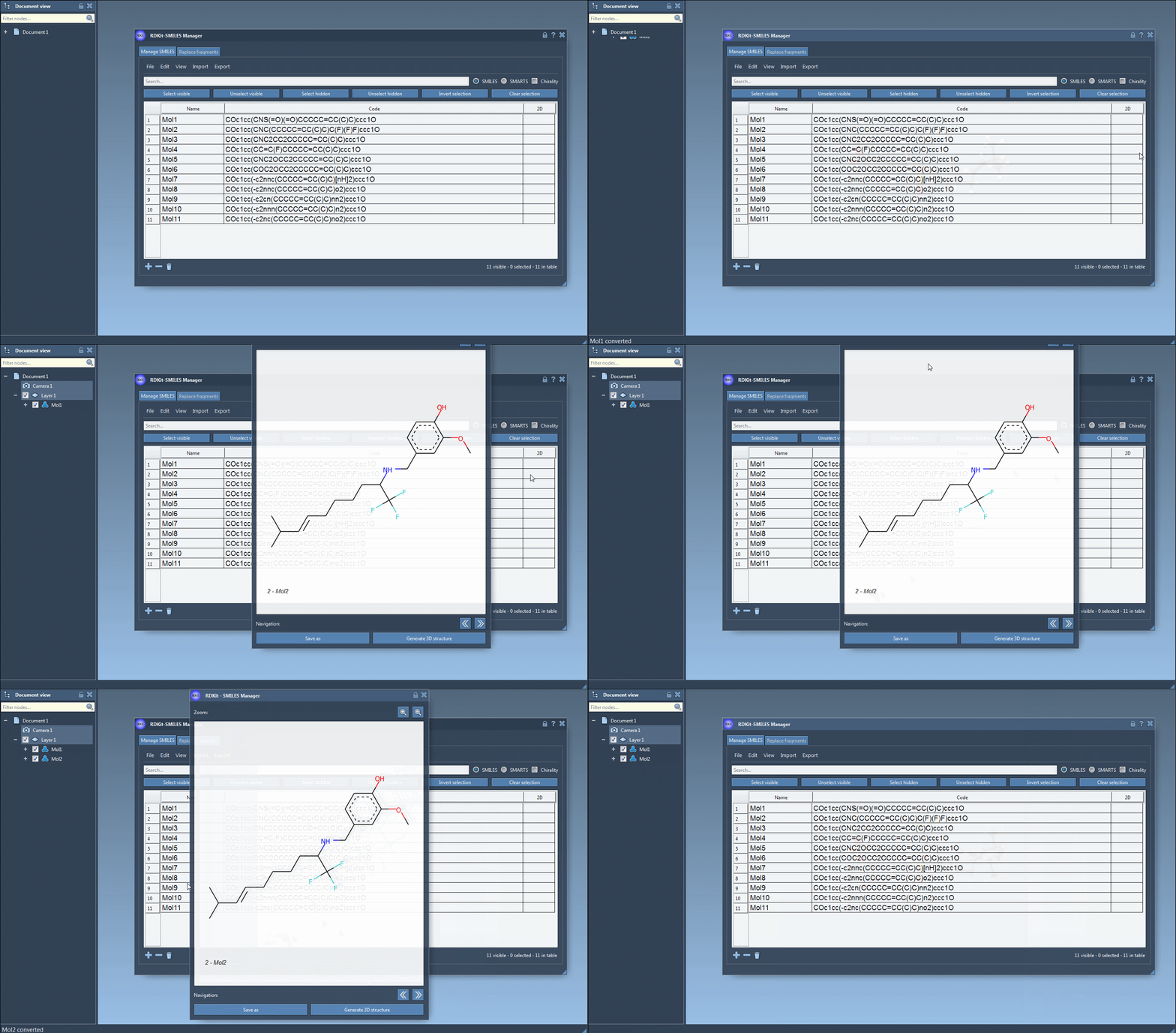
For smaller datasets or individual molecules, you can choose to focus on a single SMILES string. The Generate 3D structure option in the right-click context menu or in the detailed view window makes it quick to create clean 3D models on the spot.
Why It Matters
Generating accurate 3D structures is fundamental for many areas of molecular modeling, from small-molecule docking to visualization. With a tool like SAMSON’s SMILES Manager, researchers gain the flexibility to validate, manage, and convert SMILES strings with ease – all within a single platform. Its RDKit-powered integration ensures that results are robust and ready for further computational design workflows.
Learn More
To explore the full capabilities of SAMSON’s SMILES Manager, refer to the official documentation here.
Note: SAMSON and all SAMSON Extensions are free for non-commercial use. Get your copy today at SAMSON Connect.