



Two protein structures can show where a molecule starts and ends, but they do not show how it might move between those states. That gap can make conformational analysis difficult: comparing endpoints is useful, yet many downstream workflows need a series of intermediate structures. In SAMSON, the ARAP Interpolator can generate such a path from two conformations. Here is a practical workflow, along with the setup choices that help avoid common problems.
The example uses two conformations of diphtheria toxin, PDB structures 1DDT and 1MDT. The aim is to interpolate between chain A in each structure. The method is based on As-Rigid-As-Possible (ARAP) interpolation, which constructs a geometric path while preserving local structure as much as possible. It can produce intermediate conformations for visualization or as input to subsequent analyses.

Prepare comparable endpoints first
Load 1DDT and 1MDT using Home > Fetch. In the example, only chain A is used, so remove chain B from 1MDT. Then run Home > Prepare on both structures to remove alternate locations, water, ligands, and ions.
This cleanup is more than housekeeping. The interpolation expects a connected structure. Extra, unconnected components can cause the computation to stop with the message “Cannot proceed because the structure does not make one connected component.” If that happens, check for leftover waters, ions, ligands, or other disconnected pieces and prepare the structures again.
Next, create a conformation for each cleaned structure with Edit > Conformation. Give them clear names, such as 1DDT A and 1MDT A. These named conformations become the start and goal of the path.
Choose what should match
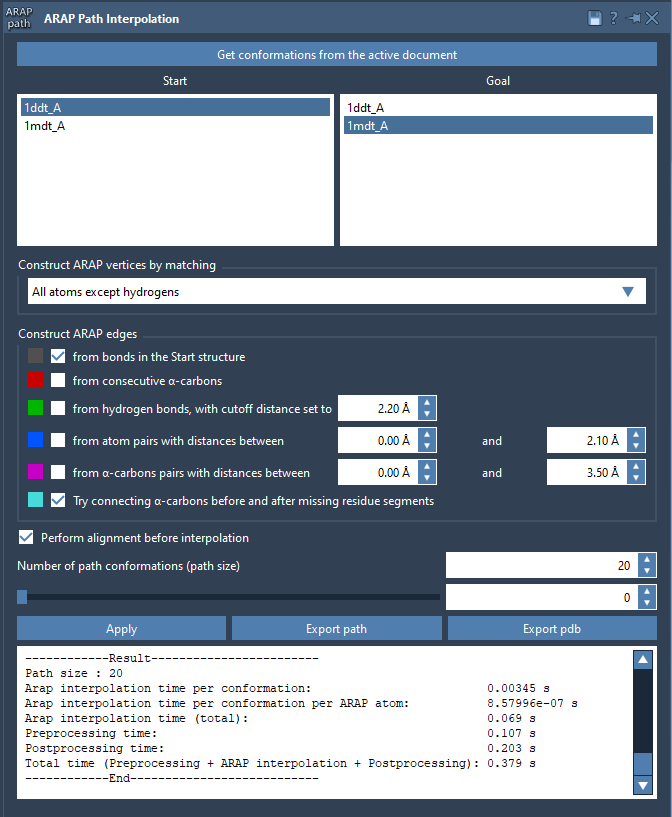
Open Home > Apps > Biology > ARAP Path Interpolation, retrieve conformations from the active document, and set 1DDT A as Start and 1MDT A as Goal. For this example, choose All except hydrogens for matching atoms. That makes non-hydrogen atoms the basis for correspondence between the conformations.
The app also offers matching by all atoms, α-carbons only, or backbone atoms. The choice determines which atoms are used to establish the correspondence, so it is worth treating it as a modeling decision rather than a cosmetic setting. Use the option that matches the level of structural detail you need to represent.
Build connectivity and align the endpoints
For the example, enable from bonds in the Start structure and Try connecting α-carbons before and after missing residue segments. The first uses covalent bonds in the start structure to define ARAP edges. The second adds connections across segments where residues are missing. These edges help define how local relationships are represented along the interpolation.
Also enable Perform alignment before interpolation, so the start conformation is aligned with the goal before the path is computed. Set Number of path conformations to 20; this count includes both the start and goal, not just the intermediates. Then click Run.
Inspect the path, not only the endpoints
When the calculation finishes, use the app’s slider to move through the conformations. Scrubbing through the path is a simple way to spot unexpected changes that may be hidden when looking only at the first and last structures. The app also creates a visual model of the ARAP edges; toggle it in the Document view to inspect how connectivity was constructed.
ARAP interpolation gives you a geometrically constructed path, not proof that every intermediate is a physically populated state or that the path is energetically optimal. For that reason, interpret the result in the context of your scientific question. The generated conformations can be useful for visualization and for preparing further work, such as umbrella-sampling setup, steered molecular dynamics, or refinement with P-NEB.
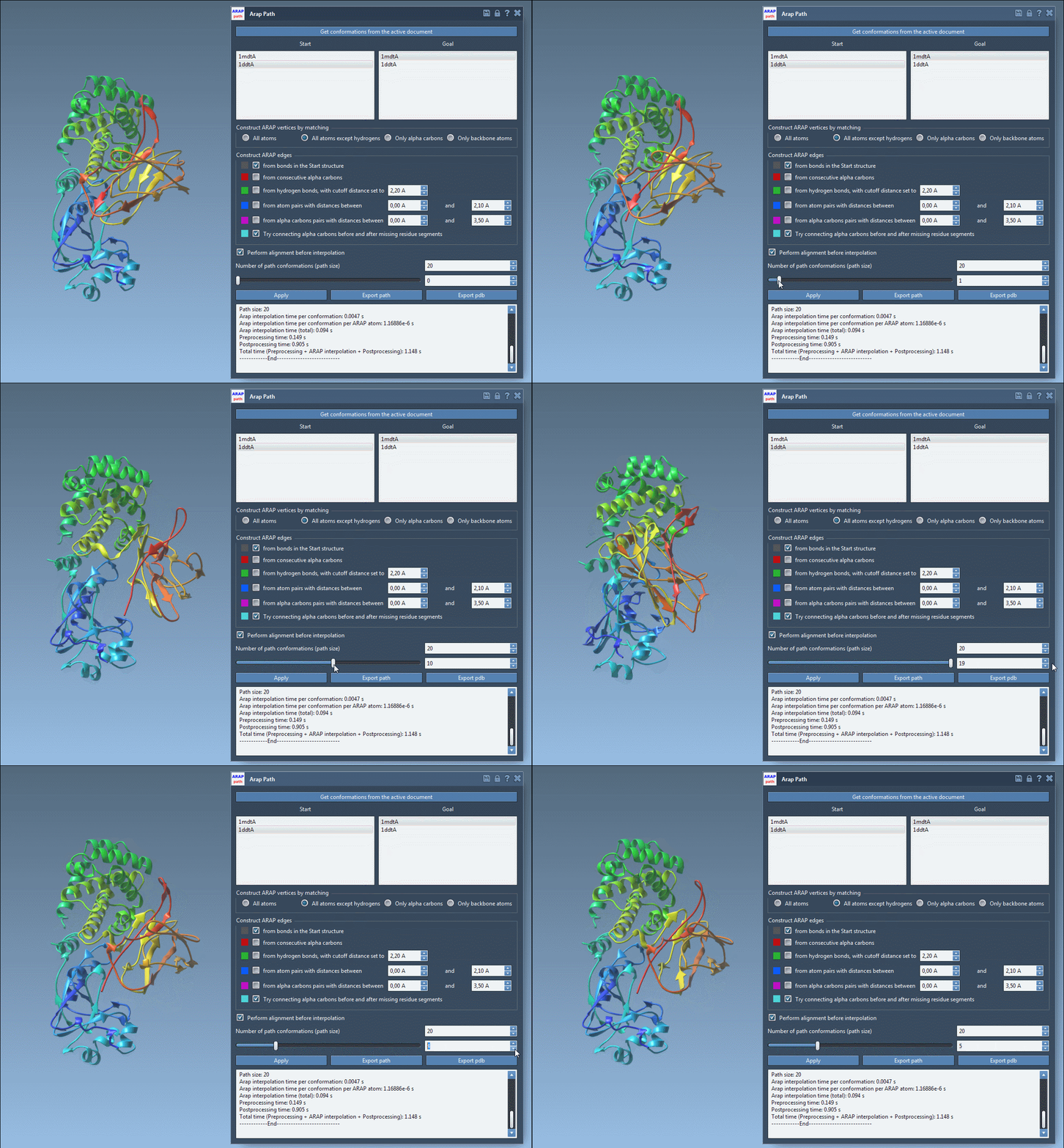
You can export the path as a path object in the current SAMSON document, or export it to PDB, with each conformation written as a sequential PDB file. For the full walkthrough and additional details, see the ARAP protein interpolation tutorial.
Note: SAMSON and all SAMSON Extensions are free for non-commercial use. Get SAMSON.