



A molecular modeler may have two structures of the same protein—one closed, one open—and still face a difficult question: how can you explore the motion between them? The endpoints show different conformations, but they do not explain how the protein might transition from one to the other. Simply having both structures is not the same as having a trajectory, and differences between the structures can make path generation more involved.
The SARS-CoV-2 spike provides a useful example. Its receptor-binding domain can move from a closed, or “down,” state to an open, or “up,” state that can bind the human ACE2 receptor. The spike is made of three copies of the S protein, and the opening motion exposes a region involved in receptor recognition.
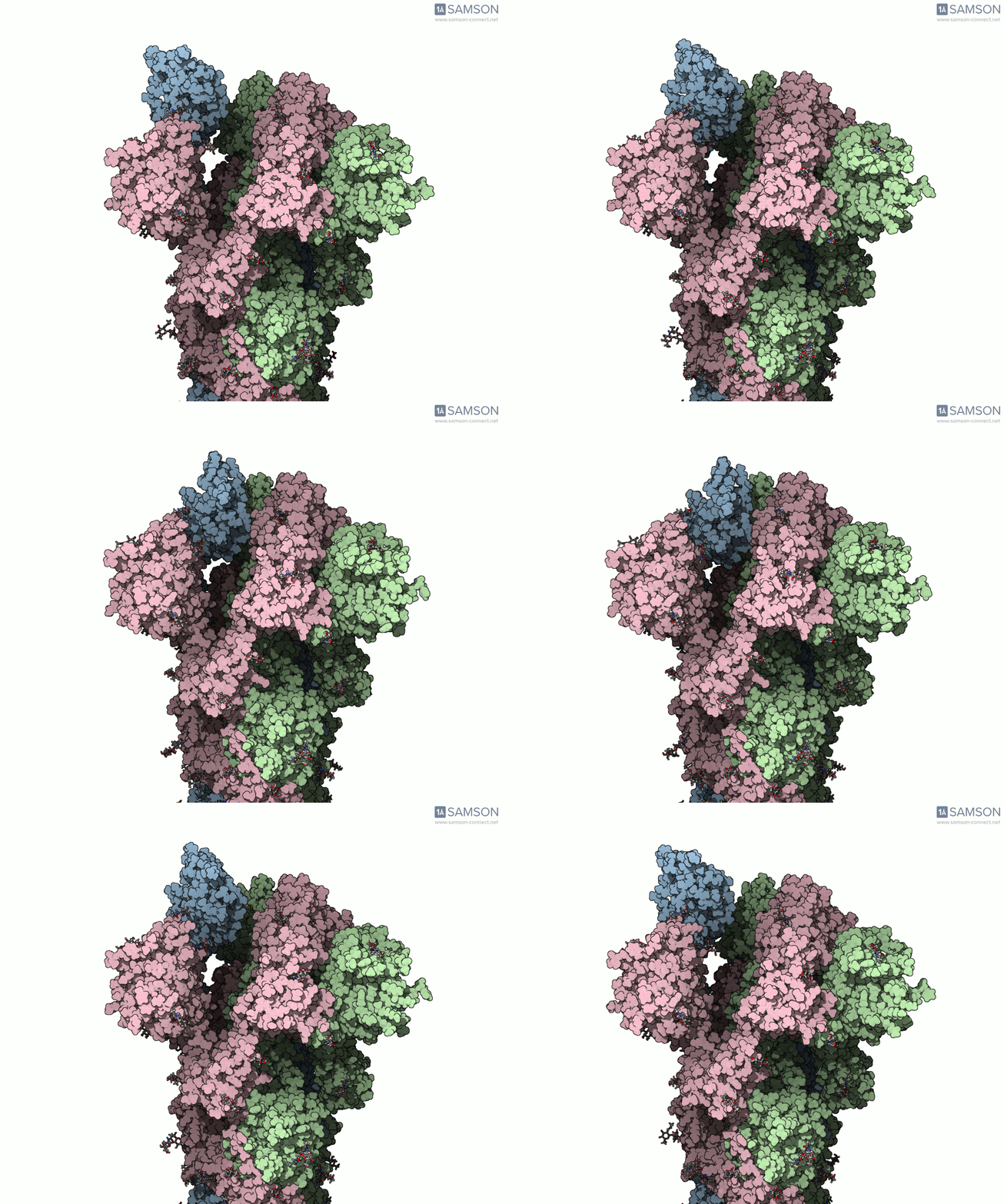
For modelers, the key lesson is that a transition-path workflow needs to account for more than the choice of two endpoints. In this example, the closed structure is PDB 6VXX, and the open structure is PDB 6VYB. They differ in the number of residues, which complicates the construction of a path: a path generated for one structure does not automatically describe atoms or residues that are absent from it.
Preparing the endpoints
Before generating a path, the example workflow prepares both structures. Bond orders in the sugar molecules are modified with a Python script and SAMSON’s Python scripting module; this is needed before adding hydrogens. Hydrogens are then added to both structures, followed by minimization steps.
This preparation matters because a path calculation depends on the structures supplied to it. It is worth treating endpoint cleanup as part of the modeling workflow, rather than assuming that two downloaded structures are immediately ready to compare or interpolate. The documented procedure is specific to this example, so the appropriate preparation for another protein system should be assessed separately.
Handling structures with different residue counts
The example uses the ARAP Interpolation Path module to generate an initial path. The open structure, 6VYB, is set as the starting conformation, and the closed structure, 6VXX, as the goal. The initial path is generated in less than half a minute on a laptop, according to the documentation.
There is an important detail: ARAP produces a path for the structure used as the starting conformation. Because the two endpoint structures have different residue counts, the workflow takes a closed-state conformation from the initial path, minimizes it, and uses that conformation as the goal in a second ARAP calculation. This provides a goal that corresponds to the structure represented by the path. The resulting path is then refined with the P-NEB (Parallel Nudged Elastic Band) module, a step that took about 15 minutes on a laptop in this example.

What to take away—and what not to assume
This workflow illustrates a practical sequence: prepare the structures, generate an initial path, address the mismatch between the endpoints, and refine the path. It also shows why the intermediate structures should be interpreted carefully. The published trajectories are provided “as is” and have not been experimentally verified. They can illustrate the spike’s motion and may be useful for further calculations, but may need post-processing or validation before being used as scientific evidence.
The computed trajectory is available as separate PDB files, a single PDB trajectory, or a SAMSON file. The SAMSON file includes the spike structure, open and closed conformations, and paths from ARAP and P-NEB. In SAMSON, the conformations can be restored by double-clicking, and the path can be animated. The files are therefore useful for inspecting how a path is represented—not as a substitute for experimental validation.
To see the full walkthrough, files, and module details, learn more in the original documentation.
Note: SAMSON and all SAMSON Extensions are free for non-commercial use. Get SAMSON at samson-connect.net.