



A molecular modeler can have two structures of the same protein and still face a difficult question: what might the transition between them look like? The endpoints alone do not show the motion, and simply connecting them does not establish that every intermediate is physically realistic. This is especially challenging when the structures differ in residue count, as in the SARS-CoV-2 spike example.
This walkthrough uses the spike’s closed and open conformations to illustrate a practical path-generation workflow in SAMSON. It is useful not only as an example of protein motion, but also as a reminder to distinguish a computed, illustrative path from an experimentally verified mechanism.
Start with a clear biological question
The SARS-CoV-2 spike is a three-protein assembly. In the closed, or “down,” state, its receptor-binding region is less accessible. In an open, or “up,” state, that region can recognize ACE2, a receptor on some human cells. Seeing the change between these states helps make the structural comparison easier to interpret: the goal is not just to observe atoms moving, but to examine a conformational change relevant to receptor binding.
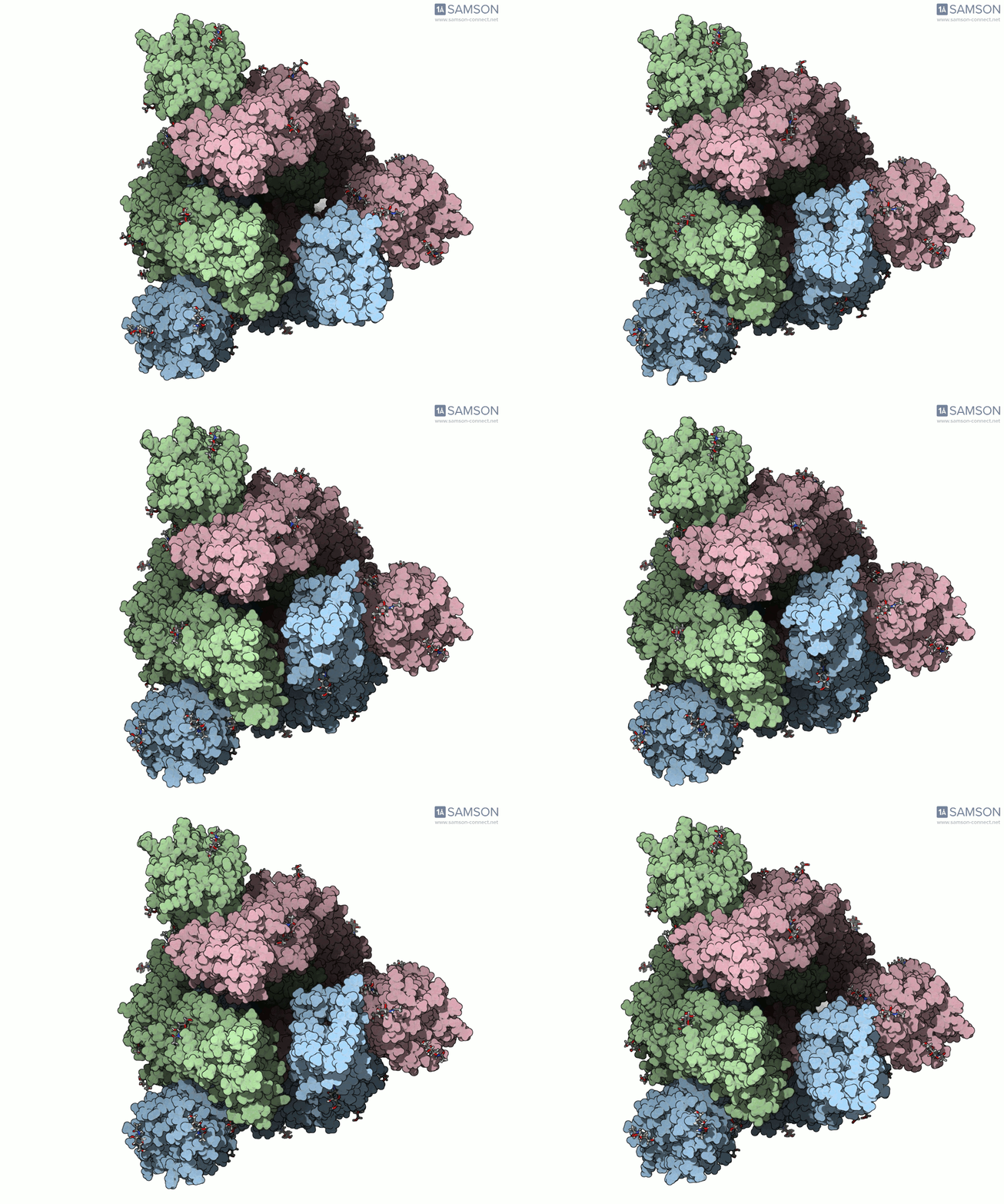
The structures used for the example are the closed spike structure PDB 6VXX and the open structure PDB 6VYB. The images below show the computed transition from several viewpoints.
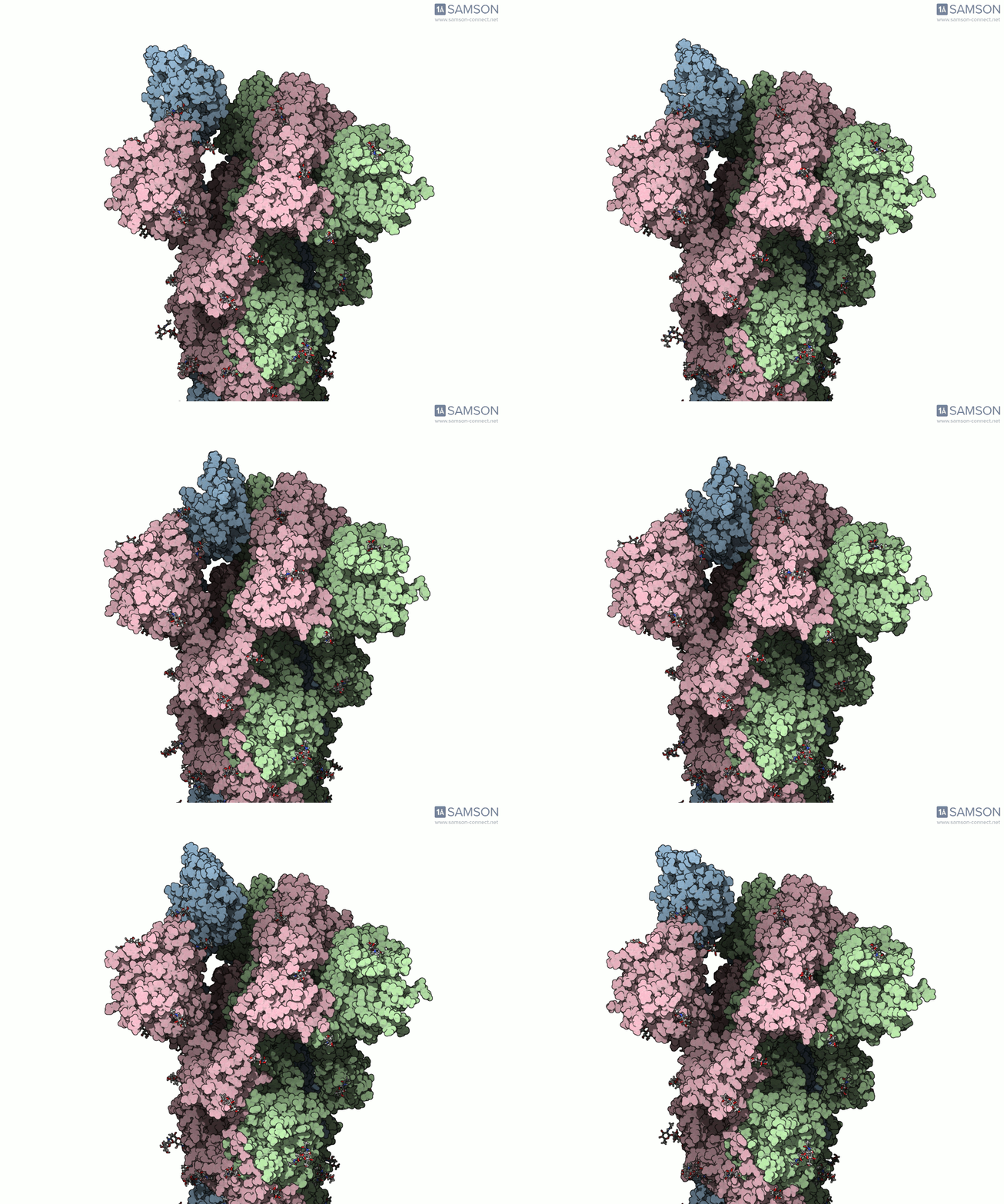
Changing the viewing angle can help separate a real conformational change from a perspective effect. The top view, for example, makes it easier to see the trimeric arrangement of the three spike proteins.
Why the path needed more than one step
The two input structures do not contain the same number of residues. That mismatch matters: a path-generating method needs corresponding atoms or structural elements to work with, and a path produced for one structure does not automatically include unmatched parts of the other. The example workflow addresses this by building an intermediate closed-state conformation that corresponds to the open-state structure used for the path.
- Prepare both structures. Bond orders in the sugars were adjusted using a Python script and SAMSON’s Python scripting module. Hydrogens were then added, followed by minimization steps. The sugar preparation was needed before hydrogen addition; residue bond orders are set during import in SAMSON.
- Generate an initial interpolation. The ARAP Interpolation Path module was used to generate a path between the open and closed structures. In the first pass, the open structure was the starting conformation and the closed structure was the goal. This calculation took less than half a minute on a laptop in the documented example.
- Make the endpoints compatible. Because the structures differ in residue count, a closed-state conformation was taken from the first path, minimized, and used as the goal for a second interpolation. This is a practical reminder: when endpoint structures are not directly compatible, resolve that issue before treating the path as a meaningful comparison.
- Refine the path. The P-NEB (Parallel Nudged Elastic Band) module was used to improve the second path. This step took about 15 minutes on a laptop in the example.
ARAP and P-NEB serve different roles in this workflow: ARAP generates an interpolated path, while P-NEB is then used to refine it. Those labels describe the computational workflow, not a guarantee that the resulting motion is the unique biological route or a validated description of the kinetics.
Inspect the files with the right expectations
The example trajectory is available as a set of PDB trajectory files, a single PDB file containing the trajectory, or a SAMSON file. The SAMSON file includes the spike structure, open and closed conformations, and paths associated with the ARAP and P-NEB steps. The conformations can be restored by double-clicking; double-clicking the path starts or stops its animation.
Use the trajectory as a way to explore a possible structural transition or as a starting point for further calculations—not as experimental evidence. The files are provided as is and have not been experimentally verified. Depending on your research question, further processing and validation may be necessary before drawing conclusions from them.
For the full scientific background, downloadable files, and module details, read the original spike-opening walkthrough.
Note: SAMSON and all SAMSON Extensions are free for non-commercial use. Get SAMSON.