



Two structures can show different conformations of the same protein, but turning them into a continuous sequence is not as simple as moving every atom in a straight line. Such a path can distort local geometry, and a pile of intermediate structures is difficult to inspect or use in downstream workflows. As-Rigid-As-Possible (ARAP) interpolation offers a practical way to construct and explore a geometric transition between two conformations in SAMSON.
This walkthrough uses chains from diphtheria toxin structures 1DDT and 1MDT. The same workflow can help when you need intermediate conformations for visualization, conformational analysis, or as input to further simulation work. One important distinction: an interpolated path is a candidate structural transition, not by itself evidence of the protein’s actual motion or a validated free-energy pathway.
Prepare a comparable start and goal
Begin by fetching 1DDT and 1MDT in SAMSON using Home > Fetch. This example focuses on chain A. In the Document view, remove chain B from 1MDT, then use Home > Prepare on both structures to remove alternate locations, water, ligands, and ions. This cleanup matters: extra disconnected components can prevent the interpolation from running.
Create a conformation for each cleaned structure through Edit > Conformation. Give them clear names such as 1DDT A and 1MDT A. These will be the start and goal states selected by the interpolator.
Choose what should stay connected
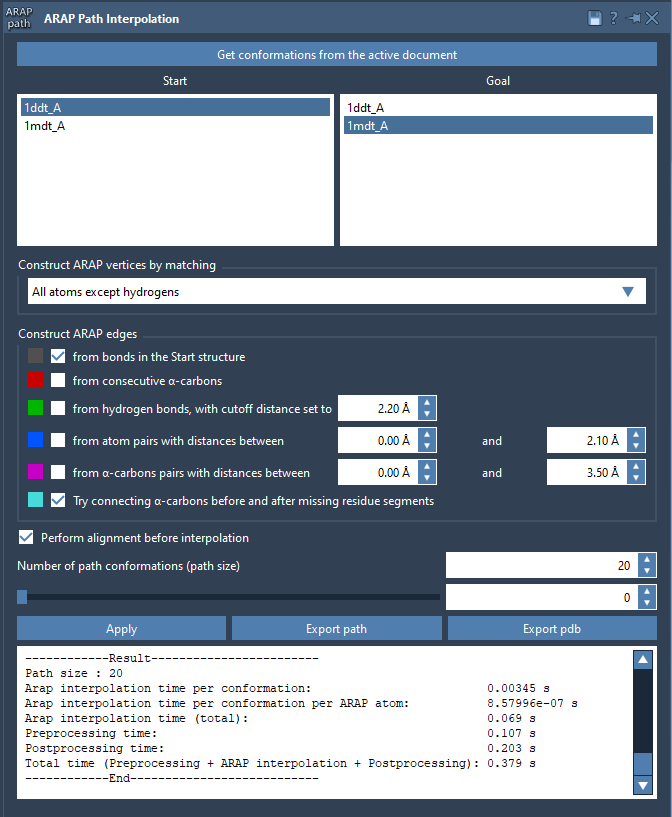
Open Home > Apps > Biology > ARAP Path Interpolation, get the conformations from the active document, and set 1DDT A as Start and 1MDT A as Goal.
For matching, the tutorial recommends All except hydrogens. This uses non-hydrogen atoms to match the structures and makes the matched atoms in the start conformation the ARAP vertices. Other available choices include all atoms, only α-carbons, or only backbone atoms. The right choice depends on what you want the path to represent; using only α-carbons, for example, focuses the matching on the protein’s backbone trace rather than every atom.
For this example, build edges from bonds in the Start structure and enable Try connecting α-carbons before and after missing residue segments. The first option follows covalent connectivity in the start structure. The second attempts to preserve continuity across gaps where residues are missing. In general, these settings define which local relationships the interpolation is asked to preserve; they are not just display options.
Align, interpolate, and inspect
Enable Perform alignment before interpolation so the start conformation is aligned with the goal before the path is computed. Set Number of path conformations to 20; that count includes both endpoints. Click Run to generate the sequence.
After computation, use the app’s slider to move through the conformations. Scrubbing is useful for spotting abrupt changes or regions that deserve closer inspection before exporting or using the path elsewhere.
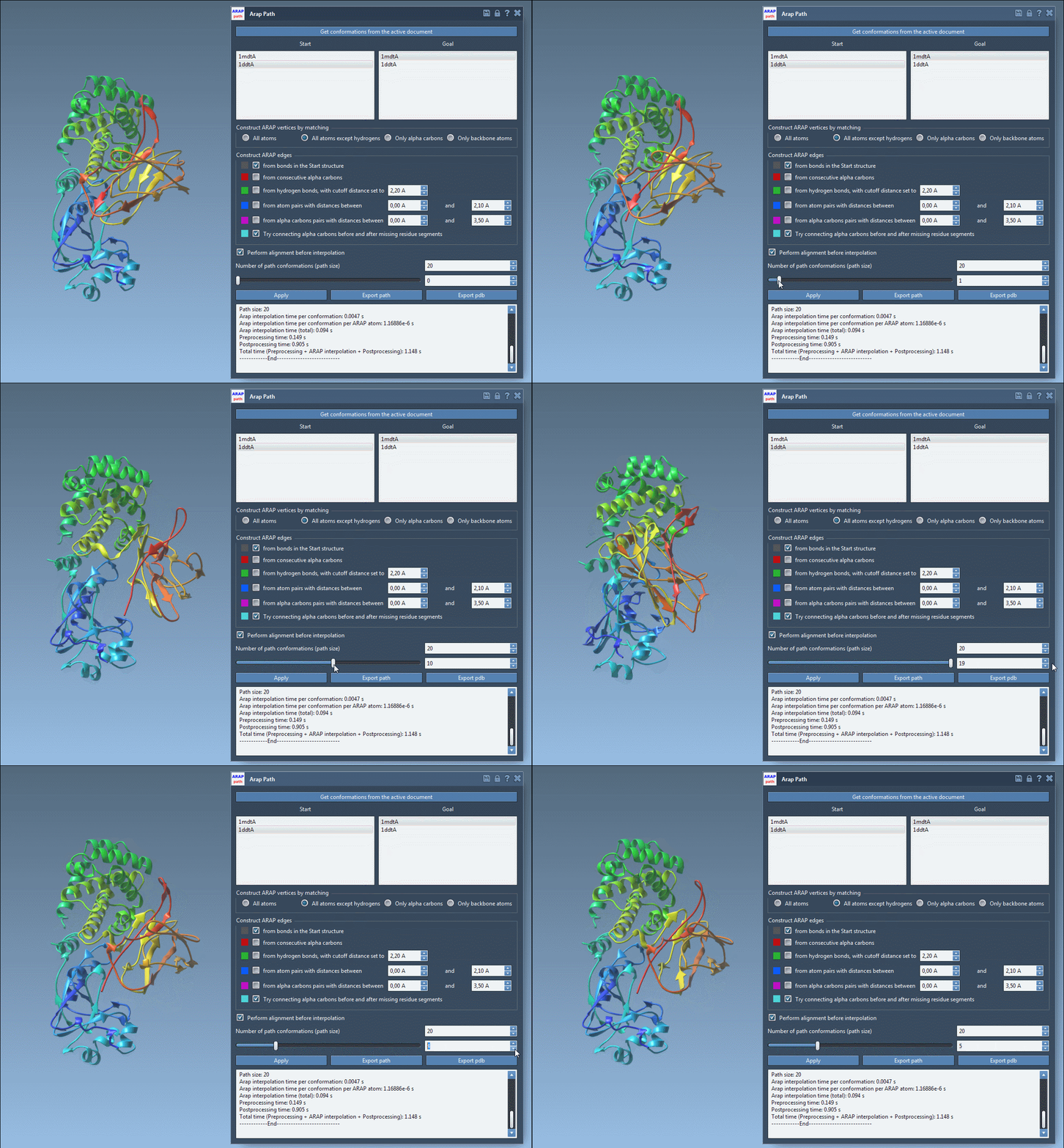
SAMSON also creates a visual model of the ARAP edges. Toggle it in the Document view to see how the selected construction rules connect the structure. This can help make the setup easier to understand and troubleshoot. If the computation reports that the structure does not make one connected component, check that both structures were prepared and that unwanted water, ions, or ligands have been removed.
Use the path thoughtfully
You can export the result as a path object in the current document or export the whole path and its conformations to PDB files. A generated path may be useful as a starting point for additional work, including umbrella-sampling setup with the GROMACS Wizard, or refinement with methods such as P-NEB. Treat it as an input to analysis, not as a substitute for validating the scientific question and simulation setup.
For the full step-by-step instructions and option descriptions, see the ARAP interpolation tutorial.
Note: SAMSON and all SAMSON Extensions are free for non-commercial use. Get SAMSON.