



Two protein structures can show different conformations, but the space between them is often where the modeling questions begin. How might one state connect to the other? Which intermediate conformations are worth inspecting? And how can you prepare a path for later analysis or simulation without manually editing every structure?
SAMSON’s ARAP Interpolator provides a practical way to generate a continuous geometric path between two protein conformations. This is useful when you need intermediate structures for visualization, conformational analysis, or as a starting point for methods such as umbrella sampling. The path is a model to examine and potentially refine—not, by itself, evidence that a protein follows that route in nature.
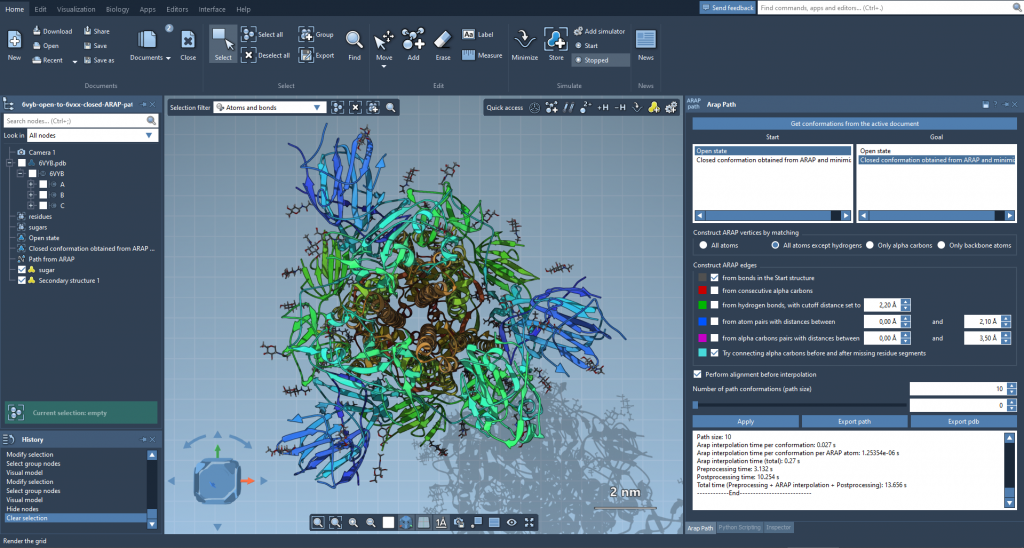
An interpolated path can make the structural change easier to inspect than comparing only the two endpoints.
Start with comparable structures
The example in the tutorial uses two diphtheria toxin structures, 1DDT and 1MDT. Fetch both in SAMSON, then focus the workflow on chain A in each structure. In the example, chain B is removed from 1MDT so that the intended start and goal are clear. Then run Home > Prepare on both structures to remove alternate locations, water, ligands, and ions.
This preparation is more than housekeeping. Extra disconnected components can prevent the calculation from running. If the app reports that a structure does not make one connected component, check whether water, ions, ligands, or other unneeded components remain and prepare the structures again.
Next, create a conformation for each cleaned structure using Edit > Conformation. Give them recognizable names, such as 1DDT A and 1MDT A. These become the start and goal states selected in the interpolation app.
Choose what should define the motion
Open Home > Apps > Biology > ARAP Path Interpolation, retrieve conformations from the active document, and assign the start and goal. For the tutorial’s example, choose All except hydrogens for atom matching. This uses non-hydrogen atoms to match the two conformations; the matched atoms in the start conformation are used as ARAP vertices.
The matching choice affects which atoms anchor the correspondence. The app also offers matching all atoms, only alpha-carbons, or only backbone atoms. These are different ways of defining which parts of the structures participate in matching, so select an option that suits the structures and the question you are exploring.
Connectivity matters too: ARAP edges describe relationships used when constructing the path. For the example, enable from bonds in the Start structure and Try connecting alpha-carbons before and after missing residue segments. The second option can add an edge across a segment of missing residues in the start structure. Other available choices include consecutive alpha-carbons, hydrogen bonds under a cutoff, and atom pairs within a specified distance range. When several edge-building options are enabled, they are applied from top to bottom.
Align, calculate, and inspect
Enable Perform alignment before interpolation to align the start conformation with the goal before interpolation. Set Number of path conformations to 20 for a path containing 20 conformations, including the start and goal, then click Run.
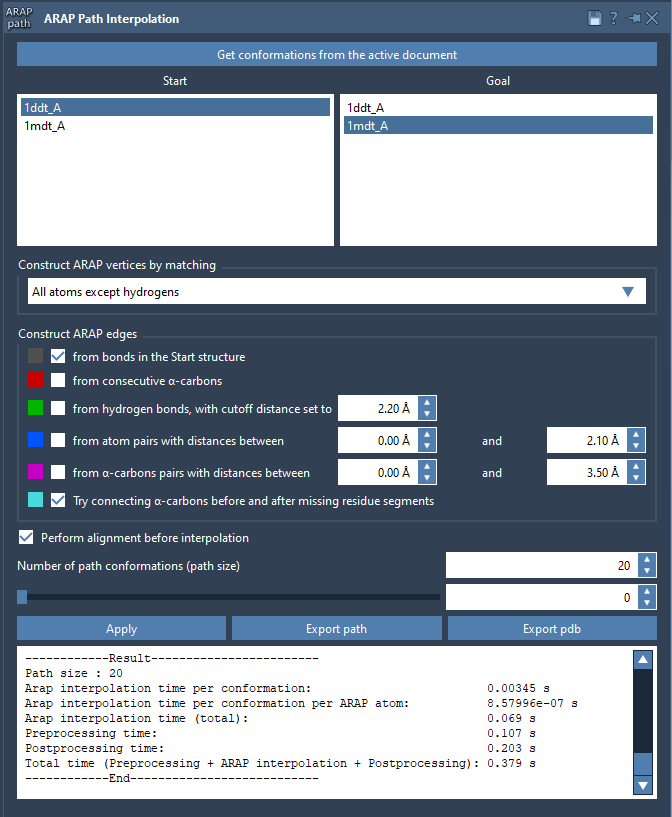
The app brings together conformation selection, matching, edge construction, preprocessing, and path settings.
Once the calculation finishes, use the app’s slider to move through the conformations. Inspecting intermediate structures can help you see how the endpoints are connected and identify regions that deserve closer attention. The app also creates a visual model of the ARAP edges; show or hide it in the Document view to inspect the connectivity used to build the path.
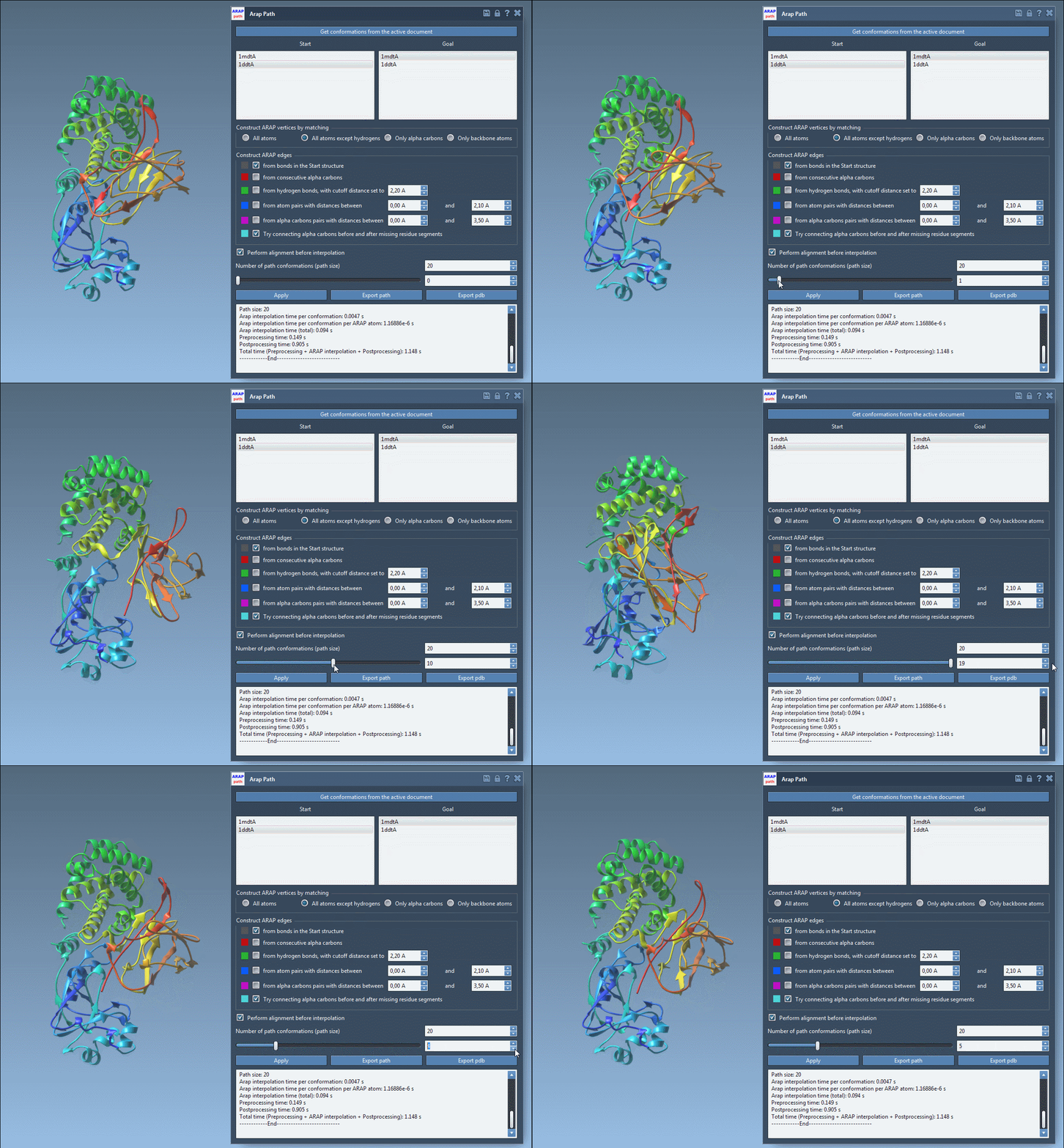
Use the slider to browse the generated conformations.
Keep the result useful beyond the viewport
You can export the path as a path object in the current SAMSON document, or export a PDB containing the whole path and sequential PDB files for individual conformations. The resulting path can be used as input for follow-up workflows, including umbrella sampling with the GROMACS Wizard, steered molecular dynamics, or refinement with P-NEB. These steps provide opportunities to assess or refine a candidate path; interpolation alone does not establish its energetic favorability.
For the complete walkthrough and additional options, see the ARAP interpolation tutorial.
Note: SAMSON and all SAMSON Extensions are free for non-commercial use. Get SAMSON.