



Molecular modelers working with free energy profiles often rely on umbrella sampling simulations to explore potential energy surfaces along reaction coordinates. But once the simulations are done, a common pain point remains: how do you efficiently compute high-quality Potential of Mean Force (PMF) profiles and assess the reliability of your data without diving into complex scripts or external tools?
GROMACS Wizard in SAMSON offers a streamlined solution through its built-in WHAM Analysis tab, helping you go from completed umbrella sampling runs to insightful PMF plots — all in a few clicks.
Organizing Your Data: A Key First Step
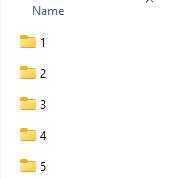
Before diving into the analysis, make sure your project folder is well-prepared. Each umbrella sampling window should have its own numbered subfolder containing GROMACS simulation results. These subfolders should all refer to the same molecular system and reaction coordinate setup. This organization allows GROMACS Wizard to interpret your data as a collective set of overlapping histograms, which is central to the Weighted Histogram Analysis Method (WHAM).
Using WHAM in GROMACS Wizard
Once your data is structured, open the WHAM Analysis tab in GROMACS Wizard. If you’ve just run umbrella sampling within the same project, click the auto-fill button — a small but helpful feature that saves time by detecting the most recent paths used in your simulation setup.
You’ll then be able to:
- Select the reaction coordinate of interest
- Adjust the bounds if necessary
- Change the time window and temperature parameters
- Choose your preferred energy units
After setting your parameters, click Compute. Within seconds or minutes, depending on the size of your trajectories, you’ll get two useful outputs: the PMF profile and the histogram of sampling.
Interpreting the Results
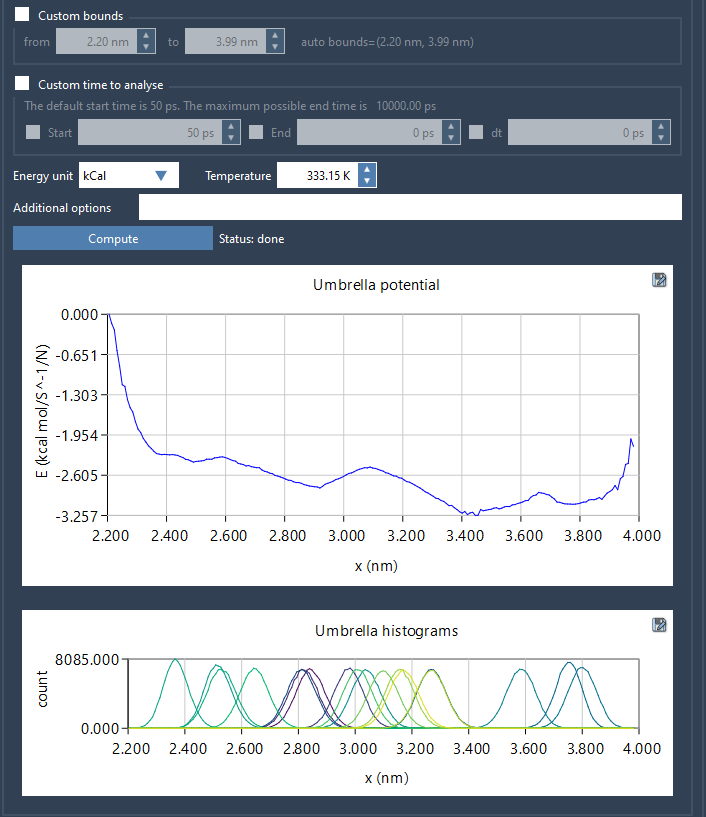
The PMF plot gives you a direct view of the free energy landscape along the reaction coordinate. Whether you’re studying ligand unbinding, conformational transitions, or membrane permeation, this visualization can guide your interpretation of barriers and stable states.
The histogram plot, on the other hand, provides insight into sampling quality. If there are reaction coordinate regions with low sampling coverage, these flat or sparse areas will stand out. This can help you decide whether additional umbrella sampling windows are necessary to improve your PMF accuracy.
Reuse and Recompute?
All computed outputs — PMF profiles, histograms, and plots — are saved automatically in a wham_results subfolder. What’s convenient here is that if you revisit a previously analyzed reaction coordinate, GROMACS Wizard will instantly load the already computed data. This makes it quick to compare variations in parameters or revisit earlier results without recomputation.
Conclusion
With the WHAM Analysis tab in GROMACS Wizard, you don’t need custom scripts or external programs to analyze umbrella sampling outputs. It’s a smart, integrated way to move seamlessly from simulations to meaningful insights.
To learn more, visit the full documentation: https://documentation.samson-connect.net/tutorials/gromacs-wizard/pmf-analysis/
SAMSON and all SAMSON Extensions are free for non-commercial use. You can download SAMSON at https://www.samson-connect.net.