



A crystal model can be tricky to build for a simple reason: a short list of atom coordinates represents a structure that repeats throughout space. If the unit-cell shape, coordinate convention, or atom positions are entered incorrectly, the resulting model may not represent the crystal you intended. The Crystal Creator app in SAMSON lets you define those ingredients and generate a periodic model.
This guide focuses on the custom-building workflow: what to decide before entering atoms, how to read fractional coordinates, and how to check familiar examples. It is useful when you want to create a model from unit-cell data rather than start by importing a CIF file.
Start with the unit cell
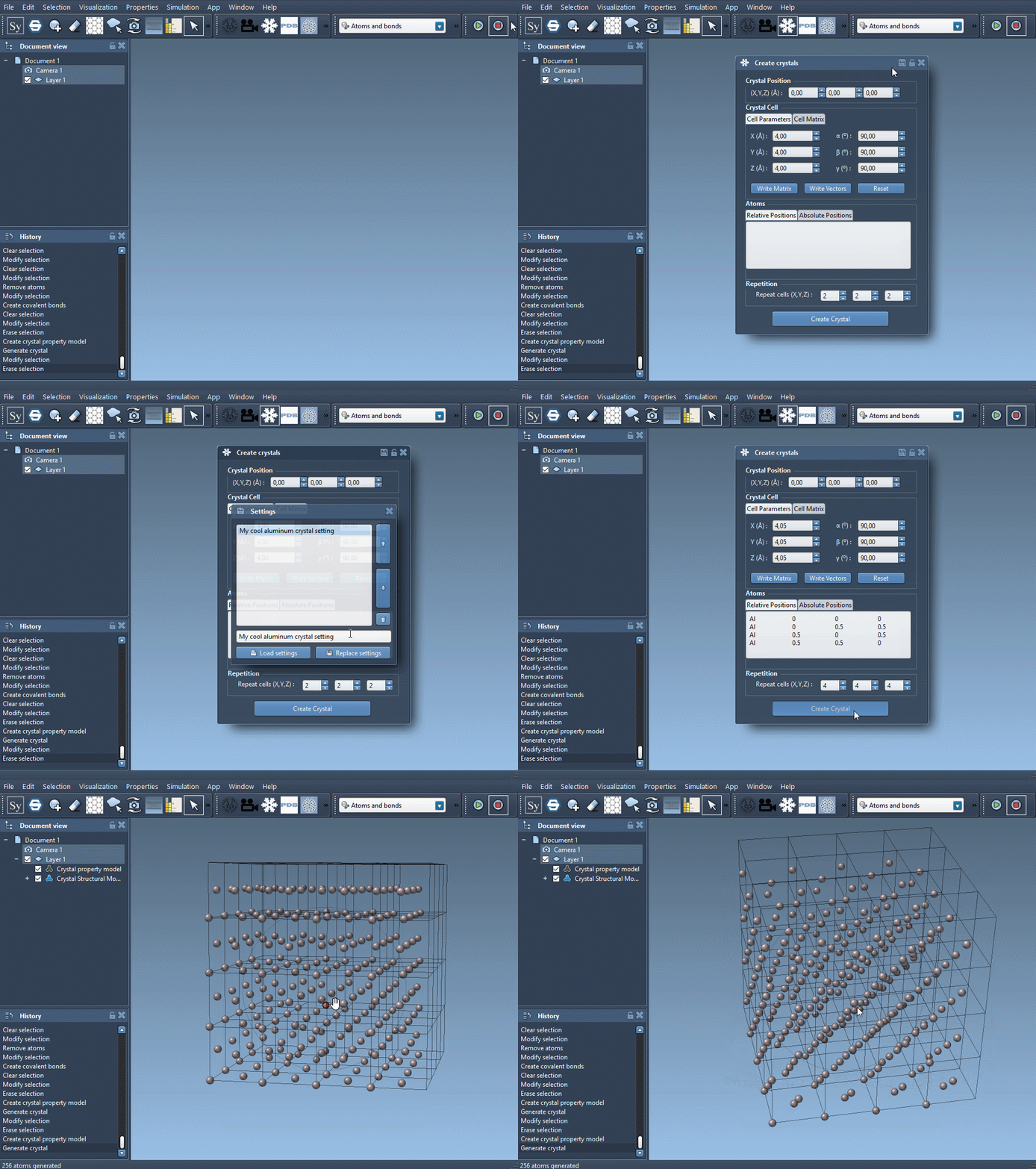
Open Crystal Creator from Home > Apps > Materials > Crystal Creator, or search for it using Shift+E. Before entering atom positions, choose how to specify the cell. You can enter cell parameters in the first tab, or enter the unit-cell vectors in the second. Write Matrix and Write Vectors switch between these notations.
Next, choose whether your atom coordinates are relative or absolute. Relative coordinates give each atom’s position as a proportion of the three unit-cell vectors. For example, 0.5 0 0.5 places an atom halfway along the first and third vectors, and at the origin along the second. Absolute coordinates, by contrast, are given in angstroms. Make sure the coordinate convention you use matches the selected tab.
Each atom line contains a symbol followed by its x, y, and z coordinates. The symbol must begin with the element symbol; optional characters without a space can distinguish sites, as in C0 and C1. Finally, set how many unit cells to generate.
A quick example: face-centered cubic aluminum
For an FCC aluminum cell, use a cubic unit cell with a lattice parameter of 4.05 Å, then enter these positions in the relative-position tab:
|
1 2 3 4 |
Al 0 0 0 Al 0 0.5 0.5 Al 0.5 0 0.5 Al 0.5 0.5 0 |
The four entries specify the aluminum sites within one unit cell. The cell size and the number of repeated cells are separate choices: the lattice parameter defines the unit-cell dimensions, while the repeat count controls how many cells are generated.
Diamond: distinguish the sites
A diamond example uses a cubic unit cell with a lattice parameter of 3.60 Å. Its eight entries can be labeled individually, which makes the sites easier to distinguish when inspecting the model:
|
1 2 3 4 5 6 7 8 |
C0 0 0 0 C1 0.25 0.25 0.25 C2 0 0.5 0.5 C3 0.5 0 0.5 C4 0.5 0.5 0 C5 0.25 0.75 0.75 C6 0.75 0.25 0.75 C7 0.75 0.75 0.25 |
These are relative positions, not angstrom values. For instance, 0.25 0.25 0.25 places the atom one quarter of the way along each unit-cell vector. Being explicit about that distinction is a useful first check whenever a generated structure looks unexpected.
When the structure includes defects
Some CIF files describe partially occupied sites, substitutions, or other defects. Crystal Creator can use this information when importing a crystal. To check whether the generated model reflects the specified presence or absence ratios, open the property model’s properties and use the second tab’s check atoms ratio tool. It reports the ratio for each atom site.
The tutorial also demonstrates a simple diamond example: adding an occupancy value of 0.95 to a carbon site indicates a 95% probability that the site is occupied. This is different from changing the atom’s coordinates; the added value describes occupancy. When editing a CIF, preserve the required site fields and add the occupancy column and value as shown in the example.
Inspect and refine the result
After generating a model, use its property window to find the crystal, show its mesh, or cut it. A cut is specified by three Miller indices and a fourth value that sets the distance from position 0. For example, the tutorial suggests cutting a diamond crystal in the [111] direction to inspect its compact hexagonal structure. If you import crystals regularly, you can also save and reload crystal settings from the property window.
For the full workflow, examples, and images, see the Crystal Creator documentation.
Note: SAMSON and all SAMSON Extensions are free for non-commercial use. Get SAMSON.