



For molecular modelers, running simulations efficiently and accurately can sometimes feel like navigating a complex labyrinth. The Universal Force Field (UFF) interaction model in SAMSON offers a streamlined way to simulate molecular systems, combining precision with ease of use. If you’re new to UFF or seeking to optimize your setup, this guide will walk you through the basics of setting up and running UFF simulations.
Streamlining UFF Setup
The first hurdle for many modelers is the setup process. SAMSON simplifies this with an intuitive workflow to integrate UFF into your simulations:
- Begin by opening a document that contains the molecular system you want to simulate with UFF.
- Add a simulator through Edit > Simulate > Add simulator, or use the shortcut:
Ctrl + Shift + M(orCmd + Shift + Mon macOS). - From the list of interaction models, choose Universal Force Field.
- Select a state updater, like FIRE, to define how the simulation progresses.
- Click the OK button, and the UFF setup window will appear.
At this stage, you can decide whether to use the existing molecular bonds or allow UFF to recompute them. By checking the Use existing bonds option, the tool will retain the bonds in your current model. Without this option, UFF automatically computes bonds, bond orders, and atom types based on the molecular structure.
Once these settings are confirmed, SAMSON initializes the UFF system by performing the necessary molecular calculations such as bond allocation and atom typing. If there are inconsistencies, the tool conveniently provides warnings so you can troubleshoot issues straightforwardly.
Starting the Simulation
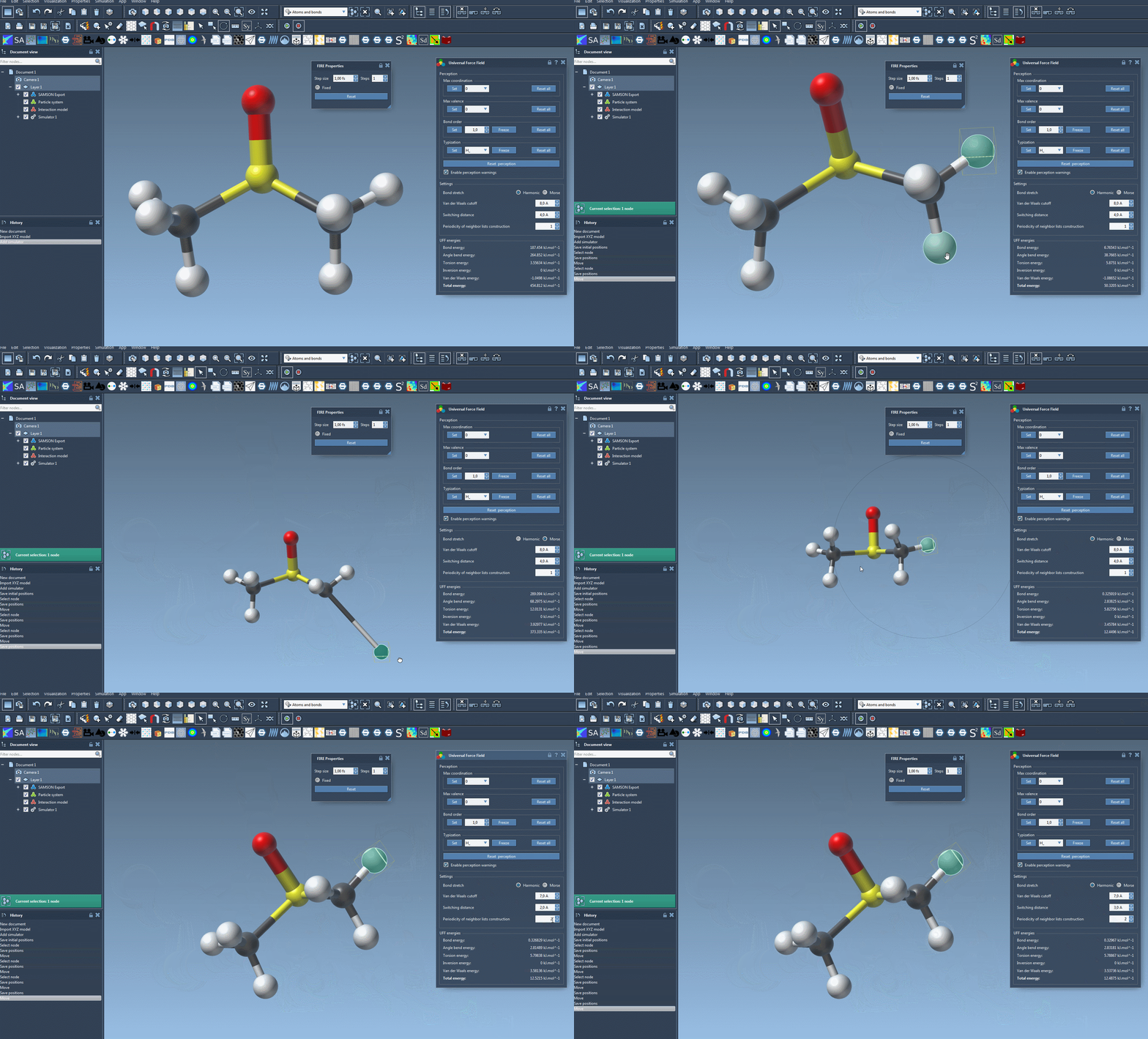
Running the simulation is straightforward. Navigate to Edit > Simulate > Start, and UFF will begin processing your molecular system. During the simulation, you can observe the energy contributions of each UFF term as well as the total UFF energy in real time.
One of the standout features of UFF in SAMSON is the interactivity. You can move atoms directly within the interface to see how the UFF model dynamically adjusts other atom positions—an incredibly useful feature for exploring molecular behavior.
Customizable Parameters for Fine-Tuning
If you want to refine your simulations further, UFF provides a set of customizable parameters, such as:
- Switching between Harmonic or Morse models for bond-stretch interactions.
- Adjusting the van der Waals (vdW) cutoff distance, which controls how far vdW interactions are computed.
- Defining the switching distance for smoothing vdW interactions at the cutoff point.
- Modifying the neighbor list construction periodicity to recalculate vdW interactions more or less frequently, based on your simulation needs.
Why Use UFF in SAMSON?
One of the strengths of implementing UFF in SAMSON is its adaptability. Whether you’re working with existing systems or need to auto-detect molecular structures, the platform’s intuitive guidance removes much of the complexity usually associated with force field simulation setup. Additionally, being able to fine-tune simulation parameters like bond-stretch models and vdW distances ensures that you have control over the level of precision and efficiency in your simulations.
By following these steps, you can reduce the time spent on setup and focus more on your actual project goals. From producing reliable results to dynamically visualizing molecular changes, this streamlined process empowers molecular modelers to take their simulations further.
For more information, dive deeper into the Universal Force Field tutorial by visiting the documentation page.
Note: SAMSON and all SAMSON Extensions are free for non-commercial use. Get started today at SAMSON Connect.