



When running simulations with the Universal Force Field (UFF) in SAMSON, molecular modelers often seek the flexibility to fine-tune atom types, bond orders, or valences. While UFF does a good job at automatically perceiving this information, there are cases—especially when modeling complex molecules, charged systems, or custom geometries—where manual control becomes beneficial. However, modifying atom typization the wrong way can lead to incorrect simulations.
In this blog post, we explore how to safely customize the typization of atoms in SAMSON’s UFF simulation interface, and share practical tips to retain consistency while doing so.
Why customize?
Imagine you are modeling a transition state or a non-standard molecular fragment. The automatic perception might assign incorrect atom types due to unusual geometries or non-integer bond orders. Customizing typization allows you to:
- Manually assign UFF types to atoms
- Specify precise bond orders, including fractional values
- Adjust coordination numbers and valence limits
These tweaks can make a real difference when studying reactivity or fine-tuning intramolecular interactions for specialized systems.
How to start customizing typization
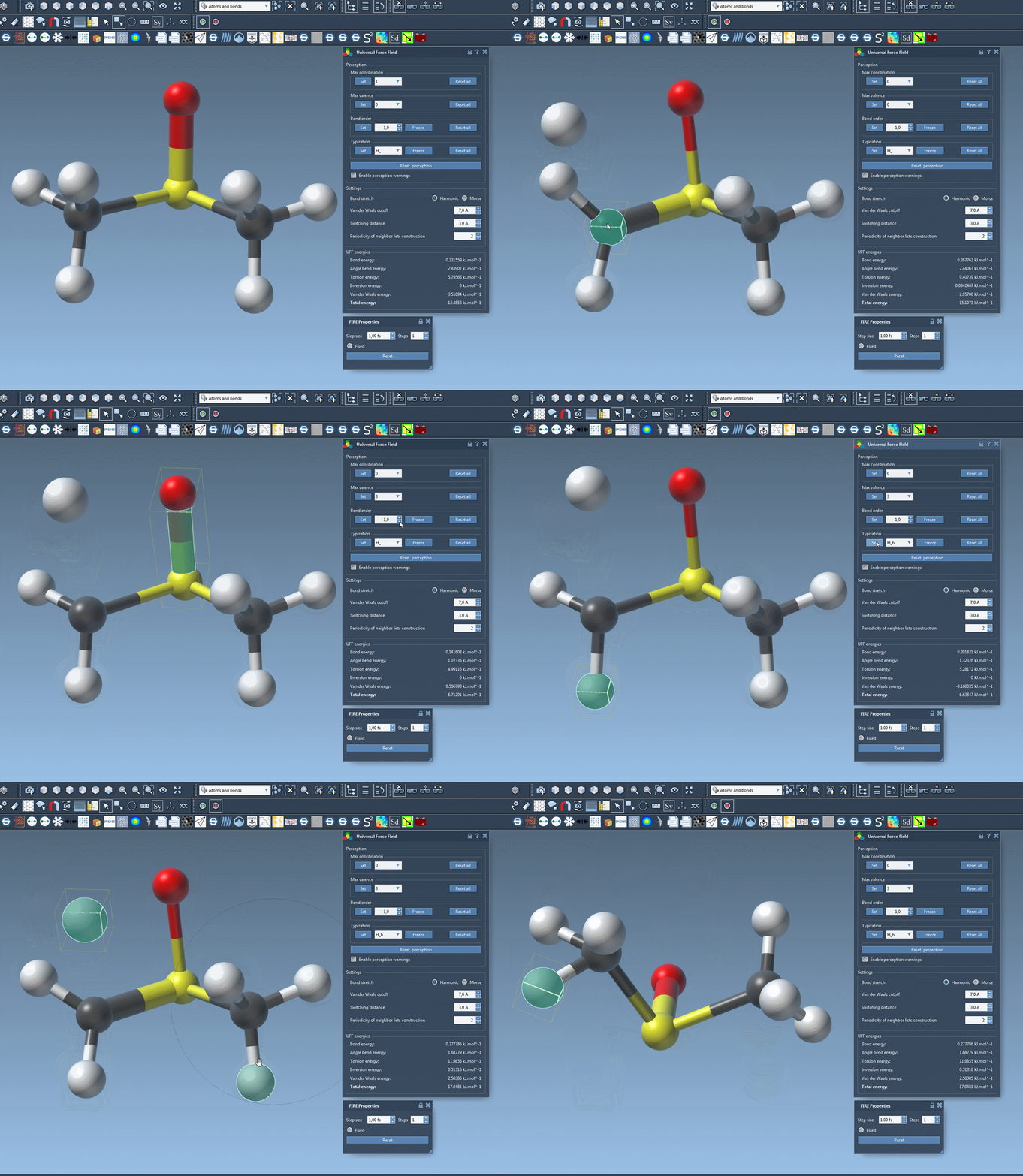
Once you’ve set up a UFF simulation in SAMSON, the parameter window gives you manual control over typization. Here are the main capabilities:
1. Set coordination and valence
For each atom, you can set manual limits on:
- Maximum coordination (number of connected neighbors)
- Maximum valence (neighbors weighted by bond order)
Use the combo boxes next to each atom to enter your desired value, and press Set. These updates will be included the next time the perception algorithm runs—useful when default limits do not suit your system.
2. Force specific bond orders
Choose one or more bonds, then assign a bond order in the parameter window (valid range: 0.1 to 3.9). Press Set to apply changes. You also have the option to Freeze these values to avoid future updates by automatic perception.
This feature is particularly helpful when modeling partial bonds or conjugated systems, where bond character does not fit integer descriptions.
3. Force atom types
To set an atom’s UFF type manually, select the atom(s), choose the relevant type, then press Set. Freeze the type to keep it during future adjustments.
This control is valuable in maintaining the intended chemical environment without relying solely on geometry-based perception.
Resetting if things go wrong
If you suspect your customizations introduced inconsistencies, simply use the Reset all buttons for bond orders, types, or coordination rules. And you can always recalculate a new perception (based on atom positions and current settings) using the Reset perception button.
Tip: Be cautious
These advanced features are best used when you understand the implications of changing typization manually. Mistakes in assigning valence or bond orders could lead to unstable or unrealistic simulations. It’s a powerful tool—but treat it with care, especially in larger systems.
To learn more, consult the full UFF tutorial in the official documentation: https://documentation.samson-connect.net/tutorials/uff/uff/
Note: SAMSON and all SAMSON Extensions are free for non-commercial use. To get started, download SAMSON at https://www.samson-connect.net.