



One of the most intricate tasks in molecular modeling is handling the ever-changing topology of molecular systems. Scenarios involving the breaking or forming of bonds, changes in covalent bond orders, or atom typizations can be challenging to simulate accurately. Traditional static models often lack the flexibility needed for interactive modifications, leaving modelers wishing for tools that can streamline the editing process while retaining physical realism. This is where the Interactive Modeling Universal Force Field (IM-UFF) steps in to address these challenges.
What Makes IM-UFF Special?
The IM-UFF extension builds upon the Universal Force Field (UFF) developed by Rappe et al., but adds a novel capability: real-time interactive modeling. IM-UFF allows molecular systems to go through significant topological changes—like bond-breaking, bond formation, and atom typization adjustments—while relying on accurate, physically-based interatomic forces. This flexibility transforms molecular editing into a dynamic and intuitive process, even for complex systems.
With IM-UFF, you can visually and interactively explore how molecular structures evolve with real-time feedback. This makes it an ideal tool for building and modifying molecular systems, and solving lingering pains in exploratory molecular design.
How Does It Work?
IM-UFF simulations can be initiated with a few simple steps:
- Open the molecular system you want to analyze or modify in SAMSON.
- Add the IM-UFF extension through Edit > Simulate > Add simulator (shortcut: Ctrl + Shift + M on Windows/Linux or Cmd + Shift + M on macOS).
- Select Interactive Modeling Universal Force Field from the list of available interaction models.
- Choose a state updater for the simulation, such as the FIRE minimizer.
- Click OK to begin your interactive session.
Unlike static models, there’s no setup window in IM-UFF. You will immediately see a parameter window that allows you to adjust settings and observe the simulation. With these settings in place, you can actively displace atoms using your mouse and observe how bonds form or break automatically as a response to the system’s energy minimization process. This intuitive control ensures that structural changes make physical sense.
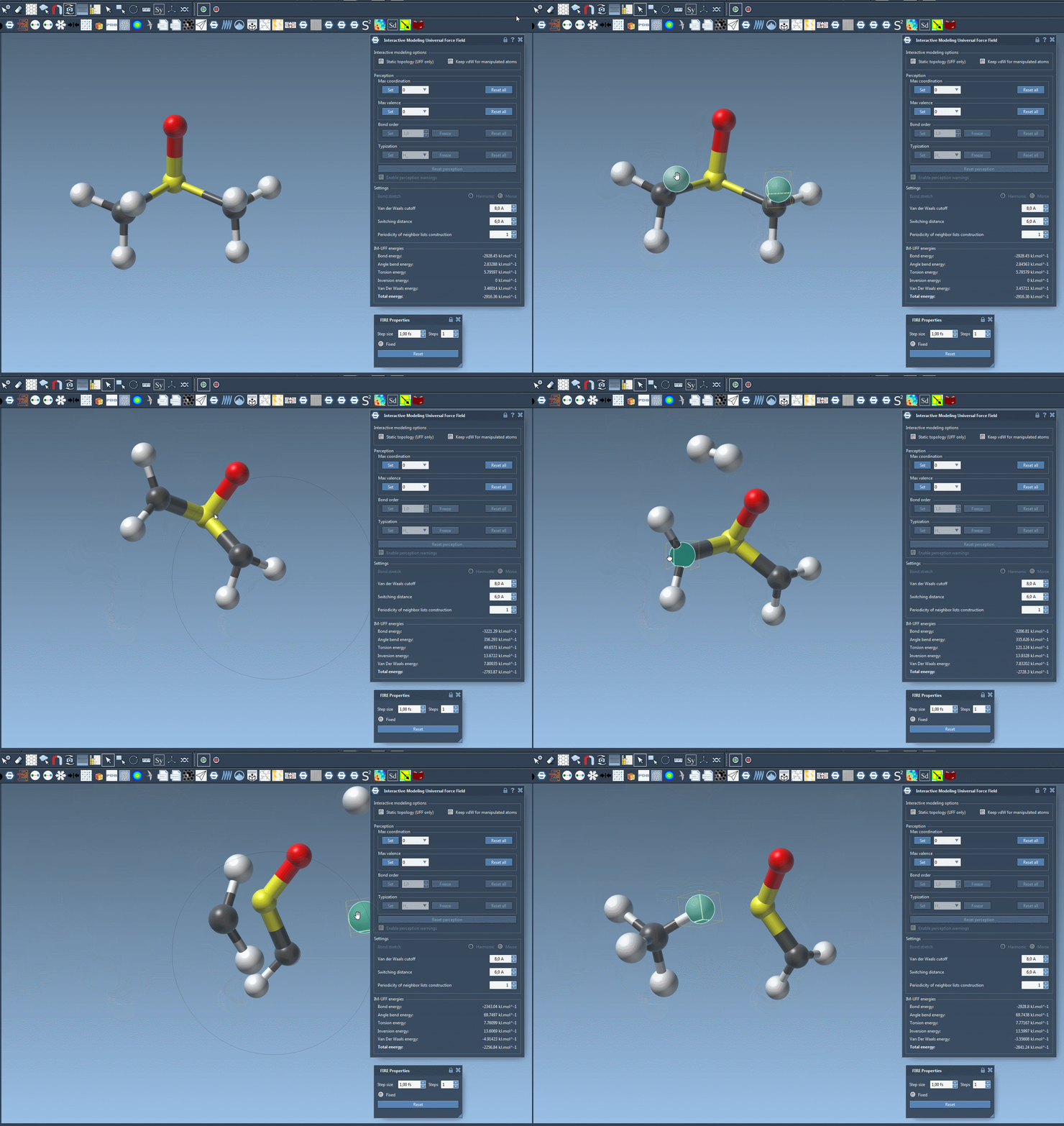
Customization Features for Seamless Modeling
IM-UFF brings added customization capabilities to cater to a range of modeling needs:
- Define van der Waals (vdW) cutoffs and switching distances to adjust the influence of non-covalent interactions.
- Turn on the Keep vdW for manipulated option to compute vdW interactions even when you are manipulating specific atoms. This can make manual adjustments easier when connecting atoms.
- Quickly alternate between standard UFF and IM-UFF modes to compare behavior and interaction results.
Furthermore, when running an IM-UFF simulation, bond orders and typizations adjust continuously based on atom positions. This design ensures that structural transitions are smooth, realistic, and do not disrupt the simulation’s overall flow.
Why Use IM-UFF?
Whether you’re a chemist drafting novel structures or an experienced molecular modeler tweaking large assemblies, IM-UFF simplifies the exploration of new configurations while offering physically accurate results. Its ability to incorporate both interactive transformation and refined parameter control makes it a tool of choice for tasks like:
- Generating biologically relevant molecular structures.
- Simulating reactions involving bond formation or breaking.
- Interactive visualization of how molecular topology evolves under forces.
Conclusion
With its intuitive approach, IM-UFF enables seamless manipulation of molecular systems and transforms the way modelers interact with their structures. Ready to experience this for yourself? Dive deeper into the capabilities and instructions of IM-UFF by visiting the official documentation.
SAMSON and all SAMSON Extensions are free for non-commercial use. You can download SAMSON at SAMSON Connect.