



Building a membrane-like environment around a protein can become a tedious placement problem: lipids need a consistent orientation, the region occupied by the protein should remain clear, and the box must be large enough for the layer you want. Placing molecules one at a time makes those choices harder to repeat and inspect.
Molecular Box Builder in SAMSON offers a more structured approach. It can estimate how many copies of a molecule fit in a 3D box and generate them as a group. The workflow below focuses on one useful case: creating a single lipid layer around a protein. It is a starting point for building an assembly, not a substitute for later system preparation and simulation.
Start by orienting the protein
Before defining the lipid box, orient the protein so the layer geometry is easier to reason about. In the Document view, right-click the protein and choose Move selection > Align with Z axis, then choose Move selection > Center on the origin. This places the protein’s long direction along the Z axis and centers it at the origin, as in the tutorial example.
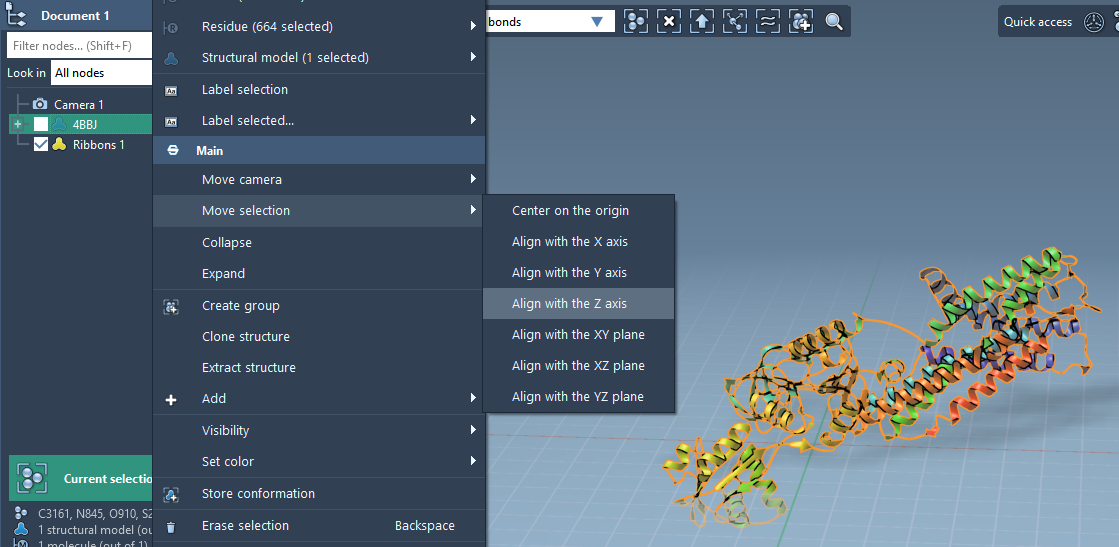
This step matters because the box dimensions and lipid orientation are defined relative to the coordinate axes. Establishing the protein’s orientation first makes the subsequent choices easier to interpret.
Set the lipid and its orientation
Import a lipid molecule, select it, and click Set in Molecular Box Builder. For this example, align the lipid’s principal axis to +Z. The app’s alignment options use the first eigenvector of the molecule’s moment of inertia as its first principal axis. The chosen alignment also affects the bounding box that SAMSON calculates for the molecule.
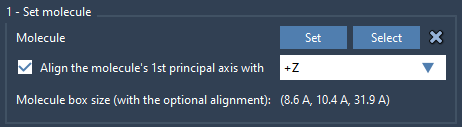
It is worth checking the displayed molecule size before generating copies: the packing estimate depends on the molecule’s bounding box and the selected orientation. If the axis or orientation is not what you intended, correct it before setting the box.
Define a box around the protein
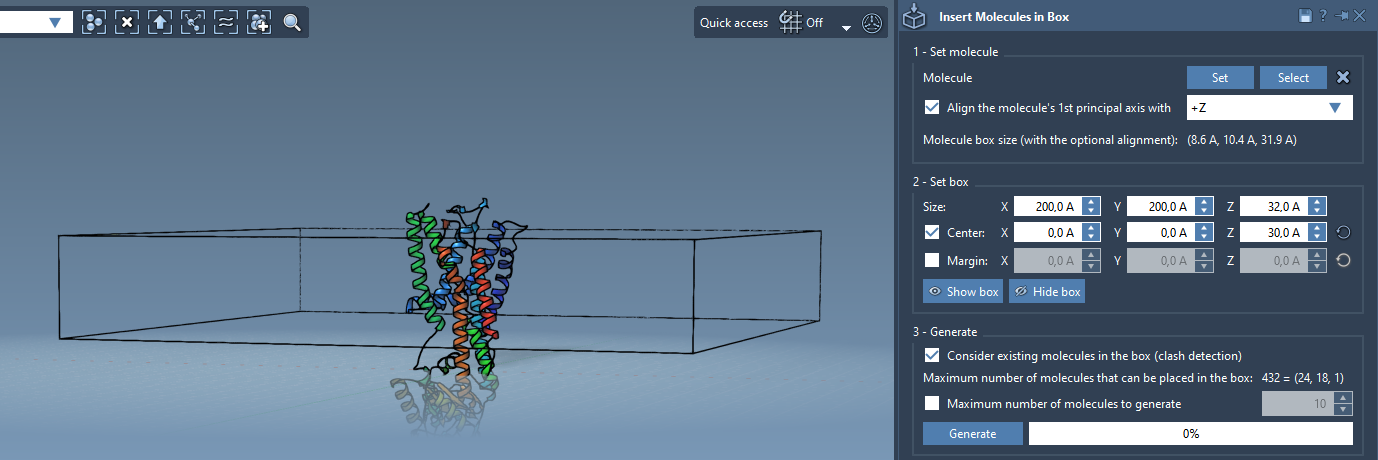
Enter the box dimensions and enable Center to position its center around the protein. The box dimensions determine the available region for lipid placement. Molecular Box Builder predicts how many molecules fit along each axis and shows the estimated total in the Generate section; changing the box size or the margin updates that prediction.
The margin between inserted molecules can be positive or negative. By default, the app places molecules so there are no clashes between them. Treat the predicted count as a planning aid: it helps you see how box dimensions and spacing affect the number of copies before you generate the system.
Keep the protein in the placement calculation
For the layer around the protein, enable Consider existing molecules in the box before clicking Generate. This tells the workflow to place lipids only in available space rather than treating the box as empty. The result is a single lipid layer around the protein.
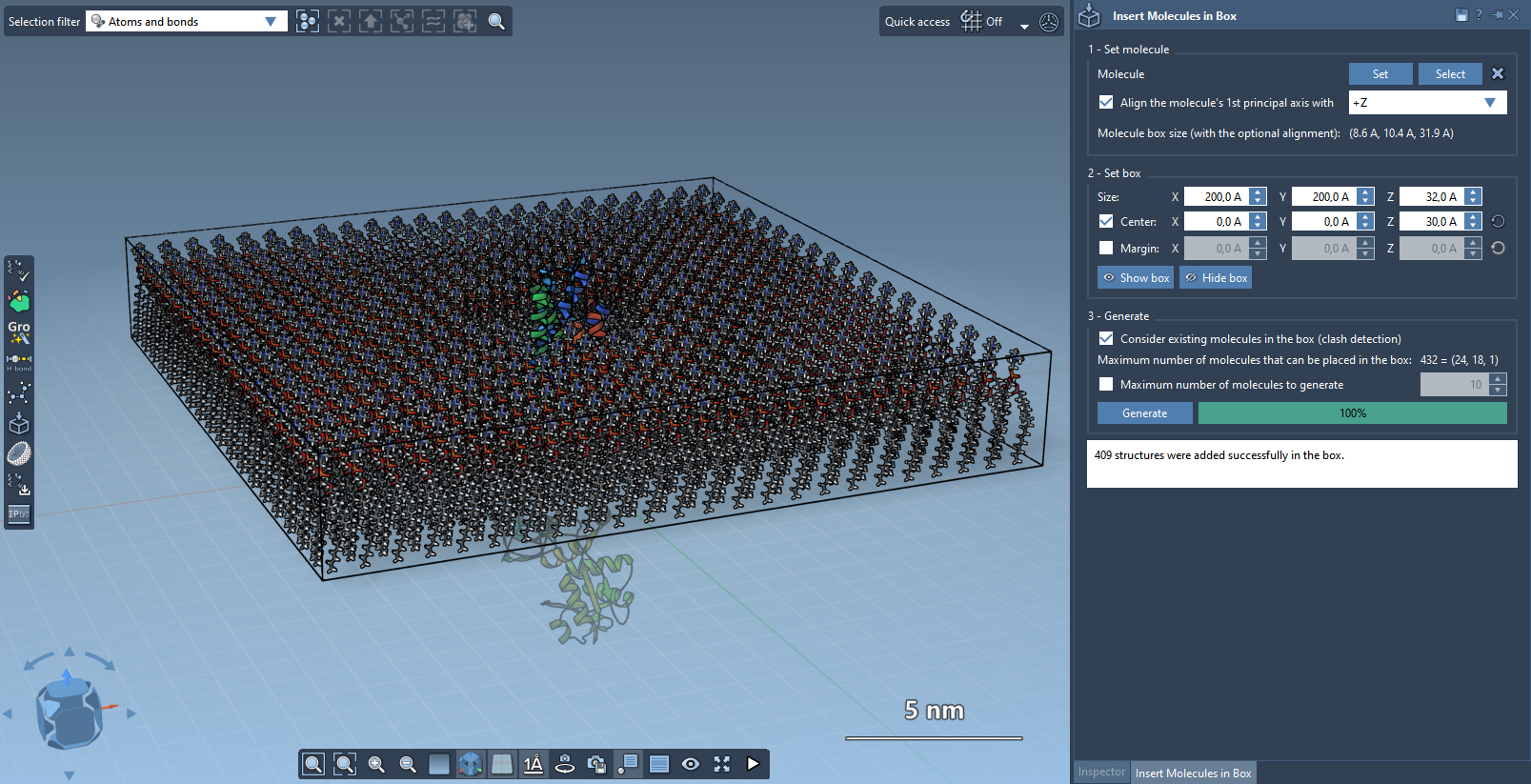
If you want a bilayer instead, the documented approach is to add one layer with +Z alignment, shift the box center in the Z direction, and add the second layer with -Z alignment. That sequence gives the two layers opposite orientations.
What to check before moving on
- Confirm the protein is aligned and centered as intended.
- Check the lipid orientation and the calculated molecular size.
- Review the box dimensions and the predicted molecule count.
- Enable Consider existing molecules in the box when placing lipids around the protein.
Once the structure is generated, the next step may be to minimize and equilibrate it before simulation. The SAMSON documentation describes using GROMACS Wizard for preparation and simulation workflows. For the complete instructions and other Molecular Box Builder uses, see the Molecular Box Builder tutorial.
Note: SAMSON and all SAMSON Extensions are free for non-commercial use. Get SAMSON.