



When working with molecular systems, the accuracy of simulations often depends on proper atom typization and bond order assignment. Most molecular modelers rely on automated perception to handle this, especially when using force fields like the Universal Force Field (UFF). However, in some cases—such as unusual molecular topologies or transition states—automatic perception might not get everything right.
If you’ve ever run a UFF simulation and found inconsistent results or suspicious geometries, there’s a good chance you’ve bumped into such an issue. Fortunately, in SAMSON, you can override default atom types and bond orders used in the UFF interaction model. While this feature is meant for advanced users, it can be a real problem-solver when you need precise control over your molecular setup.
Why manually tweak types and bonds?
This customization becomes especially important if:
- You’re studying reactive intermediates or high-energy structures.
- You’re building molecules from scratch and want fine-tuned control.
- You’ve created or imported custom systems with ambiguous bonding.
How to override atom types and bond orders
Once the UFF simulation is initialized in SAMSON, navigate to the parameter window, where several manual controls are available.
Force bond orders
- Select the bond(s) of interest.
- Enter a bond order value (between 0.1 and 3.9).
- Click the Set button in the bond order group.
You can also prevent automatic updates of bond orders in future perception rounds by clicking Freeze after setting the value. This is particularly useful when working with delocalized systems or semi-empirical models.
Force atom types
- Select one or several atoms.
- Pick a UFF type from the dropdown list.
- Click Set to assign that type to the selected atom(s).
If you want to lock the atom type during future automatic perception, press the Freeze button in the Typization section.
Adjust coordination and valence
If the system you’re working with doesn’t follow normal valency rules—for example, in hypercoordinate species—you can modify the default maximum coordination number or valence for individual atoms. Just choose a new value from the combo box and click Set. SAMSON uses these values in subsequent automatic perception rounds.
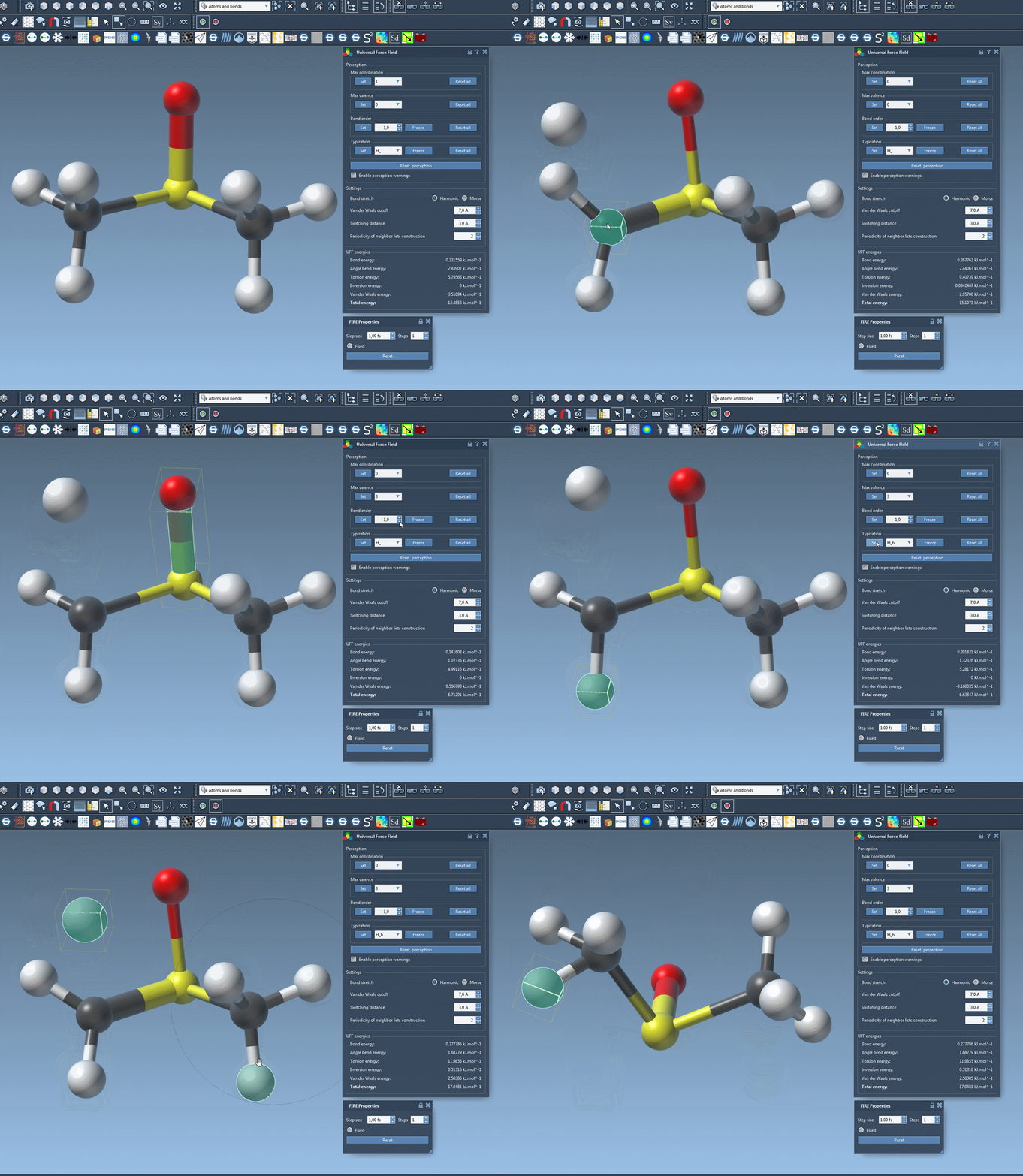
Reset and recompute when needed
If you’ve made changes and realize that the structure isn’t behaving as expected, SAMSON makes it easy to:
- Reset all bond order overrides
- Reset all atom type overrides
- Reset perception to recompute structural perception from the current geometry
Final thoughts
Tweaking UFF parameters manually allows you to maintain control when automatic perception doesn’t align with your expertise or experimental data. While it introduces the potential for human error, it adds precision in challenging cases that require it.
To learn more about this and other UFF-related features, visit the full tutorial page: Universal Force Field in SAMSON.
SAMSON and all SAMSON Extensions are free for non-commercial use. You can download SAMSON at https://www.samson-connect.net.