



Are you working in molecular design or computational materials science and struggling to construct precise carbon nanotube (CNT) models for your simulations? If you need to build single-walled or multi-walled CNTs tailored to specific applications, you’ll be excited to learn just how easy it is with SAMSON’s Nanotube Creator Extension.
Carbon nanotubes, with their intriguing structural properties, are essential in nanotechnology, molecular transport systems, and even drug delivery. But manually designing them accurately can be challenging and time-consuming. With SAMSON’s interactive and graphical tools, the process is intuitive, efficient, and highly customizable.
Here’s how SAMSON simplifies the creation of carbon nanotubes:
Interactive Nanotube Building
If you prefer visual, hands-on modeling, SAMSON’s interactive mode allows you to construct CNTs directly in the viewport. It’s as easy as:
- Set the axis and length of the CNT. Simply click and drag with the left mouse button in the viewport to define the nanotube’s orientation and length (n parameter).
- Adjust the radius. Release the mouse button, move the mouse to adjust the radius (m parameter), and click again to finalize. The status bar provides helpful live feedback, allowing you to refine dimensions accurately.

This method is perfect for users who value interactive control and immediate visual feedback while designing CNTs.
Graphical Interface for Precision
If you need precise control over parameters or want to construct complex configurations, the Nanotube Creator’s graphical interface (GUI) is the tool for you. Activate the editor to easily toggle the interface, where you can:
- Define exact
nandmvalues for the chiral vector. - Set start and end positions in 3D space for the nanotube’s axis.
- Build reliable multi-walled nanotube structures for advanced applications.
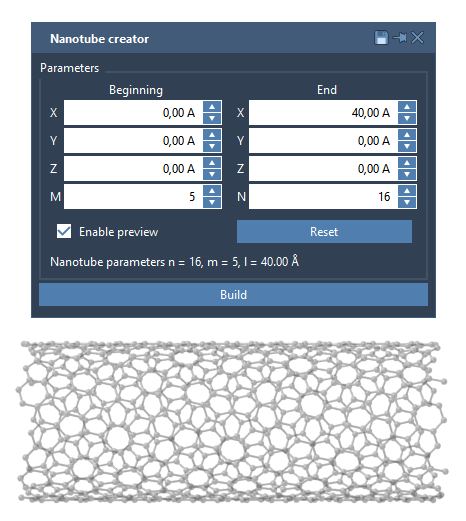
For instance, designing a multi-walled nanotube is straightforward: simply input parameters for each layer sequentially and click Build. This provides customized results that are ready for integration into molecular designs or computational models.
Use Case Example: Multi-Walled Nanotube
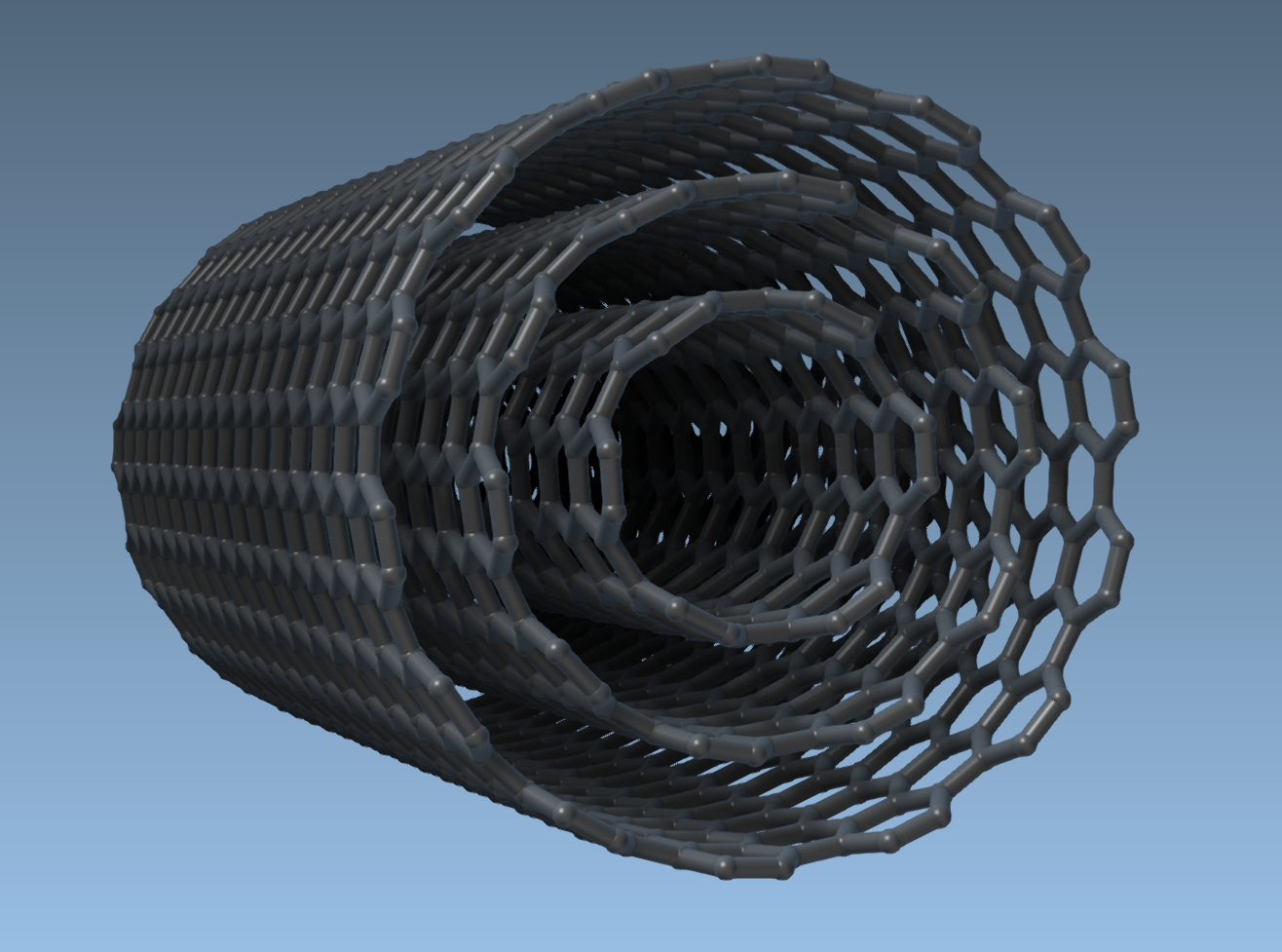
Let’s say you want to create a multi-walled nanotube. Follow these steps:
- Set the start and end positions, e.g.,
(0, 0, 0)to(40, 0, 0)for a nanotube 40 Å long along the x-axis. - Build three concentric CNTs by specifying their
nandmvalues:n = 6,m = 6n = 10,m = 10n = 14,m = 14
Click Build after defining the parameters for each layer. The result will be a robust multi-walled nanotube model:
Applications and Next Steps
Once you’ve designed your CNTs, the possibilities are endless:
- Export images to visualize your nanotube models.
- Simulate electronic, thermal, or mechanical properties.
- Combine CNTs with other molecular systems to create hybrid nanostructures.
Want to dive deeper? Visit the official SAMSON documentation to learn more about building precise CNT models for molecular and material science.
Note: SAMSON and all SAMSON Extensions are free for non-commercial use. Get SAMSON here.