



For molecular modelers, creating accurate nanostructures—like carbon nanotubes (CNTs)—can often be a painstaking process, requiring precision and efficiency. Whether it’s designing nanodevices, modeling molecular transport systems, or studying the electronic properties of materials, a robust tool to simplify CNT creation can be a game-changer. If this resonates with you, SAMSON’s Nanotube Creator Extension might just be what you’ve been searching for. This blog will guide you through two intuitive methods to build single-walled and multi-walled CNTs effectively, while ensuring your time is spent more on research and less on repetitive modeling tasks.
Why CNT Modeling Matters
Carbon nanotubes have exceptional properties—remarkable strength, thermal and electrical conductivity, and chemical stability—that make them indispensable in nanotechnology and molecular design. Being able to generate accurate CNT models easily is critical when simulating devices or exploring novel designs.
Interactive CNT Creation: Your New Favorite Workflow
The Nanotube Creator Extension takes advantage of SAMSON’s interactive environment, offering a streamlined way to create CNTs directly in the viewport. This method combines precision with flexibility, allowing real-time feedback during model creation. Here’s how it works:
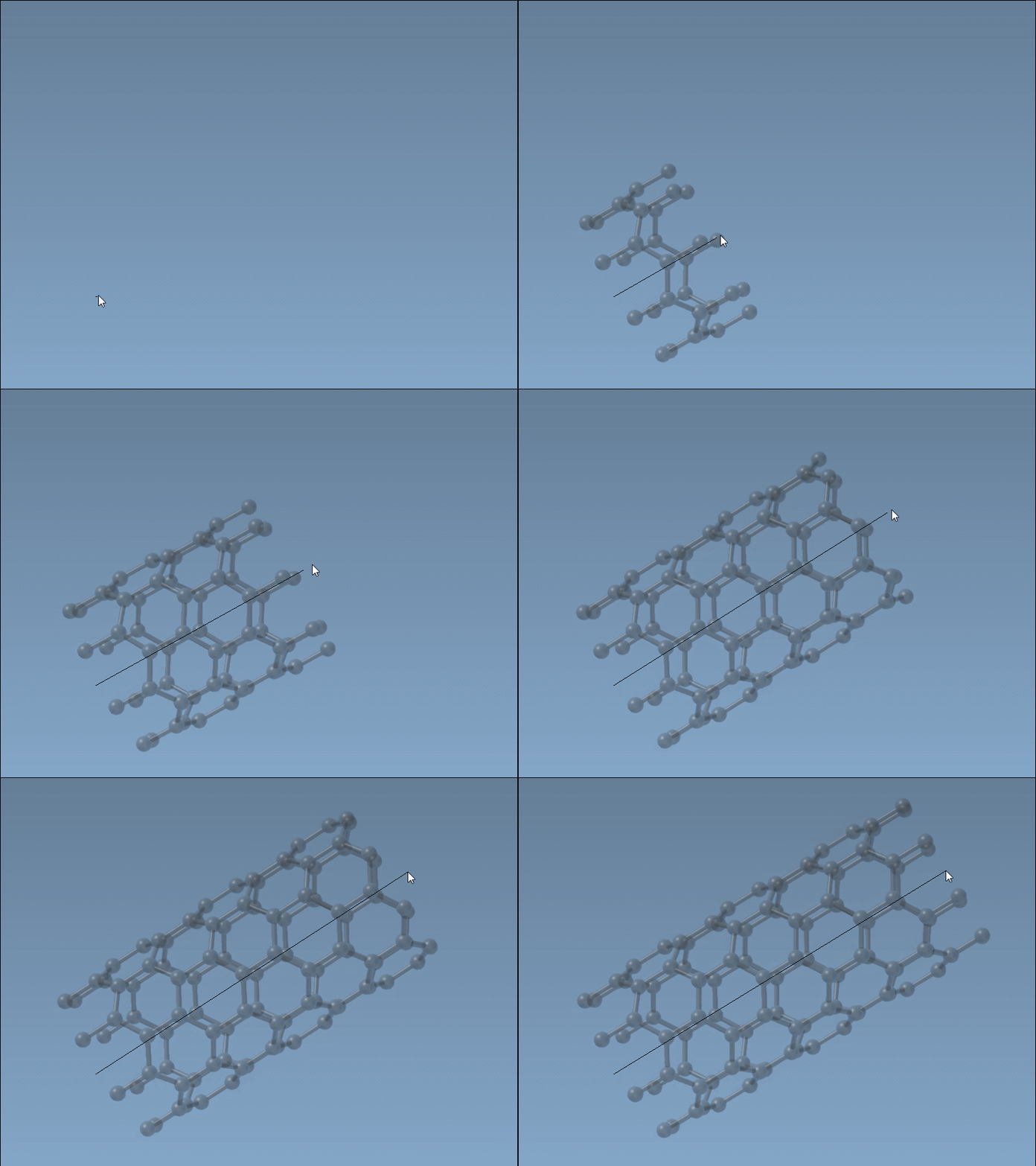
Step 1: Define the Nanotube Axis
Using the left mouse button, you can define the axis and length of your CNT by simply clicking and dragging in the viewport. The live status bar will provide feedback on both axis orientation and tube length, helping you maintain accuracy:
Step 2: Specify the Radius
Once the axis and length are set, releasing the mouse button transitions the workflow to adjusting the nanotube’s radius. Move the mouse to increase or decrease the radius (affecting the m parameter) and click the mouse to confirm.
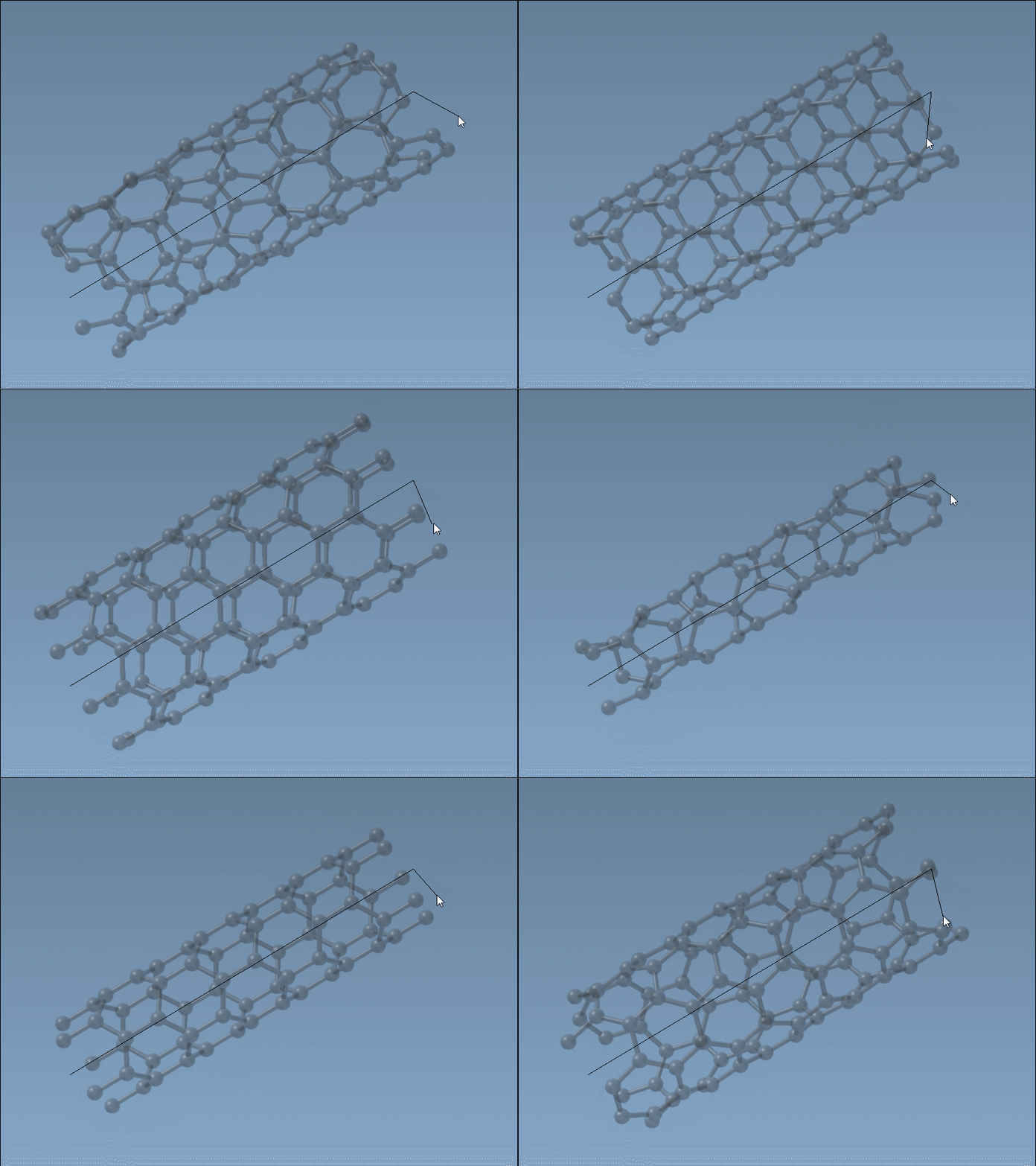
This method strikes a balance between control and efficiency, enabling interactive adjustments while maintaining precision. Keep an eye on the status bar throughout to ensure you choose the right n and m chiral parameters for your structure.
Prefer Precision? Use the Graphical Interface
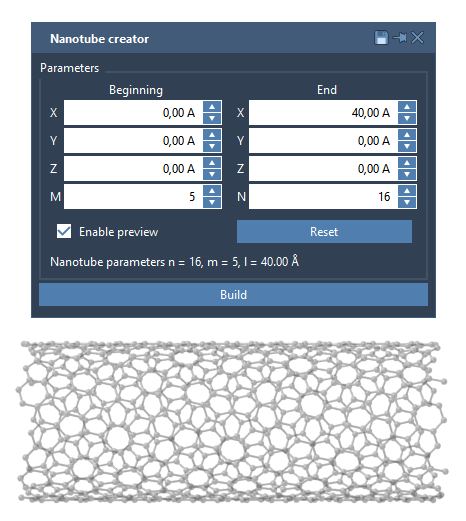
If you require more methodical control, the Nanotube Creator Extension also includes a graphical interface (GUI). This mode allows you to enter parameters manually and define specifics such as start and end positions in 3D space. Here’s a quick overview:
- Start / End Positions: These define the nanotube’s axis and length in 3D space, giving you exact control over dimensions.
- n / m Values: Specify the chiral vector to shape the structure and determine the tube’s radius.
By inputting values consistently, this mode makes multi-walled nanotube creation seamless. For example, creating concentric CNTs with parameters like n = 6, m = 6, n = 10, m = 10, and n = 14, m = 14 is straightforward. Hit “Build” to generate CNTs layer by layer.
Applications and Next Steps
Once your CNT models are completed, you can integrate them into larger simulations or visualize them for presentations. Beyond simple modeling, consider exploring mechanical properties, molecular transport systems, or hybrid nanostructures. To dive deeper into supported workflows, visit the Nanotube Creator Documentation.
SAMSON and all SAMSON Extensions are free for non-commercial use. Discover SAMSON and try this extension for yourself at SAMSON Connect.