



One of the challenges molecular modelers often face is efficiently selecting specific atoms, residues, or molecular structures from vast amounts of data to focus on targeted modifications or analyses. This can be tedious and time-consuming with traditional methods. The Node Specification Language (NSL) in SAMSON is a powerful tool specifically designed to tackle this issue, saving modelers time and increasing precision.
What is NSL?
The Node Specification Language (NSL) is a versatile querying tool in SAMSON. It allows users to select nodes (like atoms, residues, and structural groups) efficiently based on their properties. NSL expressions can be used with the Find command or to filter nodes within the Document View.
Why is NSL a Game Changer?
NSL is particularly useful because it enables advanced queries beyond simple manual selections. For example, you can:
- Select specific residues, atoms, or bonds based on attributes like chain IDs, residue IDs, or bond orders.
- Filter by proximity—e.g., “Find all atoms within 5 Ångströms of a ligand.”
- Use logical operators like
and,or, andnotto create complex queries.
Key Use Cases
Let’s walk through some examples of how NSL can simplify daunting selection tasks:
Selecting Residue Nodes
You might want to focus on specific residues, a common task in docking studies or structural analysis. Using NSL, you could type:
residue.id 20:40– Selects residues with IDs between 20 and 40.residue.type ALA– Focuses on alanine residues.
Proximity-Based Filtering
Imagine you need to identify atoms within 5 Å of a specific molecule. The NSL expression for this would be:
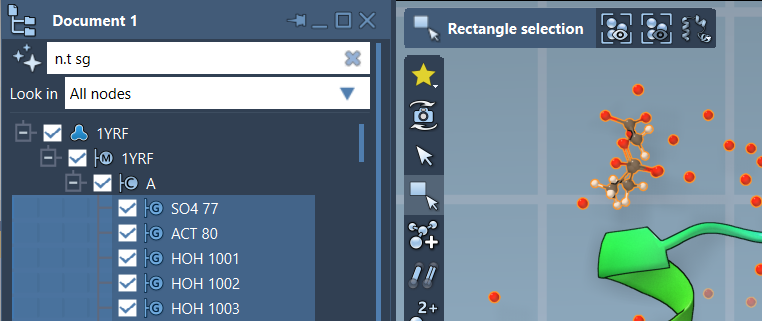
"CA" within 5A of "GLN 2"– Selects carbons within 5 Å of the residue named “GLN 2.”node.type residue beyond 5A of node.selected– Finds residues further than 5 Å away from currently selected nodes.
Logical Input and Precision
The power of NSL lies in its logical expressions. For example:
node.type residue and not residue.type CYS– Selects all residues that are not cysteine residues.bond.order > 1.5– Finds bonds with an order greater than 1.5.
This flexibility reduces the need for manual iterations, offering unmatched precision.
Boost Your Efficiency with AI Assistant
For users who are just starting or working with large, complex structures, SAMSON’s built-in AI Assistant can help generate accurate NSL expressions. Simply click the Ask AI button next to the selection string or filter node field. The Assistant leverages document hierarchy, making targeted selections easier.

Smarter Molecular Modeling
What makes NSL even better is its adaptability. It supports specification by attributes (e.g., chain IDs and bond orders), logical operations, and even proximity within bond topology or space. Molecular modelers can achieve in minutes what might traditionally take hours. For more advanced examples and syntax, check out the SAMSON examples page.
To dive deeper, visit the full documentation page here: https://documentation.samson-connect.net/users/latest/nsl/.
Note: SAMSON and all SAMSON Extensions are free for non-commercial use. You can download SAMSON at https://www.samson-connect.net.