



For molecular modelers, identifying and optimizing protein conformations is a key step in structure refinement and simulation readiness. However, this process can be challenging without effective visualization tools. The Interactive Ramachandran Plot SAMSON Extension offers a practical approach to address this pain by allowing you to analyze and edit the backbone dihedral angles (φ and ψ) of proteins directly from an intuitive plot.
Why Use a Ramachandran Plot?
A Ramachandran plot maps the energetically allowed regions for backbone dihedral angles in amino acids, highlighting conformations based on steric and energetic constraints. Energetically favorable regions appear as yellow areas, while white regions indicate unfavorable conformations. This makes it an invaluable tool for inspecting protein structures and detecting strained residues before proceeding with simulations.
Getting Started with the Interactive Ramachandran Plot
Before diving in, ensure you have the Interactive Ramachandran Plot Extension installed in SAMSON. If not, download and add the extension from SAMSON Connect, and restart the platform for it to be ready.
Load a Protein Structure
Open your protein of interest within SAMSON. For instance, if you’re working with PDB ID 1YRF, fetch it via Home > Fetch, input the PDB ID in the appropriate field, and click Load.
Open the Ramachandran Plot App
From the menu, navigate to Home > Apps > Biology > Ramachandran Plot and launch the app. Click Update to generate the plot and visualize the conformational state of your protein:
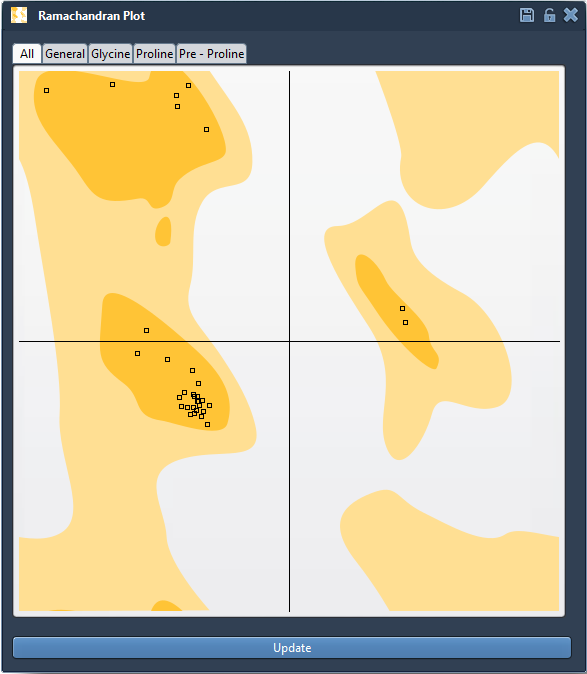
- Yellow areas: Energetically favorable regions.
- White areas: Energetically unfavorable conformations.
Exploring and Editing Conformations
The Interactive Ramachandran Plot takes protein modeling to the next level by providing real-time editing capabilities:
Option 1: Drag to Edit
- Simply drag any point on the plot to change the φ and ψ angles of a residue in real time.
- The corresponding 3D structure is updated instantly in the main viewport.
- If you want to undo changes, press Ctrl/Cmd + Z.
Option 2: Use the Twister Editor
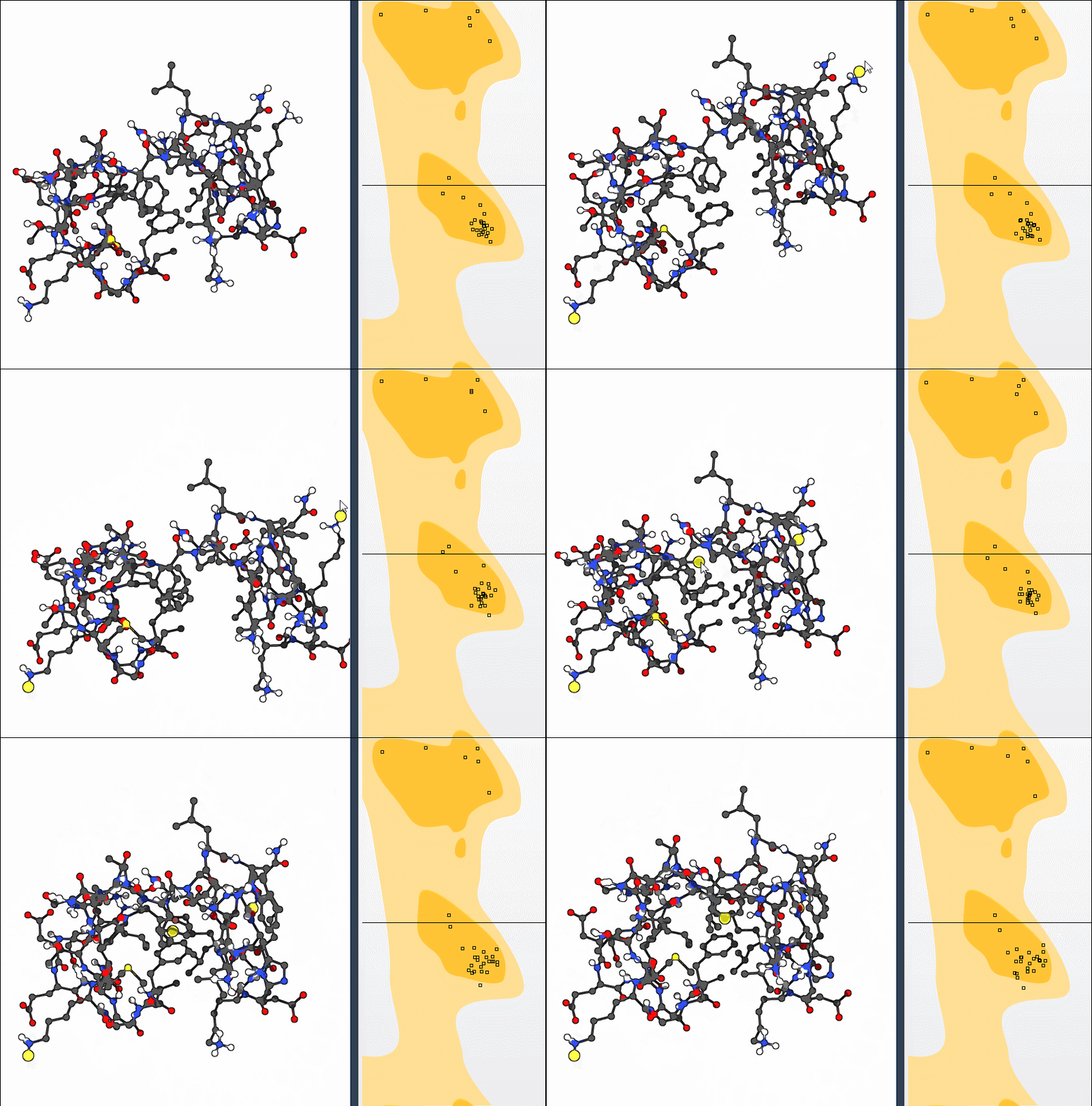
Select the Twister editor from the left-hand menu in the viewport. This allows you to interact directly with the 3D representation of the protein while observing live updates in the Ramachandran plot:
Applications for Molecular Modelers
From homology model refinement to identifying strained residues, the Interactive Ramachandran Plot can streamline your workflows. Its ability to combine global motion adjustments with local conformation optimizations ensures your protein structure is ready for advanced molecular simulations.
Learn More
Ready to enhance your protein modeling process? Explore the original documentation and see how the Interactive Ramachandran Plot can fit into your workflows: Visit the full tutorial here.
SAMSON and all SAMSON Extensions are free for non-commercial use. Get started today by downloading SAMSON at SAMSON Connect.