



Molecular assemblies often exhibit a variety of symmetric patterns — but selecting the one that best suits your modeling objective isn’t always straightforward. If you’re dealing with large protein complexes or viral capsids, you may run into a common scenario: automatic symmetry detection tools identify multiple symmetry groups. So how do you decide which symmetry group and axis to actually use?
Let’s walk through a practical guide using the Symmetry Detection extension in SAMSON, focusing on selecting the most appropriate symmetry group for simulation and analysis. This can have a big impact on the efficiency and clarity of your modeling efforts, particularly when extracting asymmetric units or designing mutations.
Why multiple symmetries get detected
Biological assemblies can often be interpreted through different symmetry groups that approximate their overall architecture. For large complexes, slight asymmetries or ambiguities in structural data can lead the software to propose several plausible groups (e.g., D2 and D3). This is expected behavior — but it can leave researchers uncertain about which option is best.
Choosing the best group: a practice-based approach
Here are two key principles to help guide your decision:
- Favor higher-order symmetries with lower RMSD: In general, a symmetry group of a higher order (e.g., D3 over D2) that shows a smaller root-mean-square deviation (RMSD) usually reflects a better fit. Lower RMSD indicates closer structural alignment between symmetric units, which means cleaner modeling and better input for simulations.
- Visual inspection helps: In the app, clicking on each detected group highlights its major axis. This is a fast way to verify whether the symmetry orientation makes sense relative to your biological question.
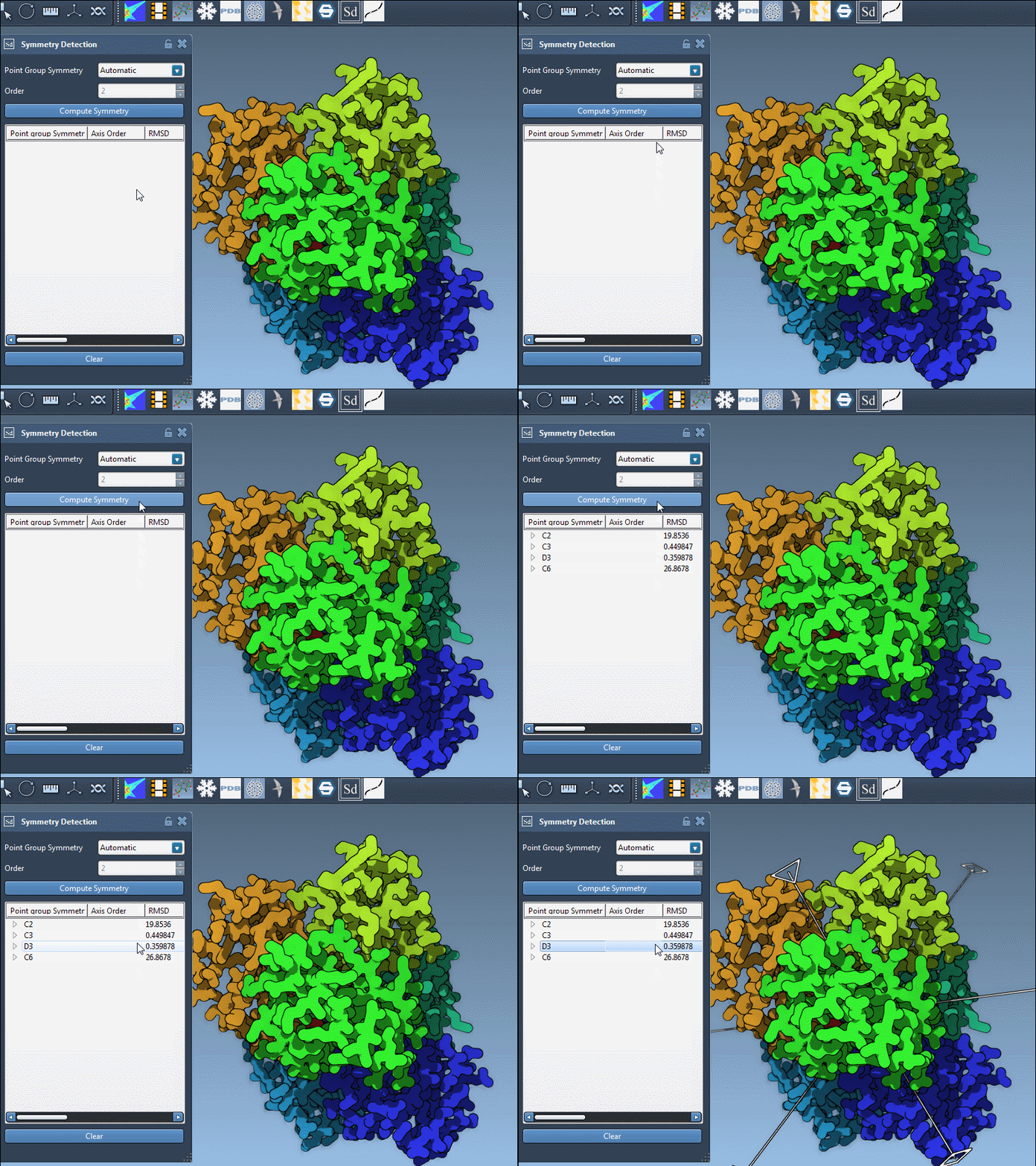
For example, the protein complex 1B4B is detected to have dihedral symmetry, and multiple possible groupings might be proposed. By clicking each group, you can instantly visualize the dominant axis and judge whether the alignment corresponds to the structural and functional layout you’re targeting.
When you already know the symmetry type
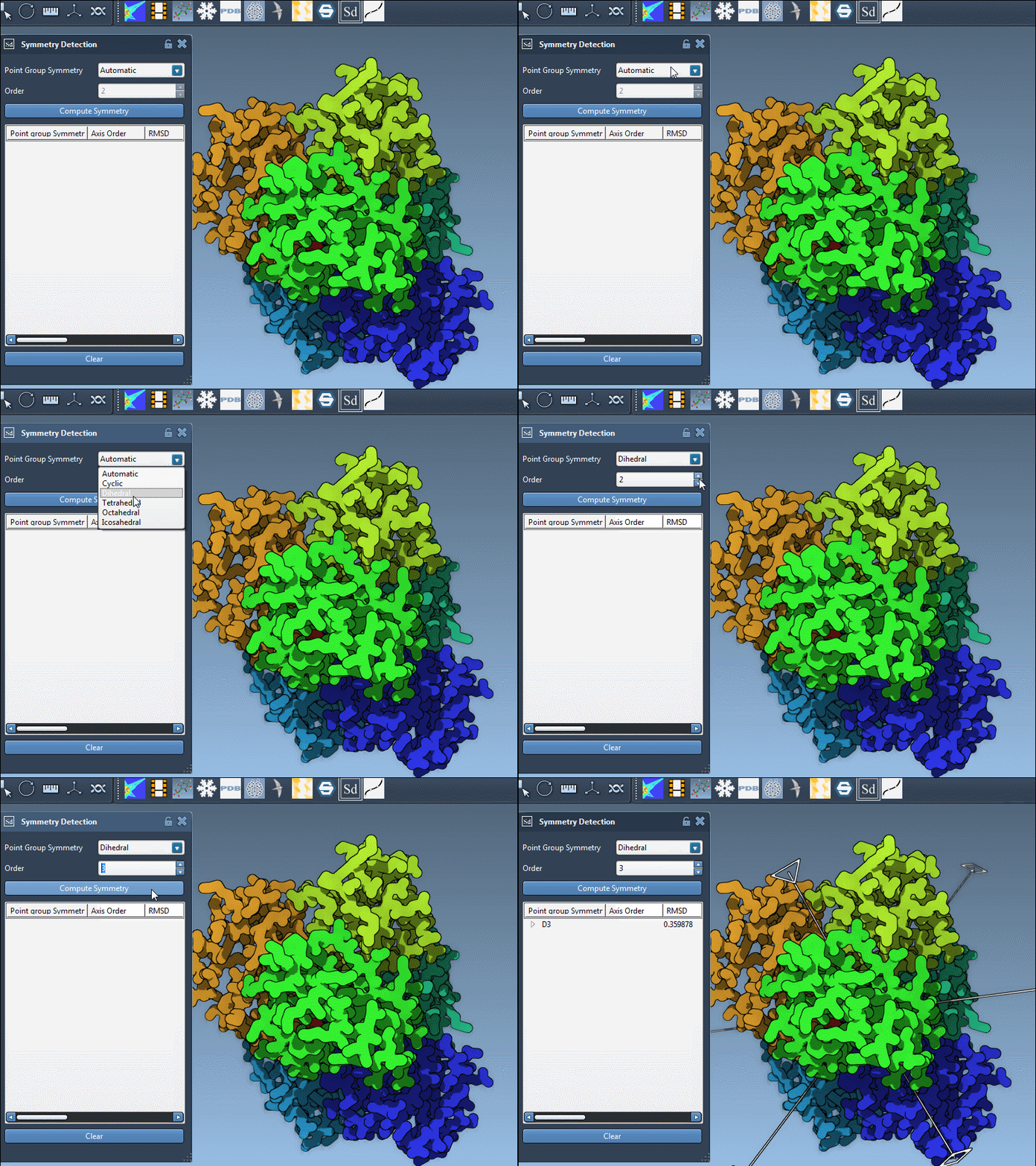
If you’re working with a known system and have prior knowledge about its symmetry (from literature or experimental data), you can jump directly to it using the manual group selection. SAMSON allows users to pick the symmetry type and order from drop-down lists, quickly overriding the automatic suggestion. For instance, if you know 1B4B is a D3 structure, just pick D3 directly — no need to browse through all alternatives.
Digging deeper: viewing individual axes
Each symmetry group may contain multiple axes of rotation. In SAMSON, once you’ve picked a group, you can expand it to view all associated axes along with their RMSD values. Each axis can then be:
- Single-clicked to highlight it in bold in the viewport
- Double-clicked to align the camera with that axis — offering a direct view into the structural repetition
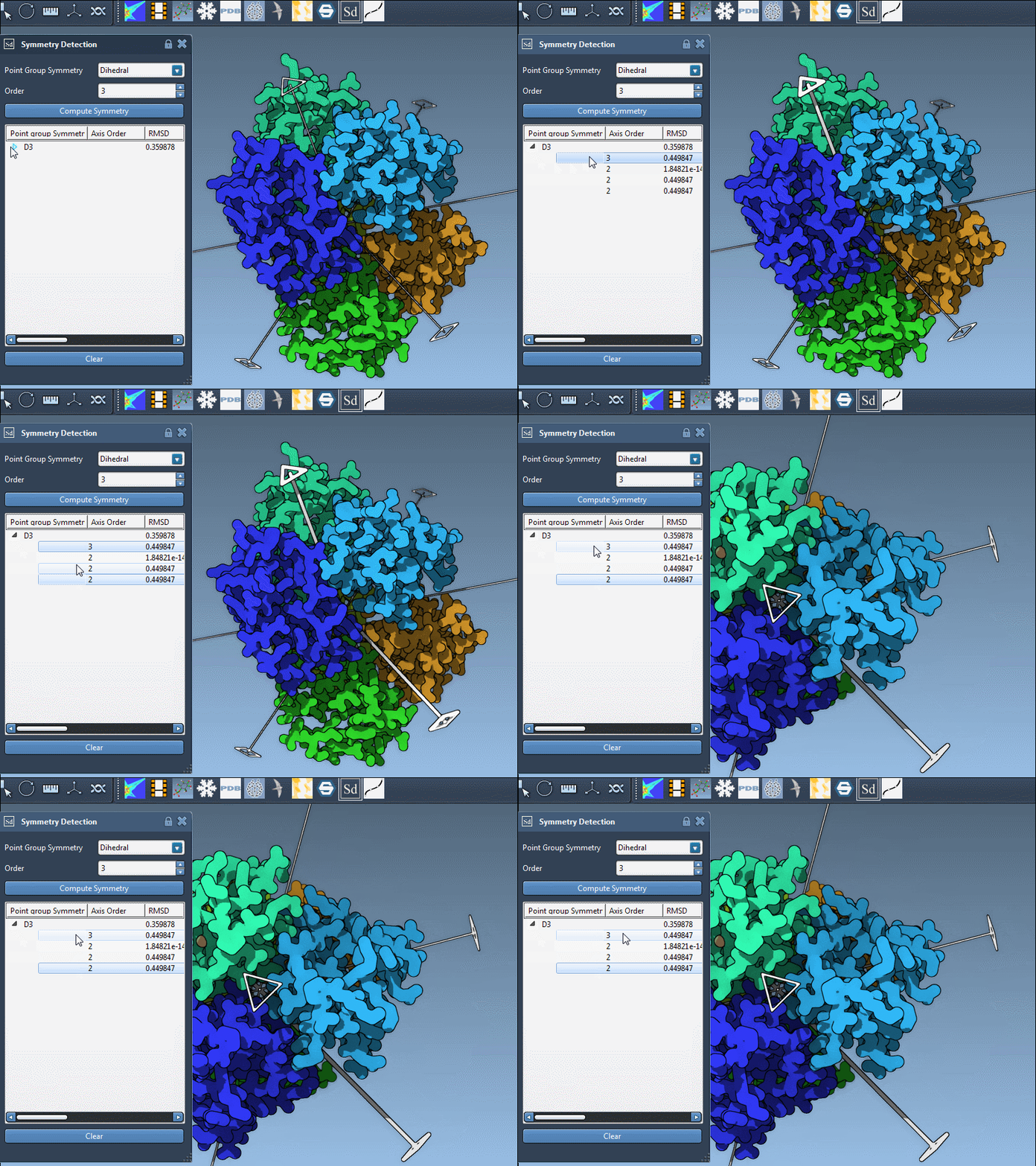
This functionality is particularly useful when assessing how symmetric features align with functional domains or when preparing figure snapshots for publications or presentations.
Final thoughts
Choosing the right symmetry isn’t about getting the “correct” answer — it’s about making an informed, goal-driven choice that supports your downstream modeling. By combining RMSD-based recommendations with viewport interactions and manual overrides, SAMSON gives you the flexibility to pick the most relevant symmetry.
Learn more about working with symmetries in biological assemblies using SAMSON.
SAMSON and all SAMSON Extensions are free for non-commercial use. You can download SAMSON from https://www.samson-connect.net.