



For molecular modelers, achieving a stable, energy-minimized molecular geometry is a common goal before simulations or further structural analyses. However, traditional methods, such as the steepest descent algorithm, can be too slow when dealing with large-scale molecular movements. This inefficiency can become a bottleneck, especially when working with complex or dynamic systems.
If you’ve been searching for a faster and more efficient way to optimize molecular geometries, the FIRE Minimizer (Fast Inertial Relaxation Engine) in SAMSON offers a robust solution. Here’s how you can leverage this tool for significant time savings and improved results.
Understanding How the FIRE Minimizer Speeds Things Up
The FIRE Minimizer, developed from the method by Bitzek et al., provides accelerated convergence compared to the steepest descent method, particularly for systems with collective molecular motions. This is because the FIRE algorithm better handles large-scale geometry adjustments, recognizing and correcting system movements faster to reach energy minima more quickly. This efficiency makes it an ideal choice for:
- Pre-simulation cleanups
- Interactive modeling initiatives
- Large molecular systems requiring structural relaxation
In SAMSON, the FIRE Minimizer works seamlessly with any interaction model, allowing you to integrate it into a wide variety of molecular design workflows.
How to Use the FIRE Minimizer in SAMSON
Using the FIRE Minimizer within SAMSON is straightforward and can be broken down into simple, reproducible steps:
Step 1: Load a Molecular System
Begin by loading a molecular system into SAMSON using supported formats such as PDB or MOL2. If you’re new to this, the Loading Molecules Guide can walk you through the process.
Step 2: Add a Simulator
Once your molecular system is loaded, add a simulator in SAMSON:
- Navigate to Edit > Add Simulator.
- Select your desired interaction model.
- Within the State Updaters section, choose FIRE as your updater.
This step ensures the FIRE Minimizer is properly configured to handle the energy optimization of your molecular system.
Step 3: Fine-Tune FIRE Settings
The FIRE Minimizer offers several adjustable settings to optimize performance based on your needs:
| Setting | Description |
|---|---|
| Step size | Defines the initial integration step for FIRE’s optimization. |
| Steps | Specifies the number of FIRE steps before updating the visualization viewport. |
| Fixed | Optionally forces the step size to remain constant throughout the process. |
To visualize changes during optimization more clearly, consider increasing the Steps value, which reduces the frequency of viewport updates but highlights system changes more prominently.
FIRE vs. Steepest Descent: A Visual Comparison
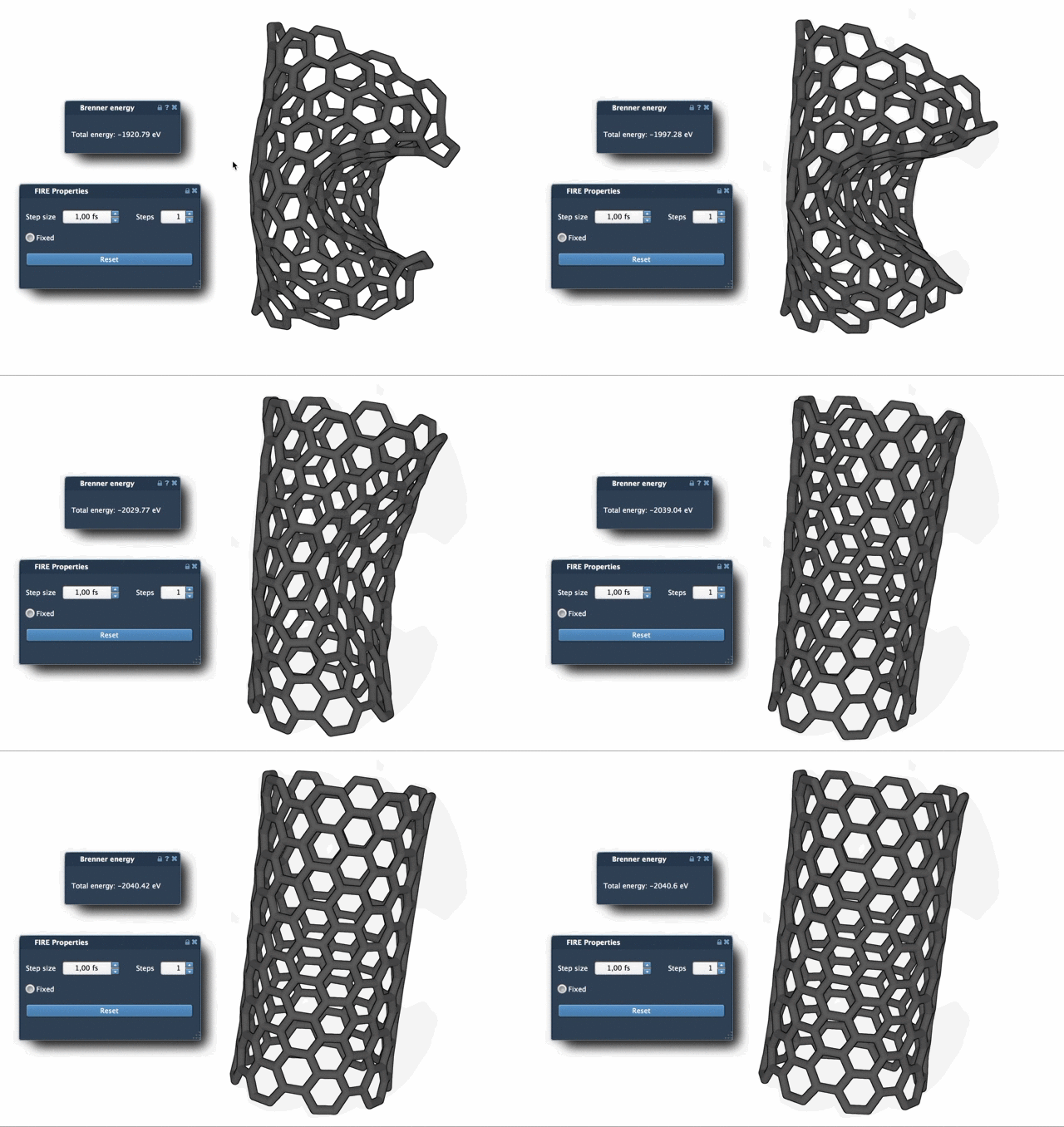
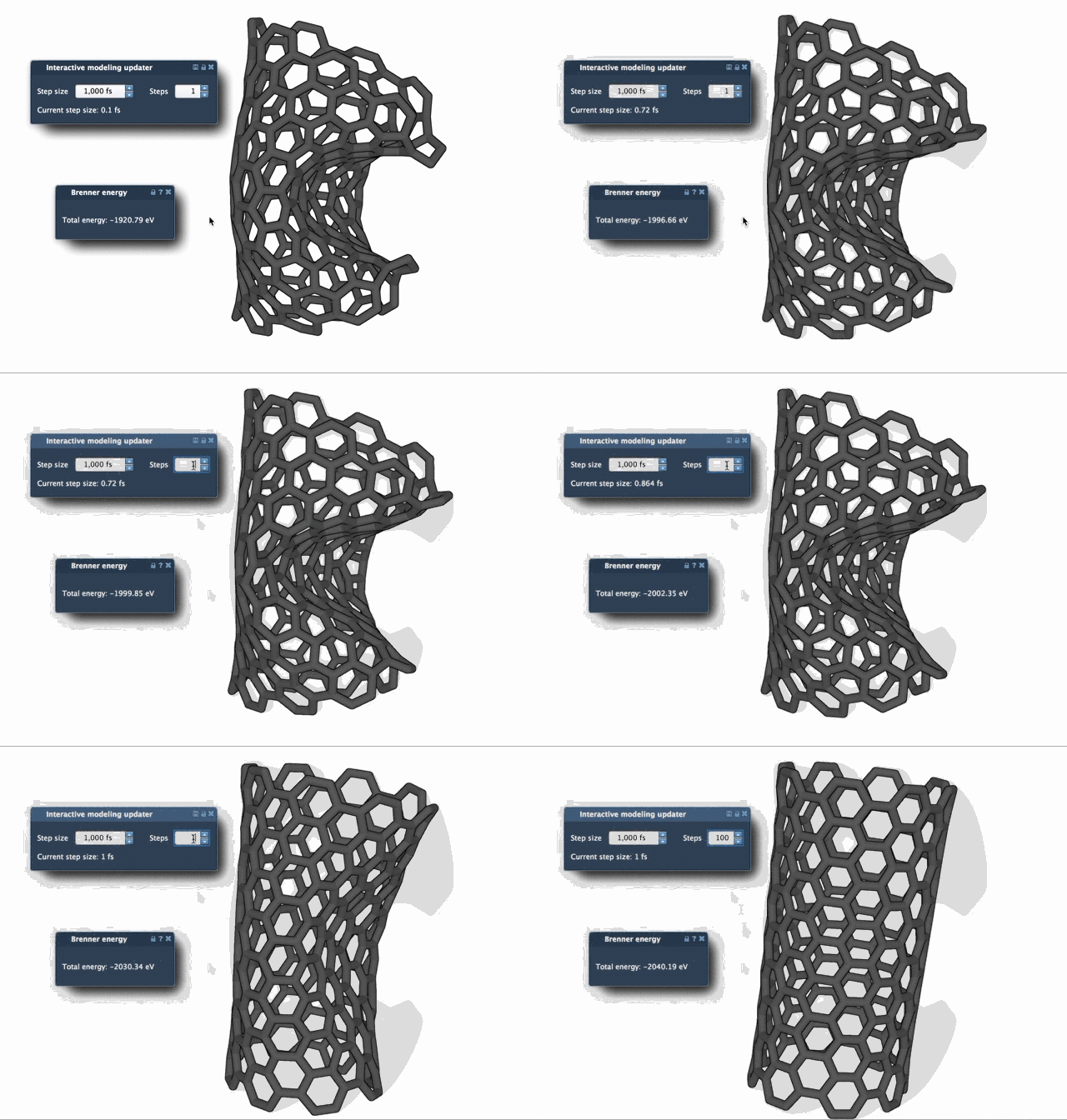
The advantages of the FIRE Minimizer become evident when analyzing its performance alongside the traditional steepest descent method. While steepest descent can struggle with slow convergence when dealing with small energy changes but significant geometry shifts, FIRE excels by adapting to these motions efficiently.
Below is a visual representation of how these two methods perform:
Conclusion
By using the FIRE Minimizer in SAMSON, you can speed up geometry optimizations significantly, especially for complex molecular systems. Incorporating the FIRE method into your workflows not only improves efficiency but also helps ensure molecular structures are stable and ready for downstream tasks like simulation or interaction modeling.
For a more detailed guide and additional tips on using the FIRE Minimizer, check out the official documentation page.
Note: SAMSON and all SAMSON Extensions are free for non-commercial use. Download SAMSON to explore its capabilities and streamline your molecular modeling projects.