



When preparing molecular simulations, getting the right topology can be a time-consuming task. While automatic perception of bond orders and atom types is helpful, most modelers eventually hit a point where they’d like more control: maybe the automatic perception misses a bond order, or perhaps assignments don’t match a known experimental configuration. If you’ve been there, you’ll find that customizing typization in UFF inside SAMSON can help streamline the process.
SAMSON offers built-in tools to edit bond orders, atom types, and coordination rules — without having to reconstruct your whole system. These capabilities are directly integrated into the UFF extension and provide fine-grained control over how interactions are interpreted in simulations. Even better: these edits update in real time.
When to Override Automatic Perception
UFF in SAMSON automatically detects atom types, bonds, and their orders based on geometry. However, in certain cases (e.g. strained systems, unusual bonding environments, or partially optimized fragments), this detection might not be ideal.
Situations where manual editing helps:
- Setting non-integer bond orders for delocalized systems
- Fixing bond orders in charged or radical molecules
- Enforcing known atom coordination numbers
- Preserving atom types between perception recomputations
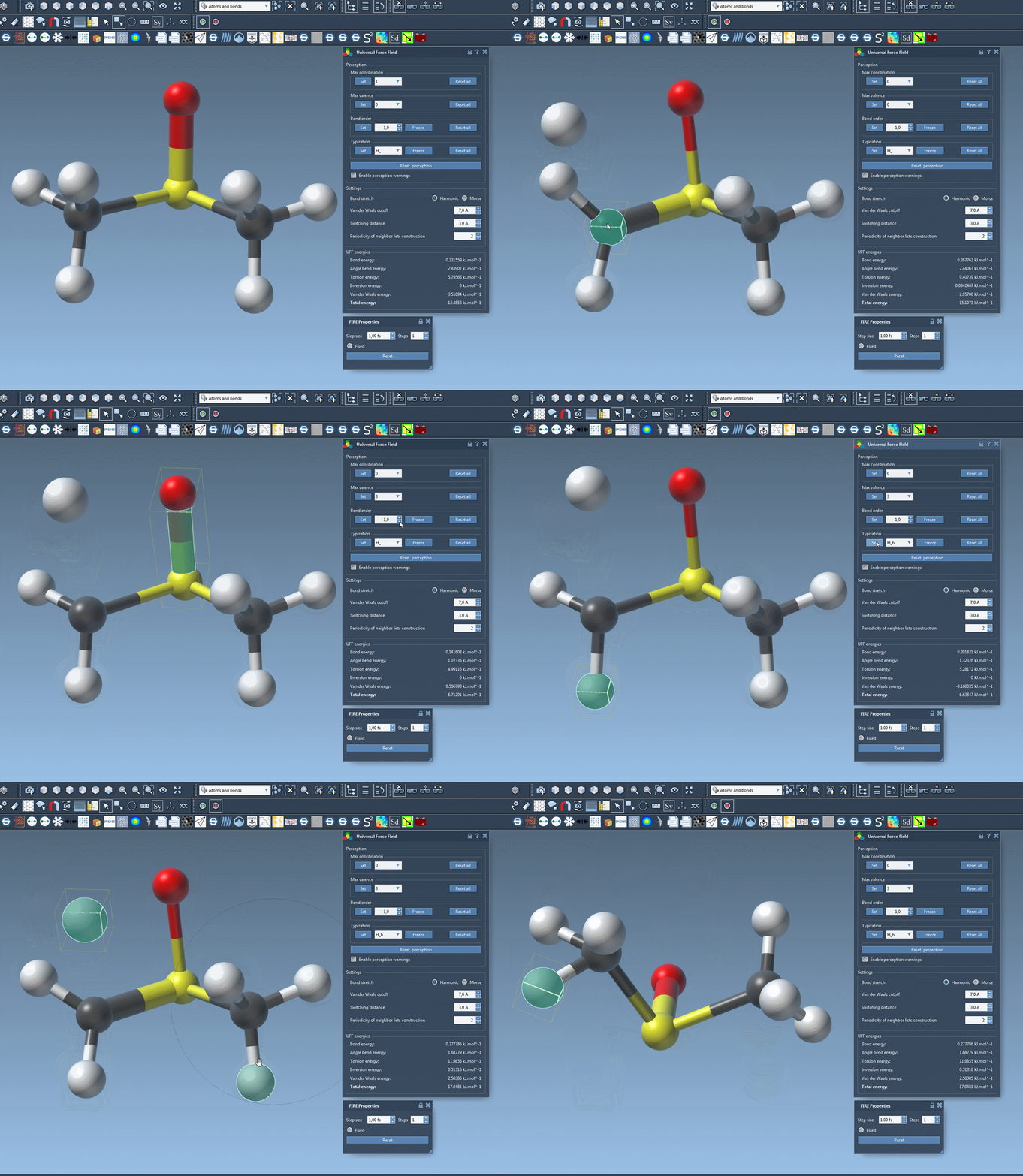
How to Customize Bond Orders and Atom Types
Once you’re in the UFF parameter window of SAMSON, here’s how you gain manual control:
🧪 Forcing Bond Orders
- Select a bond (or multiple bonds)
- Choose a bond order value between 0.1 and 3.9 in the UFF panel
- Click Set
You can also “freeze” a bond order to prevent updates during later structure perception. Select the relevant bond(s) and click the Freeze button in the Bond Order group.
⚛️ Assigning Atom Types
- Select one or more atoms in your structure
- Pick the atom UFF type in the parameter window
- Click Set to apply
You can freeze atom types the same way as bond orders to lock their identity through perception updates.
🎯 Adjusting Coordination Rules
Each atom comes with default maximum coordination and valence values. You can lower these limits by selecting new values and confirming with the Set button. These values will then guide future atom perceptions.
Changing and Recomputing Perception
After applying your customizations, if you’d like UFF to use your settings to recompute the perception of the system:
- Click Reset perception
You can also roll back all customizations with the Reset all buttons in each group.
This manual customization helps ensure your simulations run with the structural assumptions you need, saving time on structural cleanup without sacrificing accuracy.
To learn more about UFF in SAMSON and customizing its parameters, please visit the UFF tutorial page.
SAMSON and all SAMSON Extensions are free for non-commercial use. You can download SAMSON at https://www.samson-connect.net.