



For molecular modelers who frequently work with the Universal Force Field (UFF) in SAMSON, the ability to fine-tune and customize typization can be both a blessing and a challenge. Whether you’re crafting a simulation for a complex molecule or tweaking atom properties for specific cases, the granularity offered by SAMSON’s advanced typization options can help overcome common obstacles. If you’ve ever wished to have stricter control over atom typization, bond parameters, or the automatic perception of molecular structures, this guide will show you how to leverage these capabilities effectively.
Why Fine-Tuning Matters
Default typization settings may not always align perfectly with the specific requirements of unique molecular systems. Automatic processes can sometimes lead to suboptimal or incorrect atom types, bond orders, or molecular configurations. Advanced typization provides an extra layer of flexibility, enabling you to address these cases and refine the molecular setup for accurate simulations.
Customizing Typization in UFF
SAMSON allows users to adjust atom types, bond orders, and molecular configurations directly within the UFF interface. Follow these steps to get started:
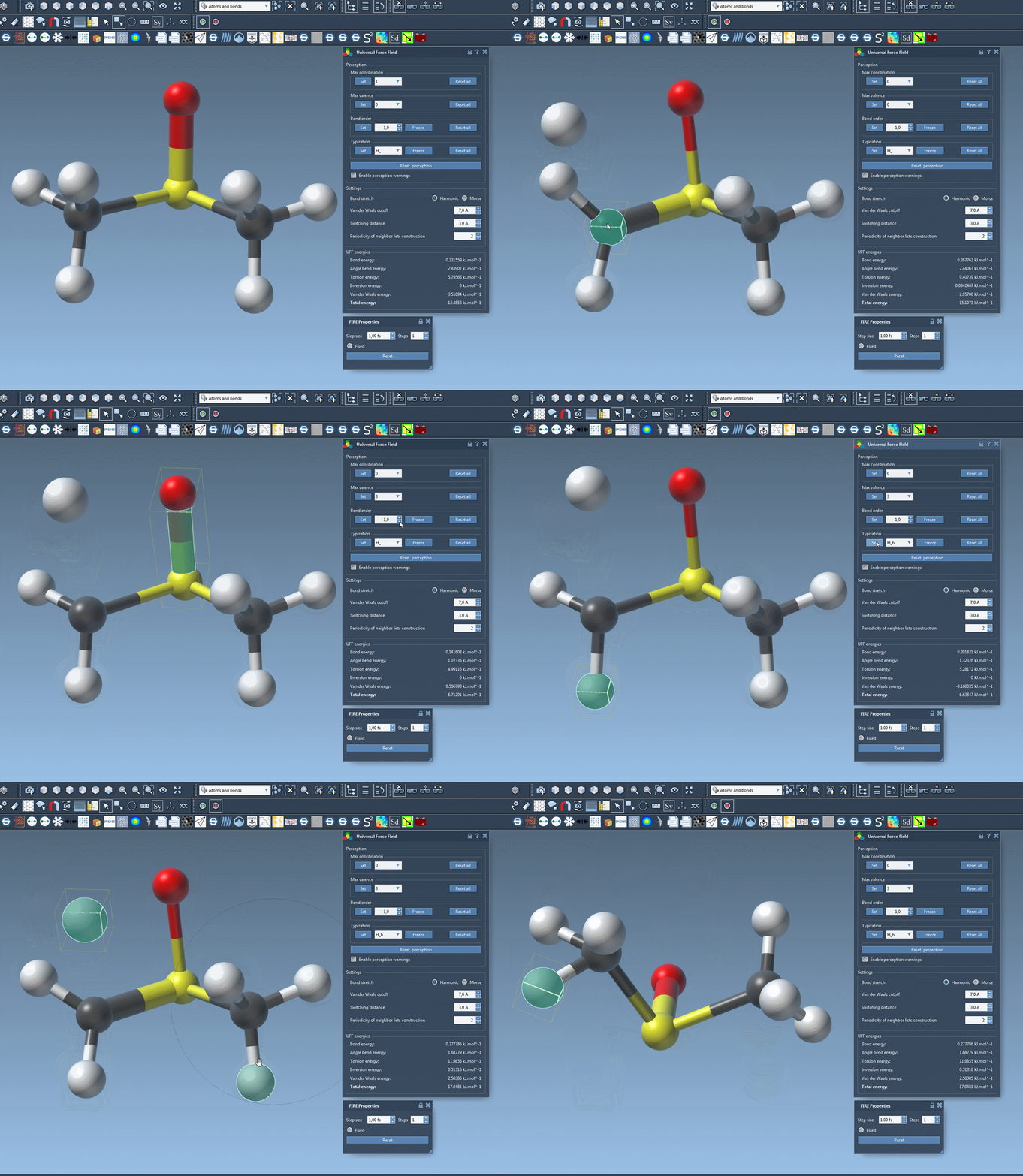
- Modify Maximum Coordination and Valence: Each atom has default maximum coordination (number of neighbors) and valence (weighted number of neighbors by bond order). You can override these defaults by selecting an atom, specifying the new values in the combo box, and clicking the Set button. Adjustments are only effective if the new values are lower than the defaults.
- Force Bond Orders: Need more control over bonding? Pick a bond or a group of bonds, choose a bond order value between 0.1 and 3.9 in the UFF parameter window, and press Set. If you want these bonds to remain unchanged during future perceptions, click Freeze. Non-integer bond orders are also supported, making this feature especially versatile for fine adjustments.
- Force Atom Typization: You can assign specific UFF types to atoms. Select the atom(s), choose their type from the available options, and press Set. Like bond orders, you can lock these changes by pressing the Freeze button.
Updating or Resetting Customization
If you decide to reset your modifications or re-run perception adjustments based on updated customizations, SAMSON provides convenient controls:
- Use the Reset all buttons to revert all typization or bond-related changes to default settings.
- Press Reset perception to compute a fresh typization using the current customized settings and atom positions (important when bond creation depends on atomic distances).
Balancing Flexibility and Precision
The ability to customize typization in SAMSON’s UFF module offers immense flexibility, but it also comes with responsibility. Incorrect configurations can lead to unrealistic or misleading simulation results. It’s important to use these advanced features with care, keeping in mind the specific behaviors and requirements of the force field.
For a detailed walkthrough and other advanced options, visit the full tutorial page here: Universal Force Field (UFF) Documentation.
Tip: If you’re new to SAMSON, consider exploring the User Guide: Building Molecules or try the Building with Atoms tutorial from the Help > Tutorials menu. These resources offer valuable insights into constructing and refining molecular models.
Note: SAMSON and all SAMSON Extensions are free for non-commercial use. Get started with SAMSON today at https://www.samson-connect.net.