



Molecular modelers often find it challenging to analyze complex protein-ligand interactions and pinpoint key interactions effectively. This is especially true when needing a seamless workflow between 2D and 3D representations. Enter the Interaction Designer, a powerful feature in the SAMSON platform that addresses this problem head-on. With this tool, you can generate interactive, editable 2D interaction diagrams that synchronize with the corresponding 3D viewport, streamlining visualization and editing.
Real-Time Synchronization Between 2D and 3D
The Interaction Designer allows you to maintain a synchronized connection between 2D diagrams and 3D molecular structures. This means any changes—like selecting, adding, or removing atoms and fragments—are reflected in both views. Zoom in on specific structures or highlight particular atoms simply by interacting with your diagram, ensuring an efficient workflow.
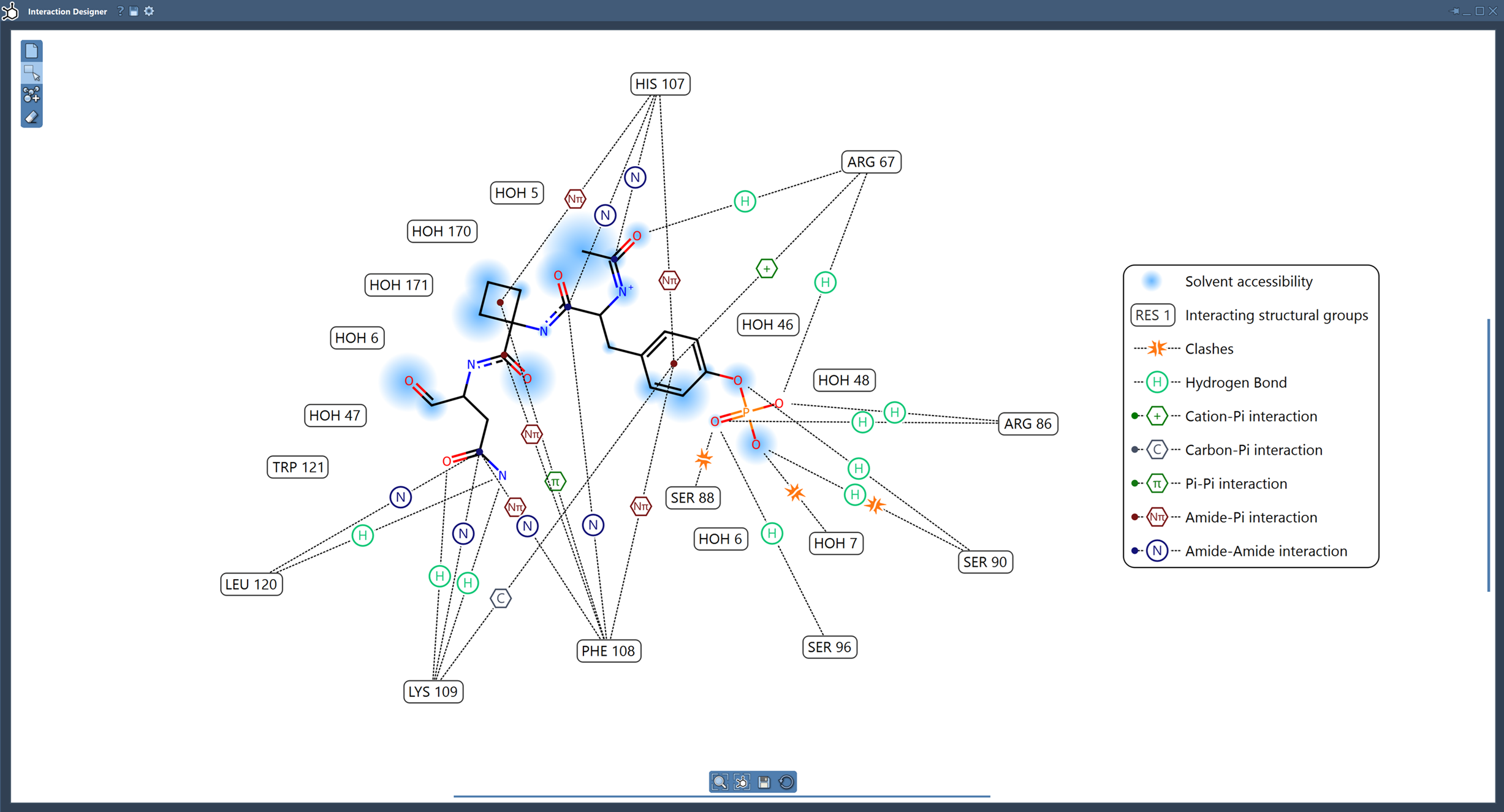
Automatically Generate Interaction Diagrams
Using the Home > Diagram command, you can effortlessly generate 2D interaction diagrams based on a selection or an entire molecular document. The generated diagrams provide features like:
- Protein-Ligand Binding Pocket Visualization: Highlight and examine binding pockets for a better understanding of interactions.
- Solvent Accessibility: See how solvent molecules can access ligand atoms.
- Customizable Interaction Labels: Rearrange interaction labels and symbols for clarity. Hide, show, or adjust colors directly in the diagram’s legend.
For example, you can identify specific hydrogen bonds, aromatic contacts, or steric clashes with detailed descriptions and visual aids directly in the diagram.
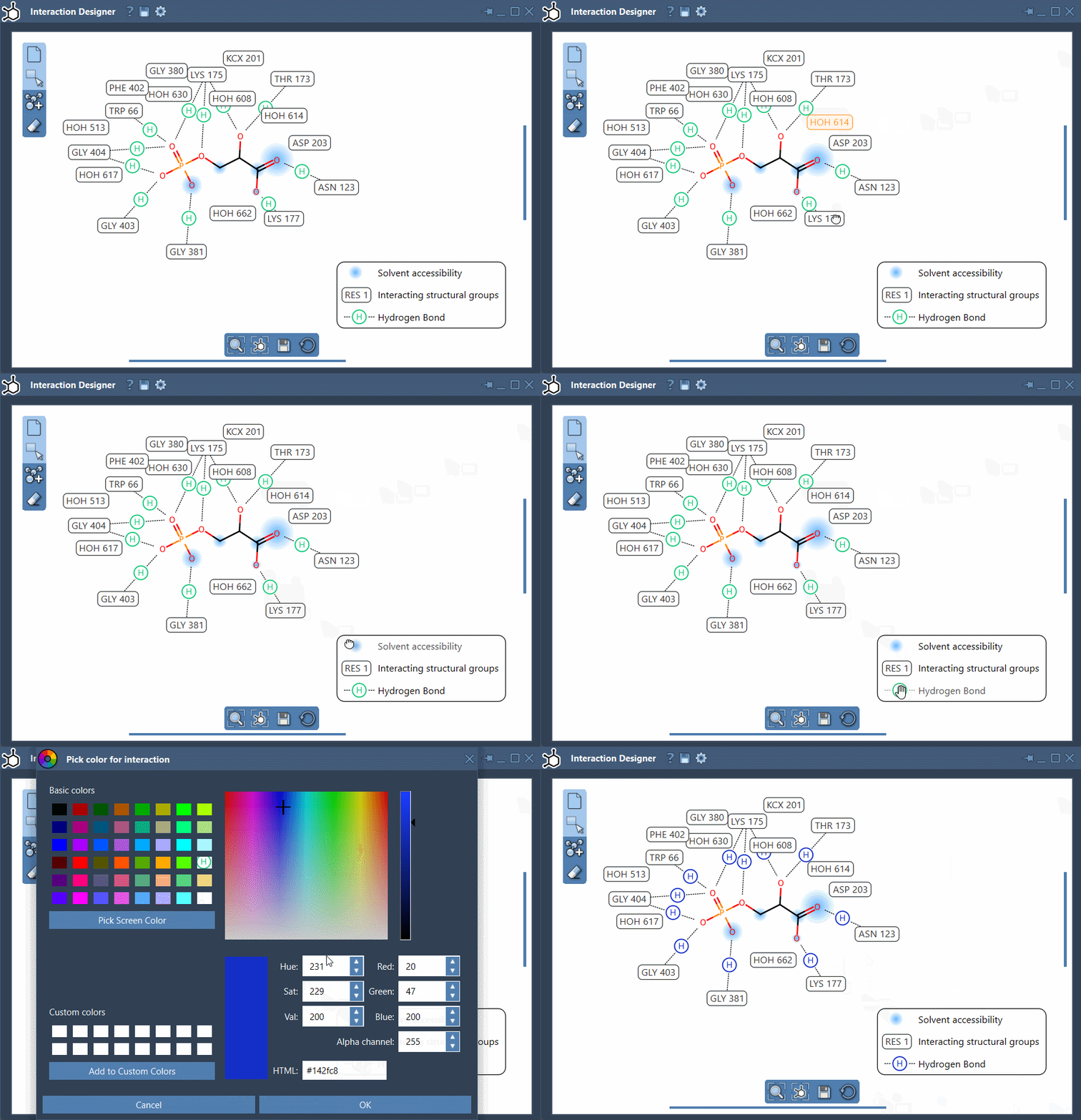
Fine-Tuned Editing Made Easy
Editing your interaction diagrams has never been simpler. The Interaction Designer provides tools to customize diagram layouts extensively. Here’s what you can do:
- Drag and reposition labels or interaction symbols to declutter your view.
- Enable or disable certain interactions for specific analyses.
- Adjust interaction colors to suit your preferences or project requirements.
These capabilities ensure that the diagrams remain not only scientifically accurate but also visually clear and easy to interpret.
Learn How It Works with a Video
To better understand how to create and edit 2D-3D interaction diagrams, watch this tutorial:
Your Productivity in Focus
The Interaction Designer empowers molecular modelers to simplify their workflows, gain deeper insights, and save time without compromising accuracy. Whether analyzing intricate protein-ligand interactions or just needing a clear visual representation in both 2D and 3D, this tool is designed to handle the complexities of molecular modeling with ease.
Explore more features and learn additional tips by visiting the official documentation page: https://documentation.samson-connect.net/users/latest/interaction-designer/
Note: SAMSON and all SAMSON Extensions are free for non-commercial use. You can get SAMSON for free at https://www.samson-connect.net.