



When modeling complex molecular assemblies such as proteins or viral capsids, identifying symmetry can streamline the design process and reduce computational overhead. The Symmetry Detection extension in SAMSON offers a simple, effective way to detect and visualize symmetry axes, giving molecular modelers new tools to optimize workflows and achieve better results.
Why Symmetry Matters in Molecular Modeling
Symmetry is more than just a design feature; it can reveal essential details about a complex molecule. Using the Symmetry Detection extension in SAMSON provides benefits like:
- Identifying functional interfaces: Symmetric structures often repeat functional motifs, making it easier to locate critical interfaces.
- Validating experimental data: By examining symmetry elements, you can confirm the accuracy of experimental structures.
- Reducing computational load: Focus only on the asymmetric unit for simulations while retaining the insights from the full structure.
- Designing new materials: Use detected symmetry to guide the design of nanomaterials or protein mutations.
Visualizing Symmetry in Protein Assemblies
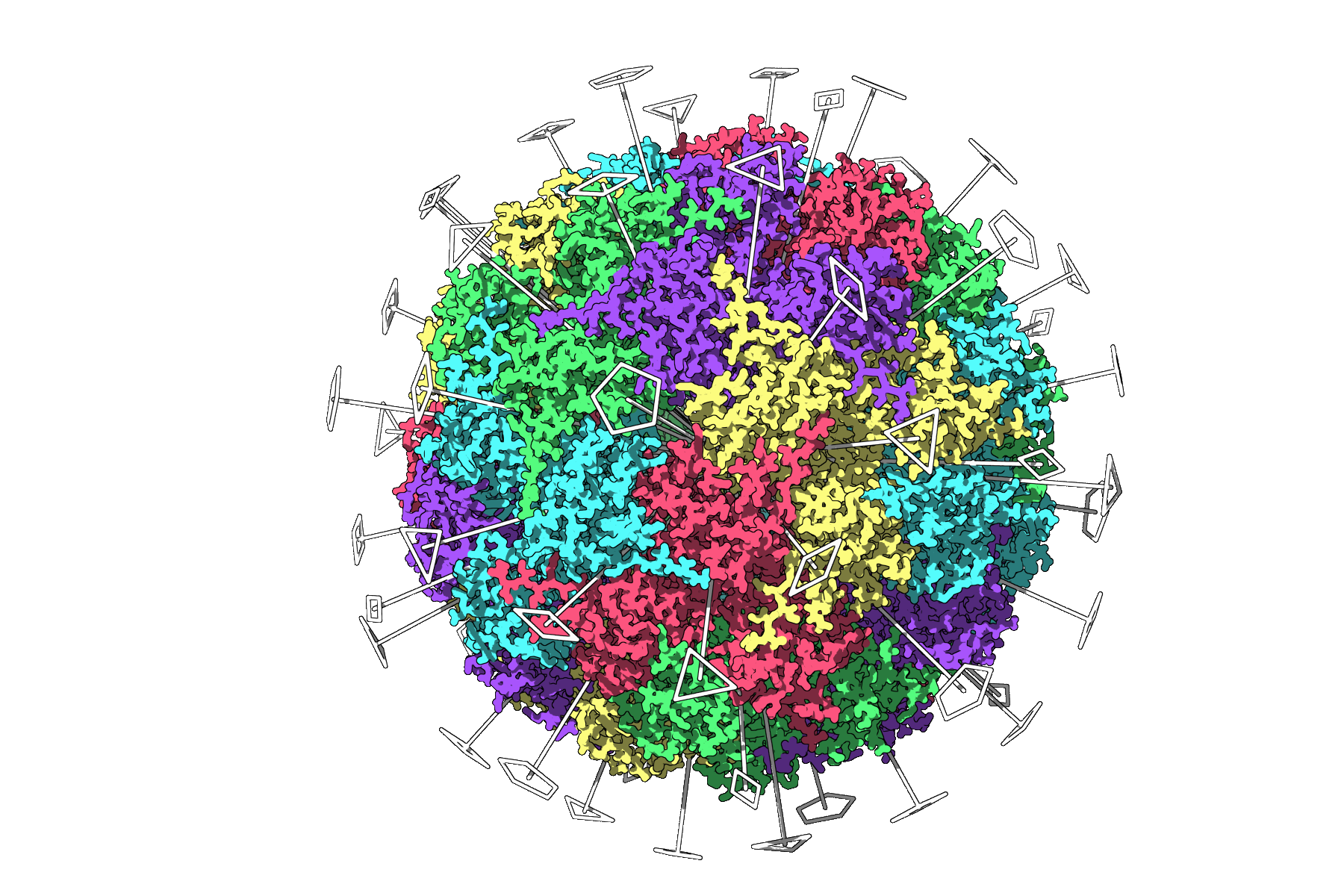
The Symmetry Detection tool isn’t just theoretical—it’s highly practical. For instance, a common challenge in molecular biology is handling structures with complex repetitive patterns, such as the icosahedral capsid from the PDB entry 3NQ4. The Symmetry Detection extension identifies, distinguishes, and displays all the icosahedral axes (2-, 3-, and 5-fold) for in-depth analysis. This visualization allows researchers to isolate the unique asymmetric unit, saving compute resources for heavy simulations.
Quick Tips for Better Symmetry Workflows
- Prefer higher-order symmetry groups with low RMSD for more reliable symmetrical inferences.
- Highlight or visually differentiate axes in the viewport for targeted adjustments.
- Save visualization snapshots for your publications or presentations.
- Use color-coding to denote different asymmetric units, providing a clearer understanding of repeating patterns.
Getting Started
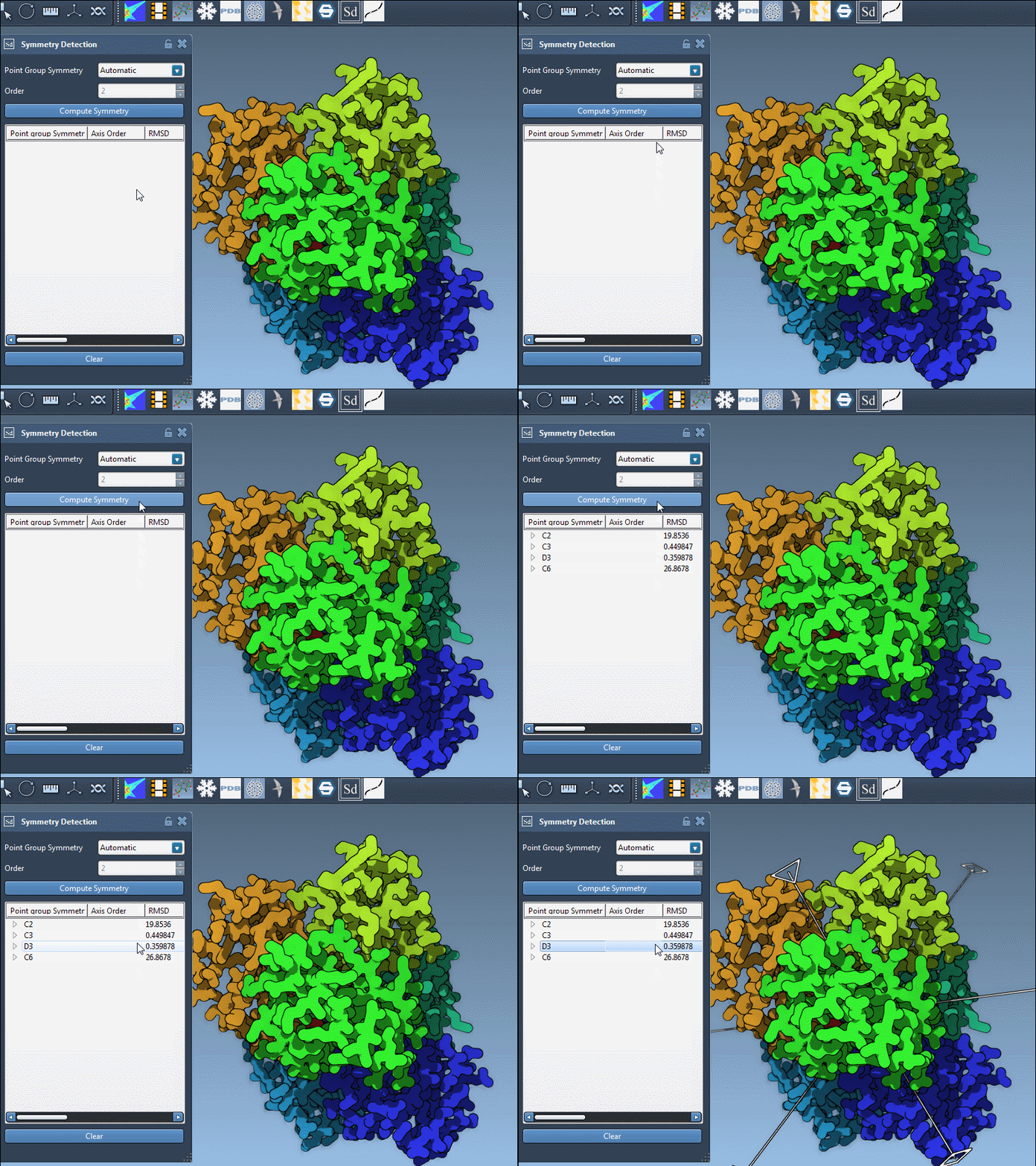
To begin using the Symmetry Detection tool, you’ll need to add the extension from here. Once installed, open your target biological assembly (such as 1CHP or 1B4B) in SAMSON and navigate to Home > Apps > Biology > Symmetry Detection. Click on “Compute symmetry,” and within moments, symmetry axes will be visualized for analysis or downstream workflows.
You can also specify symmetry groups manually if you already know the expected structure of your molecule. For example, the 1B4B protein has a dihedral symmetry of order 3 (D3), which you can select from the group and order drop-down menus for precise assessments.
Conclusion
The Symmetry Detection extension in SAMSON provides molecular modelers with a powerful tool to uncover and utilize symmetry in their projects. By identifying symmetry, users can optimize their workflows, validate experimental data, and improve the design of molecular assemblies.
To explore the full potential of Symmetry Detection and learn more, visit the official documentation page here.
SAMSON and all SAMSON Extensions are free for non-commercial use. Get started today by downloading SAMSON at samson-connect.net.