



For molecular modelers, one of the most common challenges lies in efficiently setting up and running molecular simulations. The Universal Force Field (UFF) in SAMSON simplifies this process by automating key steps and offering an interactive simulation interface. Let’s break it down and explore how you can start utilizing this tool.
What is the Universal Force Field?
The Universal Force Field (UFF), developed by Rappe et al., provides a computational model to simulate molecular systems based on atomic interactions. SAMSON integrates a robust implementation of UFF, featuring automatic perception of bonds, bond orders, and atom types. This means you can simulate molecular systems without spending time on manual preparation of these details, making the tool highly accessible.
How to Run a UFF Simulation in SAMSON
Let’s walk through the process of setting up and running a UFF simulation in SAMSON:
- Step 1: Set Up the Simulator
Begin by opening a document containing the molecular system you want to simulate. Next, add a simulator by navigating to Edit > Simulate > Add simulator, or use the shortcutCtrl + Shift + M(orCmd + Shift + Mon Mac). - Step 2: Select UFF
Choose “Universal Force Field” from the list of interaction models, and then select the state updater (e.g., FIRE, the Fast Inertial Relaxation Engine). Press OK to finalize the setup.
The UFF setup window will then appear, where you can:
- Use Existing Bonds: Opt to use the pre-defined bonds of your model, or let SAMSON recompute them based on atom positions.
Once confirmed, SAMSON will initialize UFF by computing bonds, bond orders, and atom types if required. Any inconsistencies detected during this process will prompt a warning message, ensuring you can address potential issues before running the simulation.
Interactive Molecular Simulations
With the simulation set up, you’re ready to start! Press the Edit > Simulate > Start button to launch the UFF simulation.
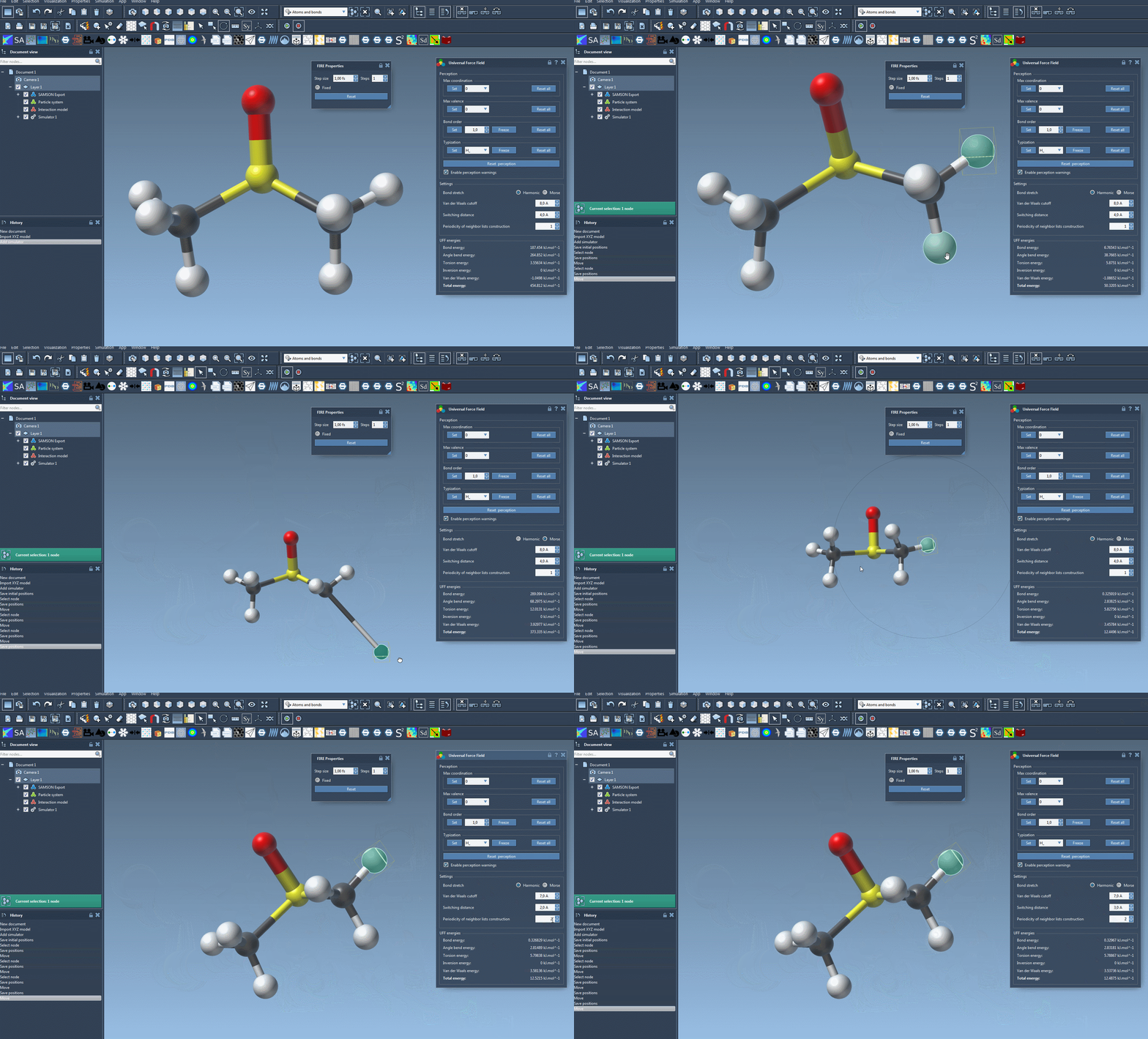
During the simulation, the bottom of the UFF window displays the energy contributions of each term and the total energy, so you can monitor interactions in real-time. The system is interactive—you can move atoms manually and observe how the force field adjusts the positions of other atoms as a reaction.
Fine-Tuning Parameters
The UFF interface in SAMSON also offers options to customize simulation parameters, such as:
- Bond Stretch Interaction: Choose between Harmonic and Morse modes.
- Van der Waals (vdW) Cutoff Distance: Define the range limit for vdW interactions.
- Switching Distance: Adjust the smoothing of vdW interactions as they approach the cutoff distance.
- Neighbor List Periodicity: Set how often vdW neighbor lists are recomputed (default is every time step).
Get Started Today
SAMSON’s UFF implementation is packed with features to make molecular simulations more accessible and interactive. Whether you’re a new modeler or an experienced researcher, leveraging these tools can significantly streamline your workflow.
To dive deeper into setting up and customizing UFF in SAMSON, visit the official documentation page: https://documentation.samson-connect.net/tutorials/uff/uff/.
Note: SAMSON and all SAMSON Extensions are free for non-commercial use. Get started today by downloading SAMSON at https://www.samson-connect.net.