



For molecular modelers working with large biological assemblies, understanding symmetry is often a key challenge. Whether you’re exploring viral capsids, protein complexes, or nanomaterial design, symmetry is not just aesthetically intriguing; it plays a vital role in streamlining workflows and offering insights into molecular function.
The Symmetry Detection extension in SAMSON is a powerful tool designed to help you detect and visualize axes of symmetry in seconds. This extension can not only reduce computational complexity but also guide molecular design decisions. Here are some practical ways it can improve your work:
Why Detecting Symmetry Matters
Symmetry detection addresses several pains molecular modelers commonly face:
- Identifying functional interfaces: Symmetry reveals repeating structures that often include active or binding sites.
- Validating structures: Experimental datasets like PDB files often assume specific symmetries. The extension checks if your model meets these assumptions.
- Saving computational resources: By identifying the unique asymmetric unit of a symmetric assembly, you can reduce the simulation size and time significantly.
- Guiding nanomaterial or mutagenesis design: Symmetry properties can inspire the design of symmetric mutations or ligand binding strategies.
Symmetry Types Supported by SAMSON
One of the strengths of the Symmetry Detection extension is its versatility. It supports cyclic (Cn), dihedral (Dn), and cubic symmetries such as tetrahedral, octahedral, and icosahedral. This means you can confidently apply it to analyze everything from simple dimers to highly complex assemblies like viral capsids.
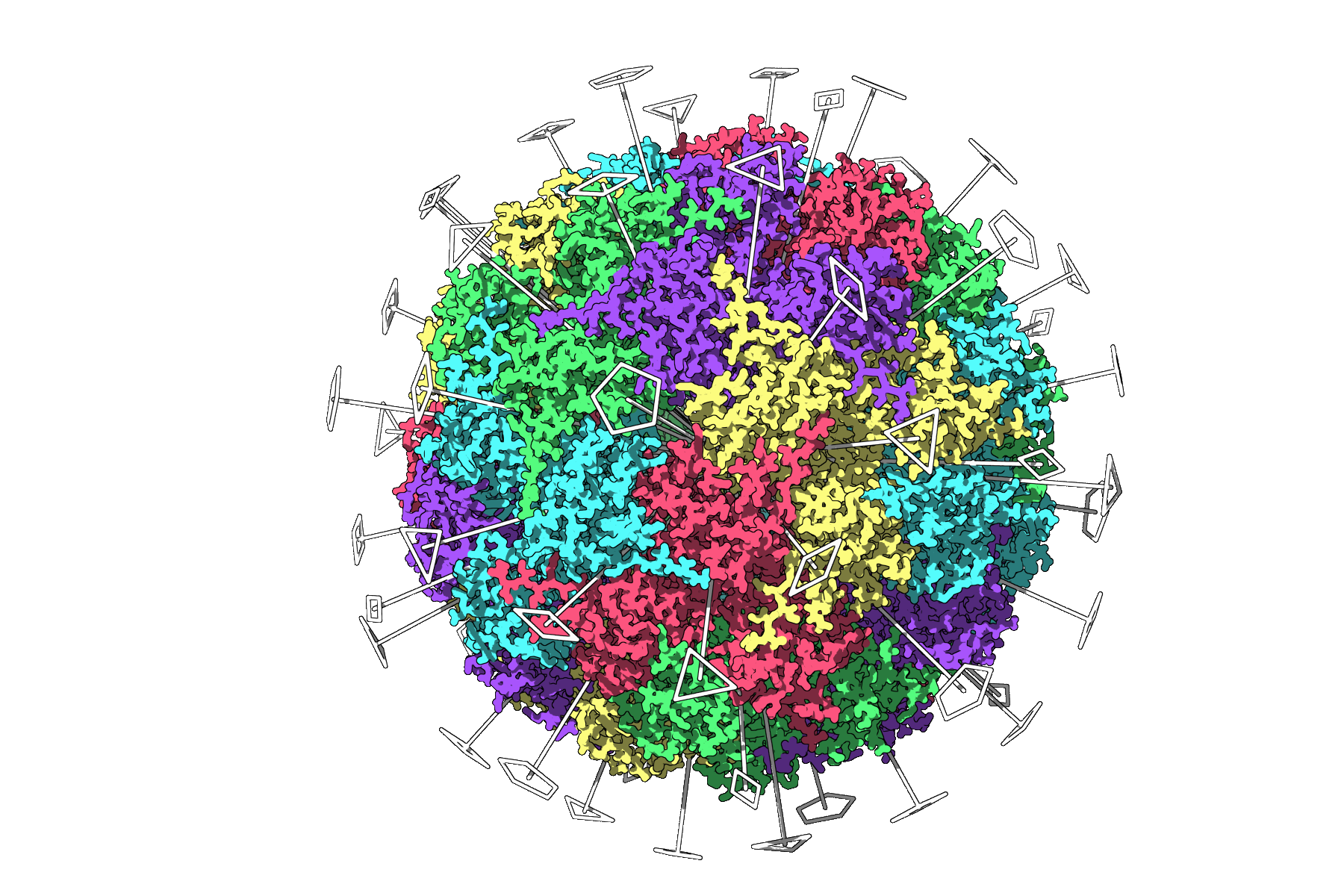
Quick Tutorial: How to Use Symmetry Detection
- Load your assembly in SAMSON. For example, try PDB files like
3NQ4,1CHP, or1B4B. Ensure biological assemblies are properly imported, depending on the format used. - Go to Home > Apps > Biology > Symmetry Detection.
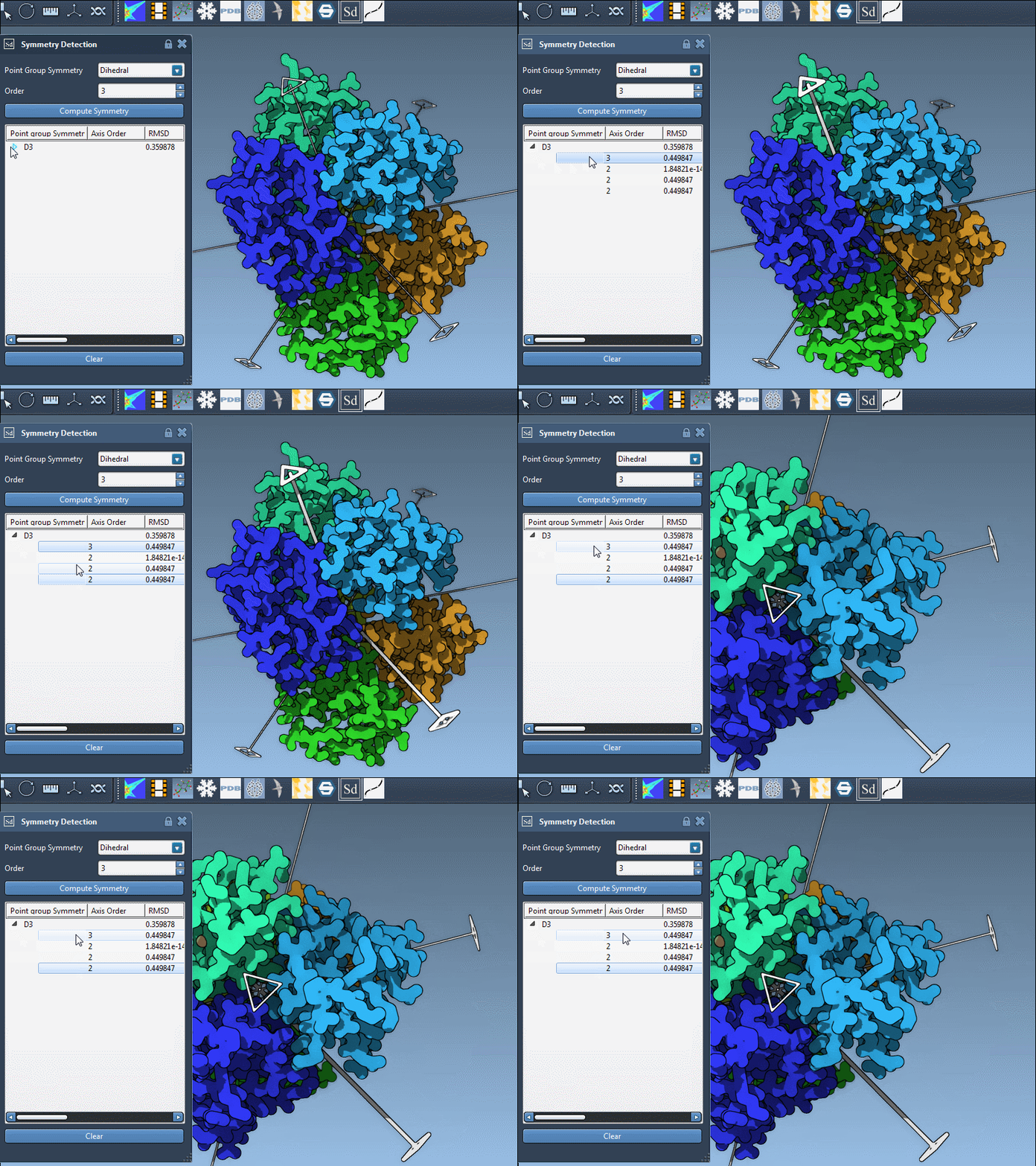
- Click Compute symmetry. The extension will detect the symmetry elements of your system and visualize axes directly in the SAMSON viewport.
- Choose an axis of interest and refine selection by reviewing detected groups (you can pick from cyclic, dihedral, or cubic categories).
Tips for Better Visualization
Your analysis can be supercharged with a few minor tweaks:
- Combine symmetry axes with standard visualization modes such as “Ribbons” or “Surface” to better contextualize the detected symmetry.
- Color-code asymmetric units for visual clarity – for example, by chain.
- Capture snapshots directly in the viewport to enhance your reports, presentations, or publications.
Conclusion
The Symmetry Detection extension offers an efficient and intuitive way to gain insight into biological assemblies’ symmetry elements. By focusing calculations on asymmetric units, you can not only accelerate workflows but also uncover functional insights that drive innovative molecular designs.
Ready to dive deeper into symmetry detection? Check out the full documentation at this link for step-by-step guidance and additional tips.
SAMSON and all SAMSON Extensions are free for non-commercial use. Get started today by downloading SAMSON from www.samson-connect.net.