



Designing polymers can often be challenging, particularly when dealing with complex sequences or needing complete control over molecular details. For molecular modelers, having a streamlined tool that addresses these challenges is invaluable. SAMSON’s Polymer Builder offers just that, making it easier to construct custom polymers from monomers and sequences, all in one intuitive platform.
Your Roadmap to Effortless Polymer Design
The Polymer Builder extension shines when precision and customization are required. By registering custom monomers and sequences, users can create virtually any polymer structure, whether linear, branched, or incorporating complex repeating units. This process is meticulously designed to ensure efficiency and accuracy.
Step 1: Register Monomers
Start by selecting a monomer in SAMSON’s interface—this could be any molecule you need to integrate into your polymer. By clicking on Register monomer from selection, the tool automatically assigns start and end atoms at opposite ends of the selected fragment, crucial for defining the polymer’s connectivity. Prefer custom atom selections? That’s easy too: use S to set the start atom from the current selection or P to pick an atom from a structural list.
For example, the image below illustrates how monomers are visualized and edited directly in a registry table:
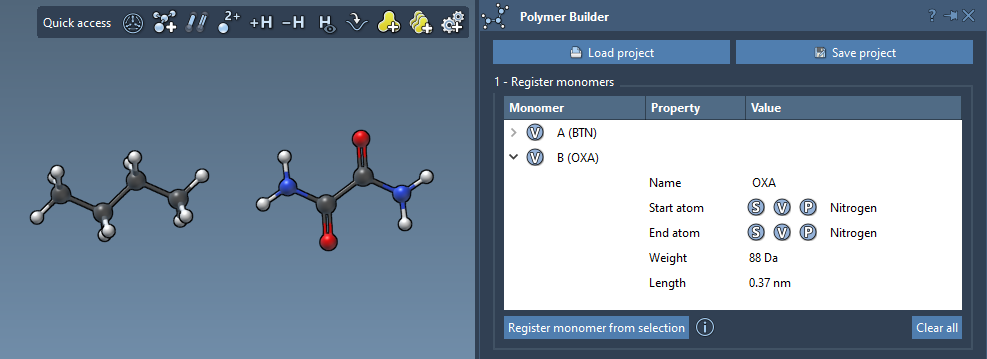
Each monomer is automatically labeled with a letter (e.g., A, B, C). You can even modify names, adjust structural details, or view calculated parameters like molecular weights and the distance between connection atoms. Managing these monomers is simple too—delete individual entries or clear the entire table if needed.
Step 2: Build Sequenced Patterns
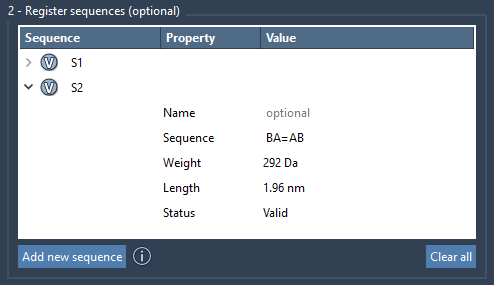
Many polymers have repeating sequence patterns, and the Polymer Builder allows you to register these patterns for future use. You can specify sequences by combining monomer IDs (e.g., ABBA), and errors, if any, are flagged in the system.
Want to connect monomers with different bond types? The tool makes this seamless with notations like = for double bonds and # for triple bonds. For example:
A=B: A connected by a double bond to BA#B: A connected by a triple bond to B
Here’s an overview of sequence registration within the tool:
Step 3: Generate and Customize Polymers
Once your monomers and sequences are registered, generating a custom polymer using these components becomes straightforward. You can combine and repeat sequences using expressions like:
S1 + 2*S2 + AB=BA
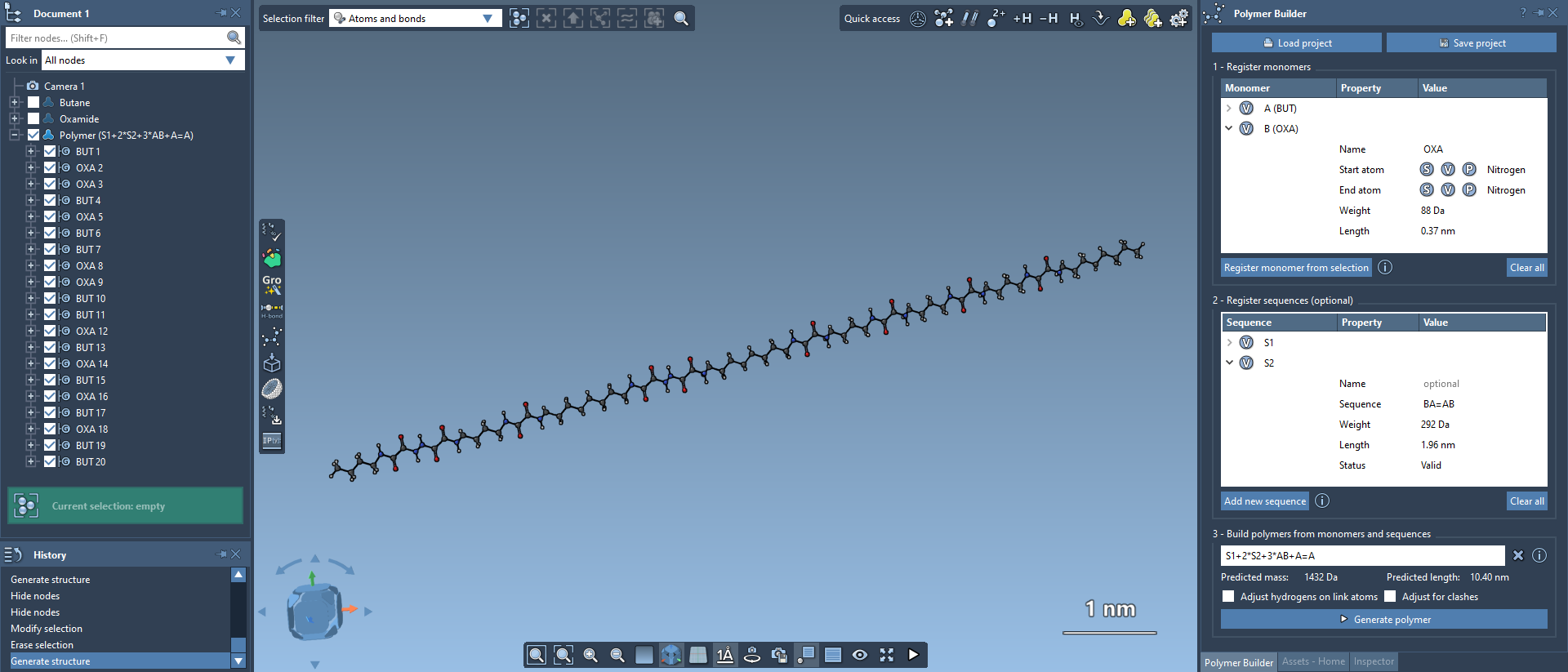
Such expressions offer unparalleled flexibility, letting you design polymers tailored to specific research needs. The final structure is generated by aligning connection atoms and automatically removing hydrogens at bonding sites. Estimated molecular weights and lengths are also calculated, adding further precision to your designs.
A visual example of a polymer created using this tool:
Why is this Important?
The ability to register custom monomers, define sequences, and generate precise polymers is transformative. Whether you are modeling conjugated polymers for electronics, biopolymers for pharmaceutical applications, or materials for predictive analyses, the Polymer Builder drastically simplifies and accelerates the workflow while maintaining complete control over molecular details.
Learn More
The Polymer Builder documentation offers comprehensive, step-by-step guidance for mastering this tool, ensuring that molecular modelers of all skill levels can fully leverage its capabilities.
SAMSON and all SAMSON Extensions are free for non-commercial use. You can get SAMSON here.