



Achieving stable, realistic molecular structures is a vital step in molecular modeling. Computational chemists and structural biologists often find themselves in need of efficient geometry optimization tools to prepare their systems for simulations. If you’ve ever struggled with slow optimization algorithms, the Fast Inertial Relaxation Engine (FIRE) Minimizer available in SAMSON can be a valuable solution to this common bottleneck.
Why Does Geometry Optimization Matter?
Before running simulations or designing molecules, it is essential to ensure your molecular system resides in an energy minimum. This step minimizes unrealistic distortions and prepares your model for accurate simulations, whether for drug discovery, material science, or biomolecular research. Traditional algorithms such as the steepest descent often struggle with larger systems or when significant molecular rearrangements are necessary. This is where the FIRE Minimizer stands out.
What Makes the FIRE Minimizer So Effective?
The FIRE Minimizer excels in handling collective motions within molecular systems. It is faster than traditional steepest descent methods, particularly when potential energy changes are small but the molecule undergoes large-scale structural adjustments. Moreover, it integrates seamlessly with SAMSON’s interaction models, making it ideal for cleanup or refinement workflows before simulations.
Example: FIRE vs. Steepest Descent
Consider two common scenarios in molecular modeling – relaxing potential energy states using the steepest descent algorithm versus the FIRE Minimizer.
In the animations below, you can observe how the FIRE Minimizer significantly speeds up the relaxation process while maintaining high accuracy:
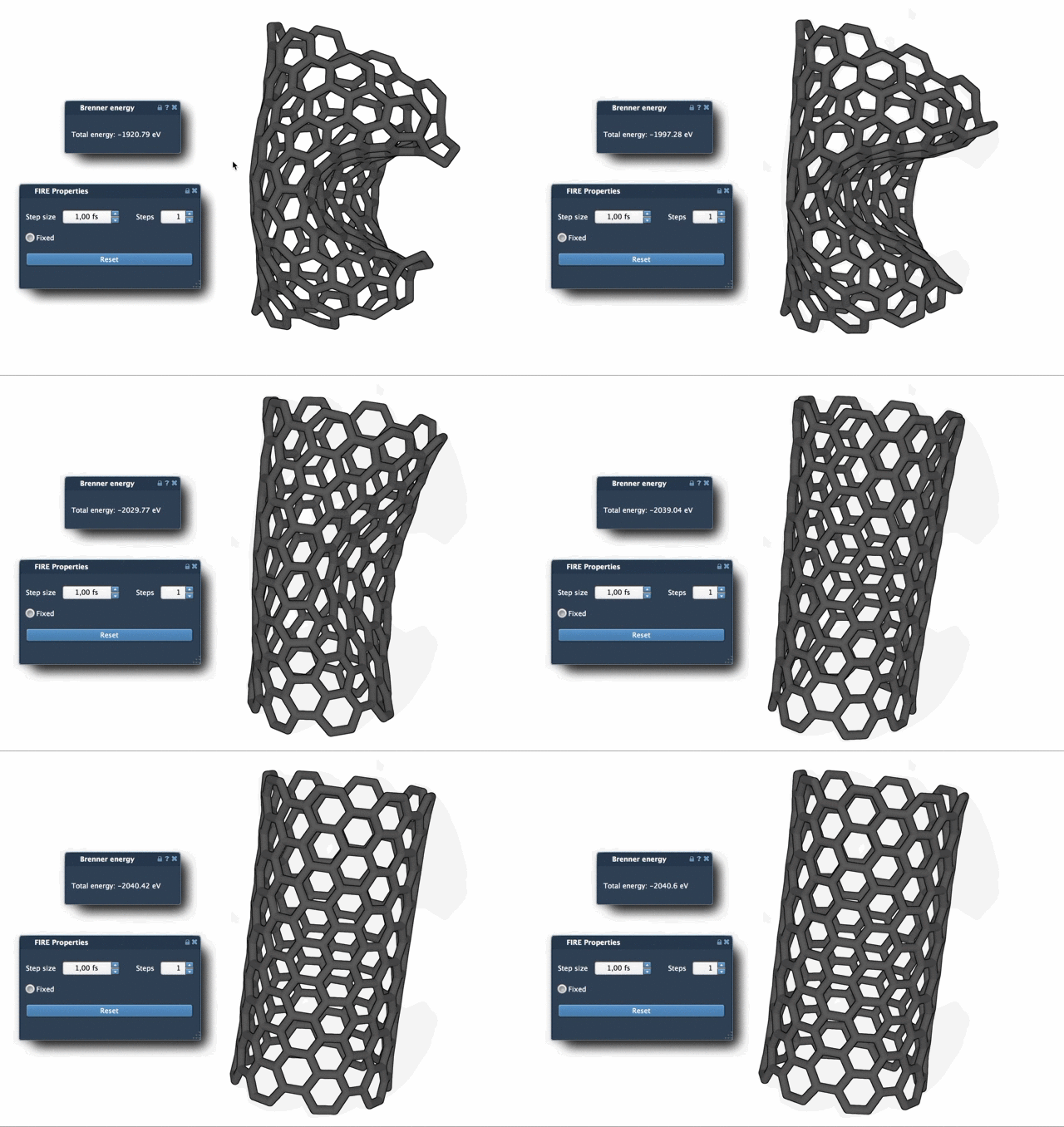
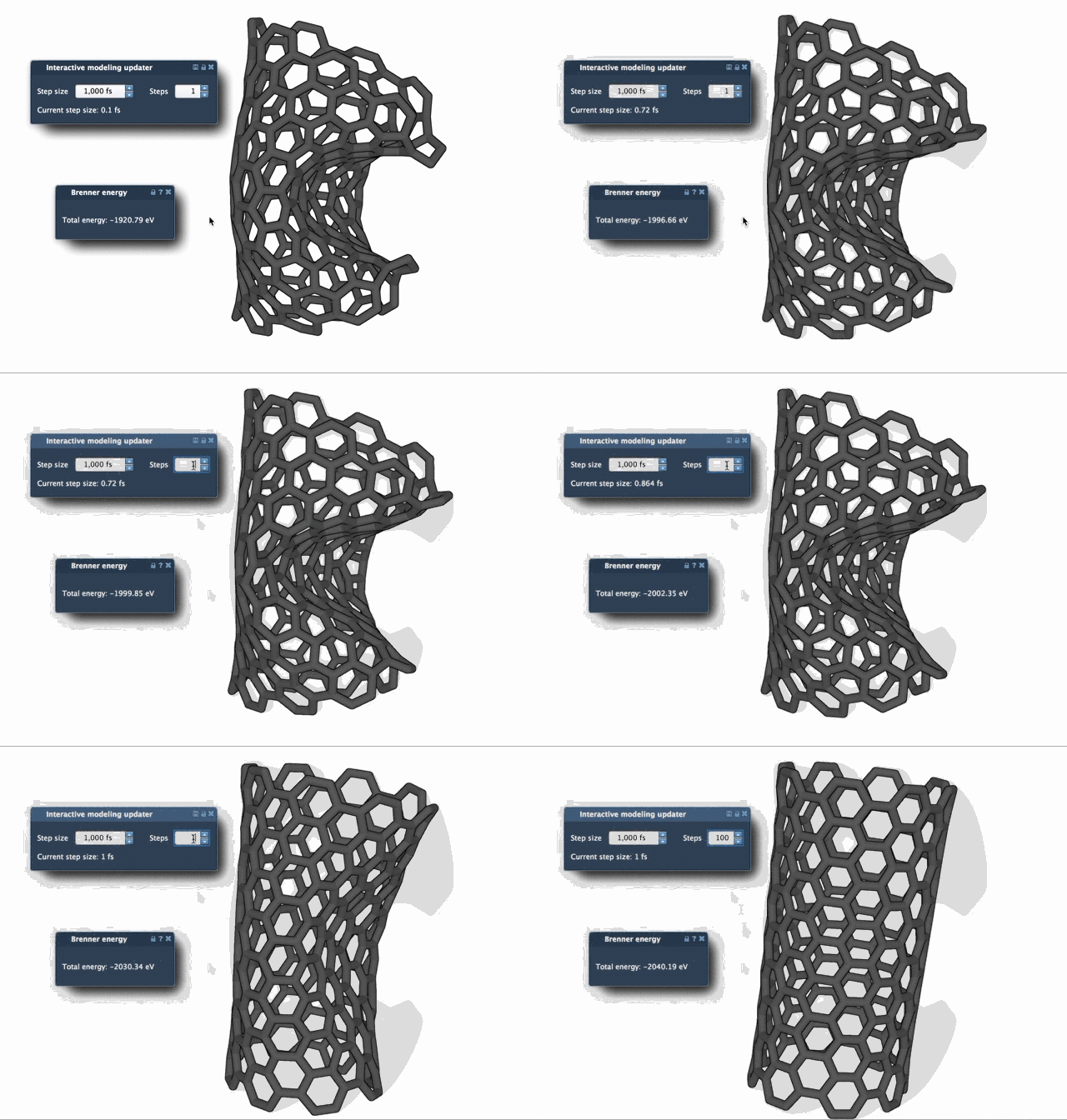
By opting for the FIRE Minimizer, users can save significant amounts of computational time, especially on complex problems.
Getting Started with the FIRE Minimizer
Integrating the FIRE Minimizer into your SAMSON workflow is straightforward. Here’s how to begin:
- Log into SAMSON Connect and add the FIRE Minimizer extension from its dedicated page.
- Restart SAMSON to load the extension.
- Choose a molecular system to optimize (e.g., load files in PDB or MOL2 formats).
- Navigate to Edit > Add Simulator within SAMSON, and add the FIRE Minimizer via the State Updaters list.
Fine-tune the settings, such as step size and optimization steps, to customize the behavior of the minimizer to suit your specific needs.
When to Use the FIRE Minimizer
- Before simulations, to clean up or relax the molecular model.
- After importing structures from experimental sources, such as NMR or X-ray, to ensure geometry accuracy.
- In workflows requiring large-scale adjustments, where the steepest descent algorithm struggles.
Its flexibility also allows integration into diverse SAMSON apps, such as the Molecular Restrainer Extension.
Learn More
The FIRE Minimizer offers molecular modelers a robust method to optimize geometries efficiently, helping speed up workflows and improve results. For detailed instructions, refer to the official FIRE Minimizer documentation.
Note: SAMSON and all SAMSON Extensions are free for non-commercial use. You can get SAMSON here.