



If you’ve ever optimized molecular geometries using traditional methods like steepest descent, you’ve probably found yourself frustrated by slow convergence—especially when working with complex systems involving large-scale atomic motions. The Fast Inertial Relaxation Engine (FIRE) minimizer in SAMSON offers a practical alternative that could save you both time and computational effort.
Geometry optimization is a routine necessity in molecular modeling. It helps you refine 3D structures into more energetically favorable conformations—crucial before simulations or energy evaluations. While steepest descent is commonly used for this purpose, it often struggles when potential energy gradients are small but the overall structure still requires significant reshaping.
This is where FIRE comes in handy.
Why Use FIRE Instead?
FIRE is known to handle collective atomic motions more effectively. Rather than slowly crawling downhill like steepest descent, FIRE builds up momentum while minimizing energy, helping systems relax faster. You’ll especially notice the benefit when working with flexible molecules, protein side chains, or poorly-initialized NMR models.
FIRE vs. Steepest Descent – A Visual Comparison
Let’s compare the two in action. Below are visualizations of geometry optimizations using FIRE and steepest descent:

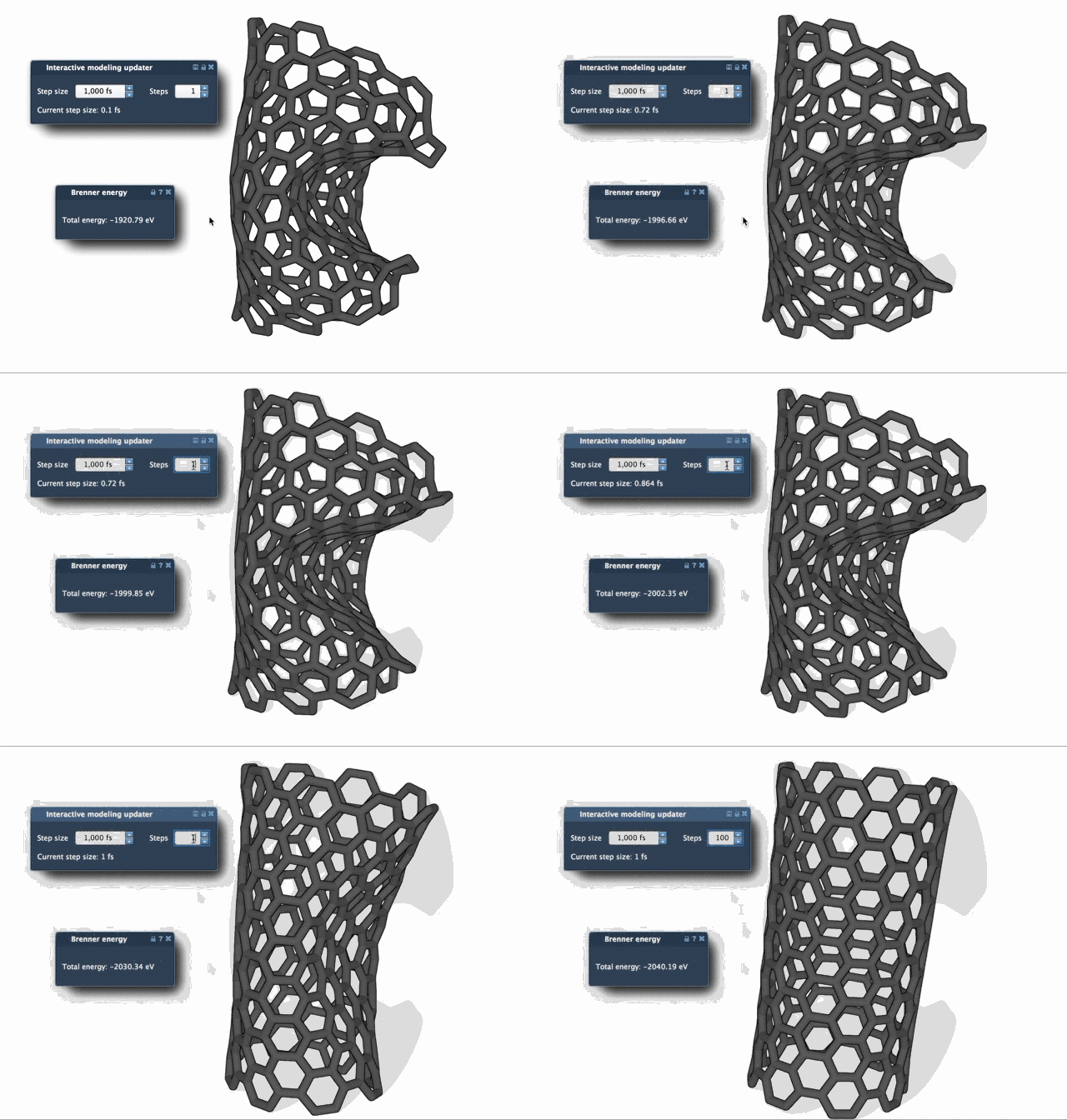
Notice how FIRE allows atoms to move more freely and settle faster? That’s the acceleration effect caused by the method’s inertial component.
Who Benefits Most?
- If you’re doing pre-simulation cleanup of a model from a public database.
- If you use NMR-derived structures that require energy minimization.
- If your workflow involves complex systems with hundreds (or thousands) of atoms.
Quick Tip: Adjusting FIRE Steps
Want a smoother visualization of progress? Try increasing the Steps value in the FIRE settings. This reduces how often the viewport updates, making structural changes between frames more visible.
How to Switch to FIRE
Already working in SAMSON? Then switching methods is easy:
- Install the FIRE Minimizer Extension through SAMSON Connect.
- Add a simulator in SAMSON via Edit > Add Simulator.
- Choose your interaction model and select FIRE in the State Updaters list.
The FIRE Minimizer integrates seamlessly with other parts of the SAMSON platform, including third-party extensions like the Molecular Restrainer, which uses FIRE under the hood.
To dive deeper into how FIRE works within SAMSON and explore full usage instructions, visit the official documentation at Ready, Set, FIRE!
SAMSON and all SAMSON Extensions are free for non-commercial use. You can download SAMSON at www.samson-connect.net.