



In membrane biology and molecular modeling, creating a realistic lipid environment around proteins can be challenging. Whether you're studying transmembrane proteins or designing lipid bilayer systems, being able to create accurate and flexible setups efficiently is essential. With SAMSON's Molecular Box Builder, you can generate lipid layers around proteins effortlessly. Here, we'll show you how to construct a single lipid layer around a protein using SAMSON.
Align the Protein
To begin, we need to align and center the protein. This ensures the lipid layer is formed correctly around the structure. Follow these steps:
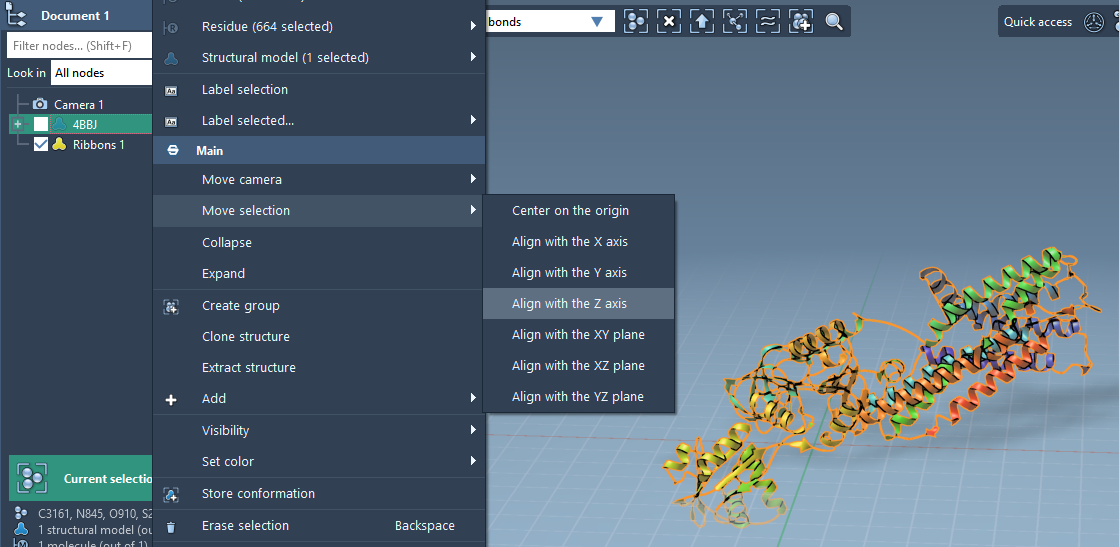
- Right-click on the protein in the Document view.
- From the context menu, select: Move selection > Align with Z axis.
- Next, choose: Move selection > Center on the origin.
Aligning the protein ensures that it is positioned along the Z-axis and properly centered for the box creation.
Set the Lipid Molecule
The next step is to define the lipid molecule that will populate the lipid layer. Here’s how:
- Import a lipid molecule into your document (e.g., a standard lipid file like POPC).
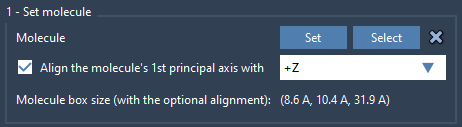
- Select the lipid molecule in your workspace and click Set in the Molecular Box Builder app.
- To ensure proper alignment, align the lipid's principal axis to the
+Zaxis.
This step ensures the lipid molecules are oriented correctly when added to the box.
Define the Box
Now that the protein and lipid molecules are aligned, we'll define the 3D box:
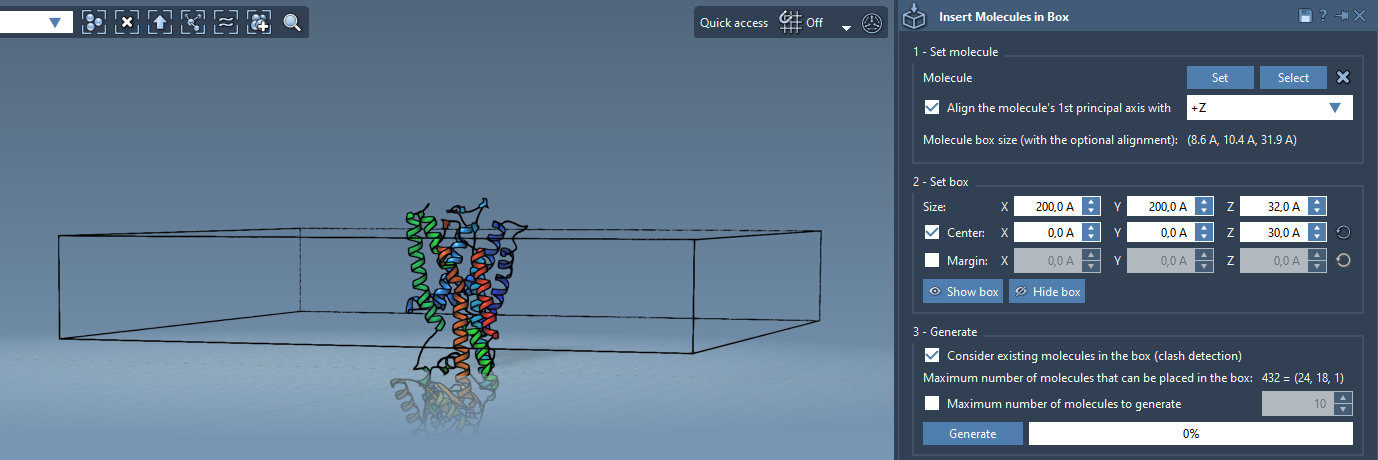
- Set the center of the box around the protein to ensure proper overlap.
- Adjust the box dimensions to fit a single lipid layer around the protein.
- Optional: Specify the margin between the inserted lipid molecules if needed for structural refinement.
Careful adjustments to the box size and margins allow you to design a layer that balances density and spacing.
Generate the Lipid Layer
Finally, it’s time to generate the lipid layer. Follow these steps:
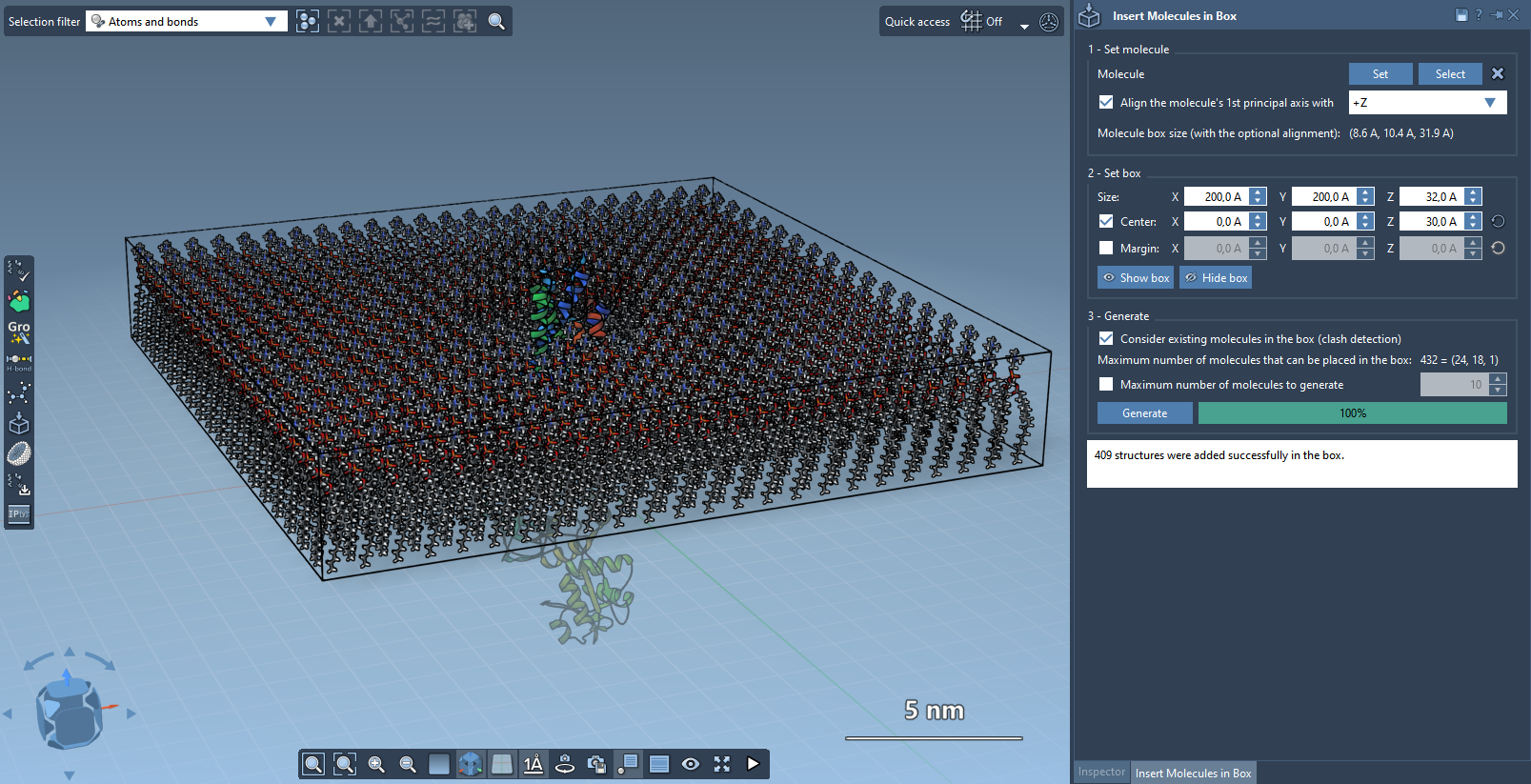
- Enable Consider existing molecules in the box in the Molecular Box Builder app. This ensures lipids are placed only in available spaces around the protein.
- Click Generate and let the app populate the box.
The result is a single lipid layer surrounding the protein. This method works well for modeling realistic membrane environments in molecular dynamics simulations.
What's Next?
If you'd like to take the system further, you can follow up by creating a lipid bilayer. This is as simple as adding a second lipid layer with -Z alignment after adjusting the box center. Additionally, the generated system can be minimized, equilibrated, and simulated using tools like the GROMACS Wizard.
To learn more, you can explore the full documentation on the Molecular Box Builder.
SAMSON and all SAMSON Extensions are free for non-commercial use. You can download SAMSON at https://www.samson-connect.net.