



For molecular modelers working with large biological assemblies, understanding structural symmetry can often feel like deciphering a complex puzzle. Symmetry is crucial in simplifying models, validating experimental data, and reducing computational effort. Yet, without the right tools, identifying symmetry axes in massive protein complexes or viral capsids can be an intimidating and time-consuming task. The Symmetry Detection extension in SAMSON offers an efficient solution to this challenge.
Why Detect Symmetry?
Symmetry can provide deep insight into biomolecular systems. Here are a few ways symmetry detection transforms molecular modeling workflows:
- Modeling efficiency: By detecting symmetric repeats, you can concentrate on simulating only the unique asymmetric unit, saving computational resources.
- Guiding molecular design: Leveraging symmetry groups can inspire the design of symmetric nanostructures or mutation experiments.
- Validation: Symmetry detection can confirm expected structure elements and provide confidence in experimental models.
Supported Symmetry Types
The tool in SAMSON handles a variety of symmetry types, categorized as cyclic (Cn), dihedral (Dn), and cubic:
For example:
- Cyclic (Cn): Any order (C2, C3, …)
- Dihedral (Dn): Any order (D2, D3, …)
- Cubic: Tetrahedral, Octahedral, Icosahedral
Getting Started with Symmetry Detection
To start detecting the axes of symmetry in your biological assembly, follow these quick steps:
- Open SAMSON.
- Use the Fetch command (e.g., PDB codes
3NQ4,1CHP, or1B4B) or load your own structure. - Launch the Symmetry Detection extension from the Home > Apps > Biology menu.
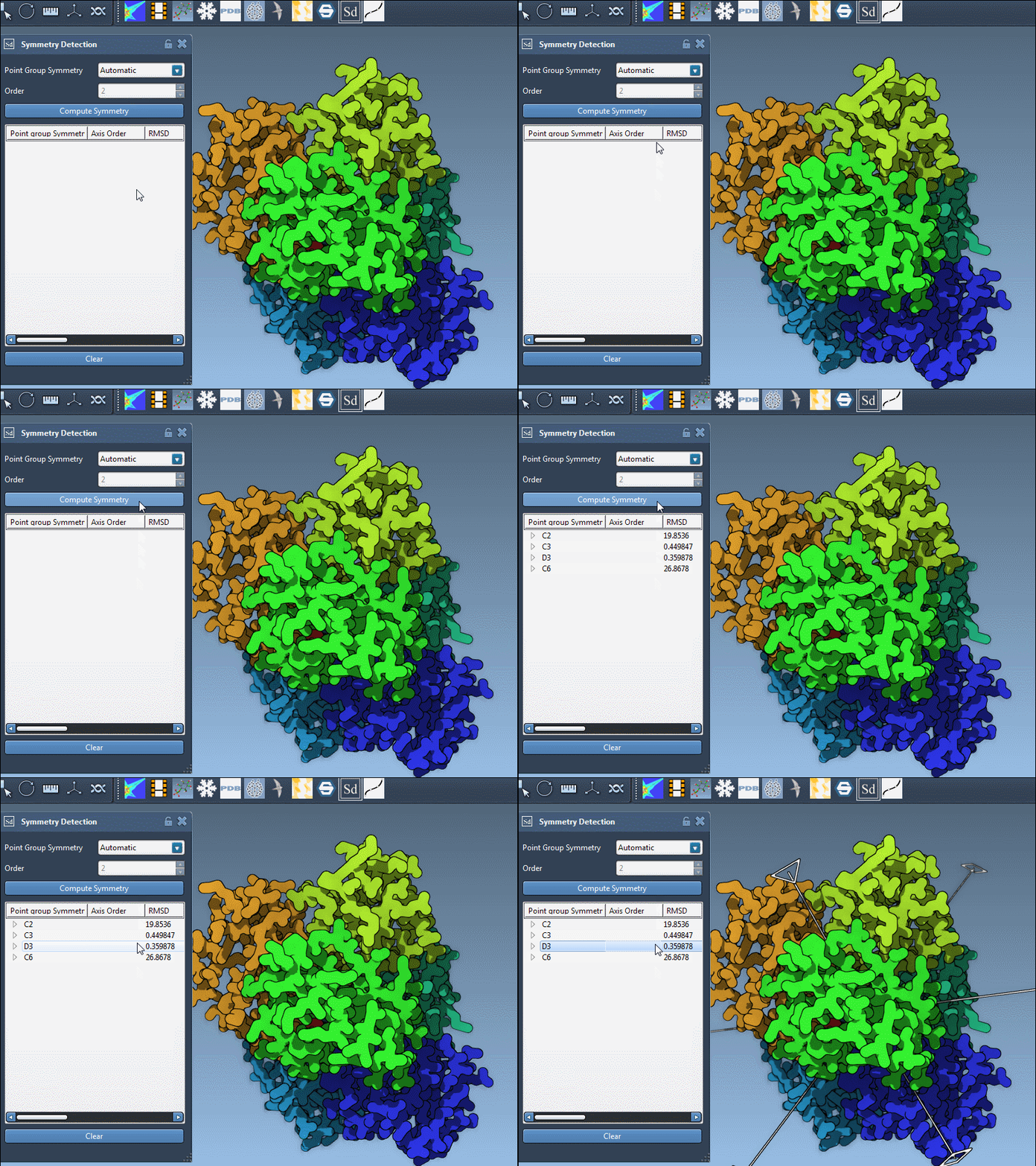
- Click Compute symmetry. The detected symmetry axes and groups will appear.
- Select the axis of interest for further analysis or visualization.
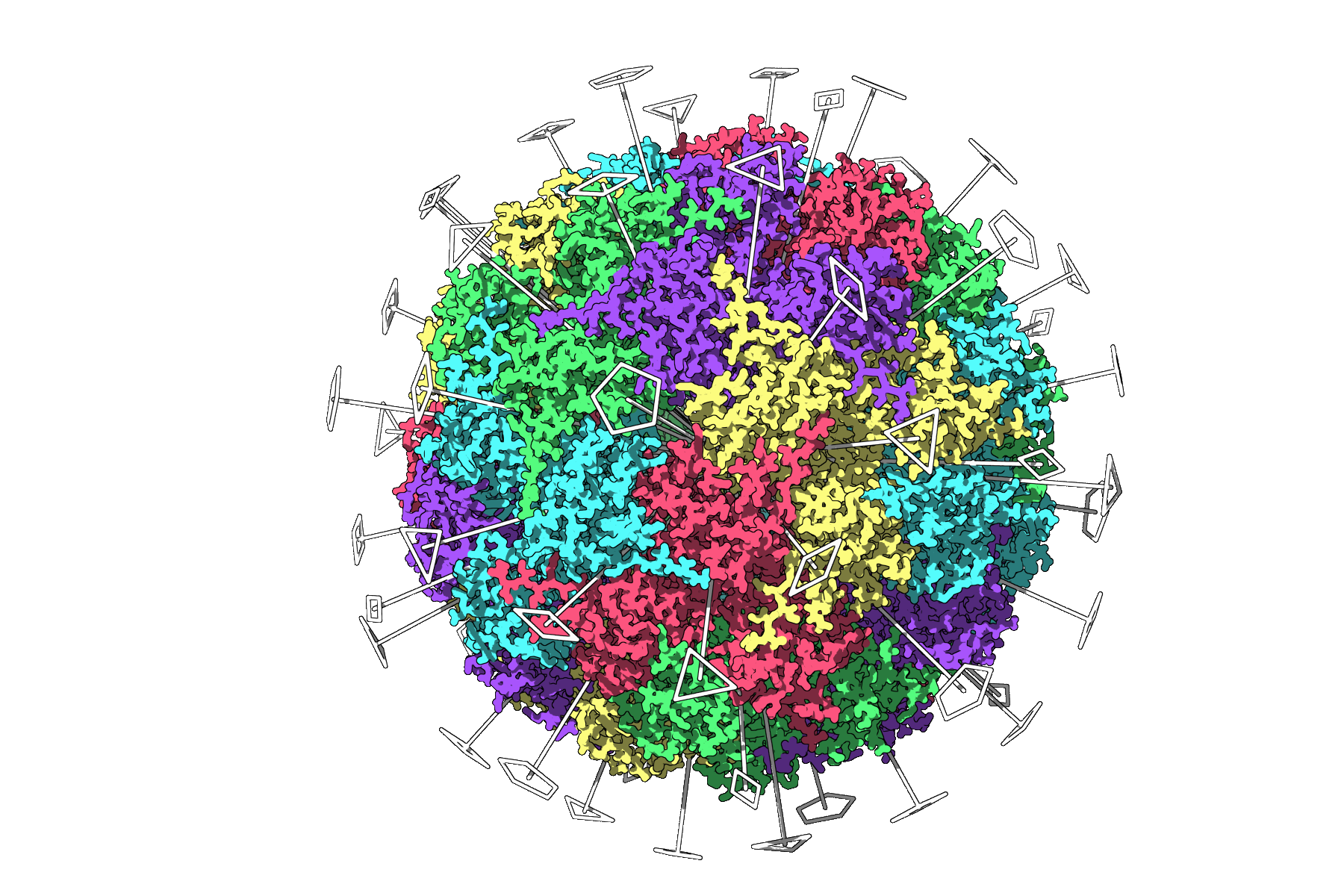
As an example, the application successfully identifies the Icosahedral symmetry of the PDB file 3NQ4, showcasing all 2-, 3-, and 5-fold axes. These visualizations make it clear how you can isolate an asymmetric unit for complex simulations.
Handling Multiple Symmetries
The Symmetry Detection extension often returns multiple plausible symmetry groups, especially for large complexes. But how do you select the best one?
- Prioritize higher-order groups: These typically correlate with smaller RMSD values, indicating a better fit.
- Visualize each axis: Single-click to highlight an axis or double-click to align the camera along it for detailed inspection.
For example, the 1B4B system has a dihedral symmetry of order 3 (D3). By focusing on this symmetry group, you can efficiently prepare the system for advanced workflows.
Tips for Improved Visualization
To make the best use of the detected symmetry, consider these visualization tips:
- Overlay symmetry axes with ribbons or surface models to provide spatial context.
- Colorize asymmetric units by chain for easier interpretation of repeats.
- Use snapshots of the visualization for publications or presentations.
Learn More
The Symmetry Detection extension simplifies one of the most critical, yet complex, aspects of molecular modeling. To dive deeper into its features and workflows, visit the full documentation at this link.
SAMSON and all SAMSON Extensions are free for non-commercial use. Download SAMSON at https://www.samson-connect.net.