



One of the recurring challenges in molecular modeling is the tedious process of creating structured molecular environments, such as solvent boxes, lipid layers, or other molecular assemblies. These are essential for preparing realistic simulation systems, but generating them from scratch can be time-consuming and prone to inconsistency. The Molecular Box Builder extension in SAMSON provides an effective solution by letting you populate three-dimensional boxes with molecules in just a few steps.
Whether you’re building a simple solvent box for molecular dynamics simulations or constructing complex environments like lipid membranes, Molecular Box Builder makes the task highly accessible to both novice and experienced users.
How Does It Work?
The app utilizes a 3D box as a template, where molecules are added iteratively in a non-overlapping manner. This ensures clean molecular assemblies suitable for simulation workflows. Here’s a step-by-step breakdown of how to use this feature:
Step 1: Selecting the Molecule
Start by selecting a molecule or molecular system you’d like to replicate. This can be one or more molecules, structural groups, or even individual atoms. With your molecule selected in SAMSON, open the Molecular Box Builder app and click the Set button to mark the molecule as the one to replicate.
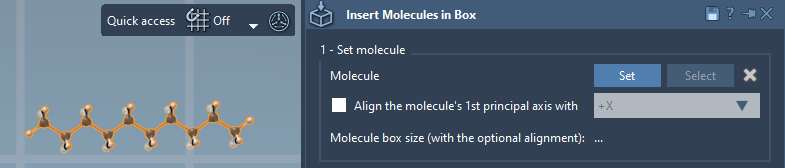
As an additional option, you can also define the orientation of the replicated molecules. This includes aligning them along specific axes (e.g., +X, -Z), which can help you create ordered molecular systems.
Step 2: Defining the Box Dimensions
Once the molecule is set, define the size of the box by specifying its dimensions (X, Y, Z). The app provides further flexibility by allowing you to:
- Center the box at a specific coordinate.
- Set margins between the inserted molecules (positive or negative).
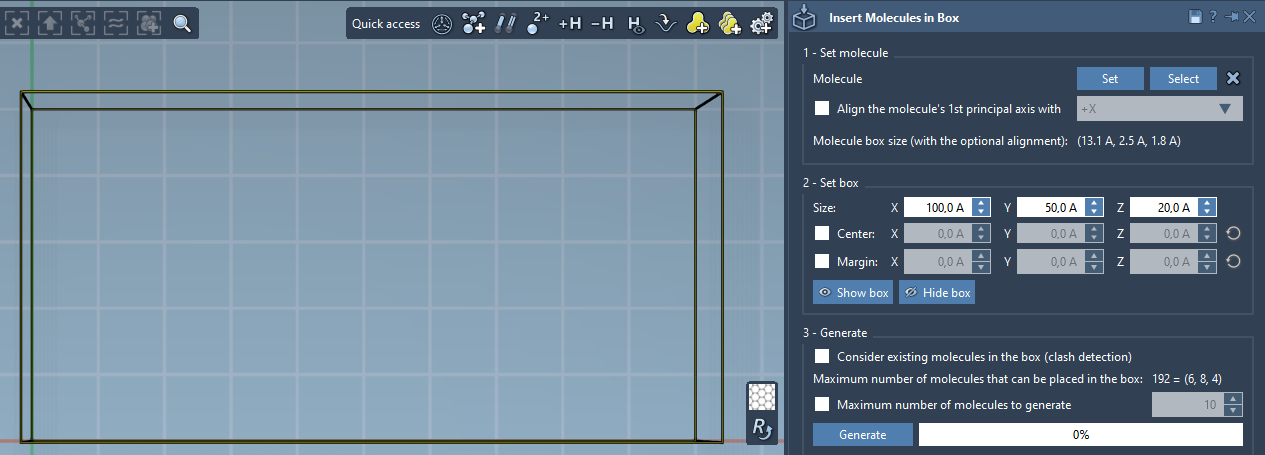
As you adjust the box dimensions and margin, the app predicts the number of molecules that can be added along each axis and displays the total number of molecules that will fit. This preview helps you plan your system dimensions before generating it.
Step 3: Generating the Molecular Box
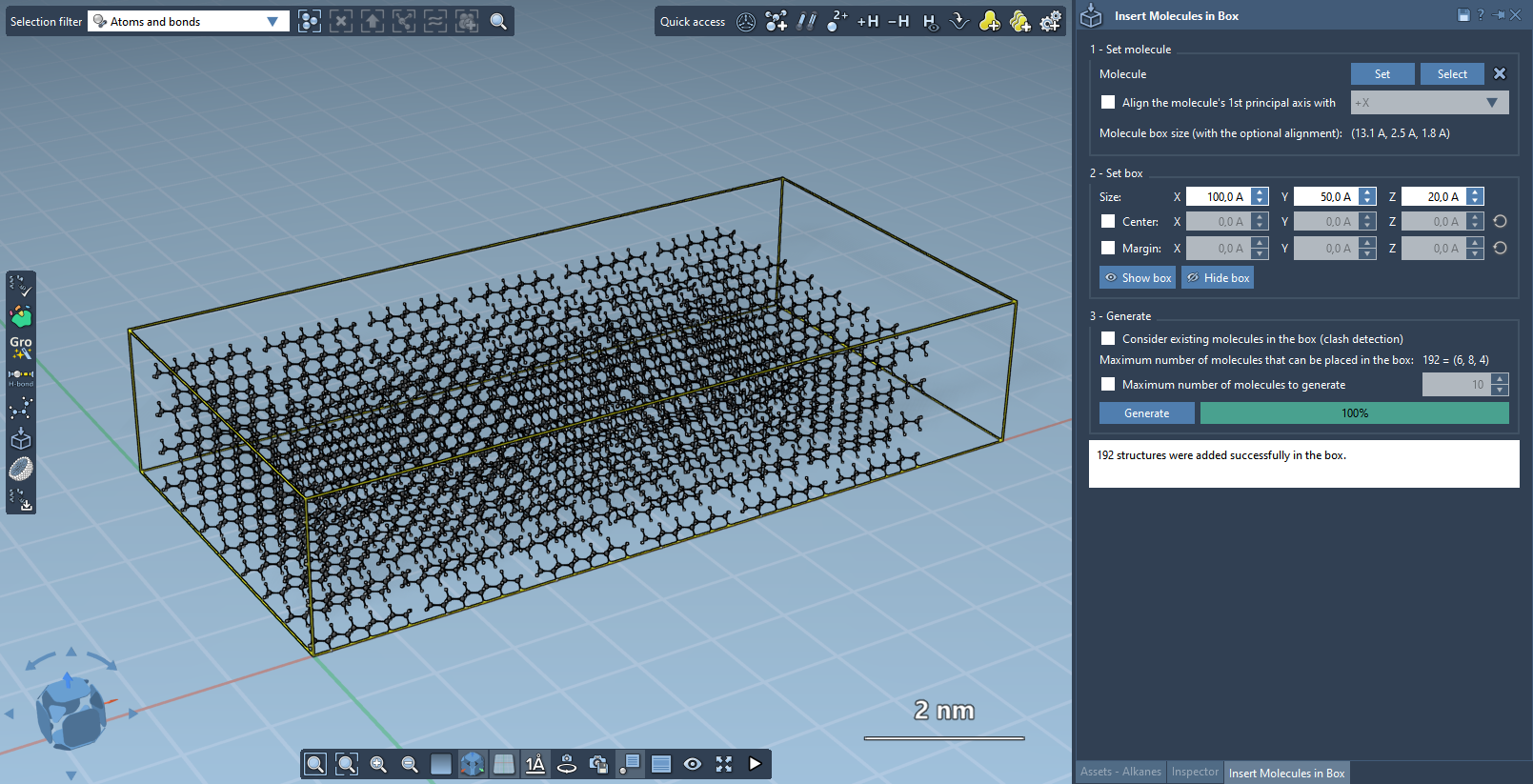
To create your system, click the Generate button. Molecular Box Builder adds the molecules in a non-overlapping pattern, guided by the dimensions and margin you’ve specified. If needed, you can limit the total number of molecules in the system by enabling the Maximum number of molecules to generate option.
Here’s an example of a fully-populated molecular box:
Why Use Molecular Box Builder?
By automating the creation of boxed molecular assemblies, this app drastically reduces the manual effort required for such setup tasks. Instead of spending hours arranging molecules or worrying about overlaps, you’ll have consistent, prearranged molecular systems ready for further simulations in just moments. The app is perfect for preparing environments for dynamics, such as solvated proteins, lipid bilayers, or even customized assemblies.
Explore More
For detailed instructions on additional functionalities, such as creating lipid layers or advanced configuration options, visit the official documentation page at https://documentation.samson-connect.net/tutorials/molecular-box-builder/molecular-box-builder/.
SAMSON and all SAMSON Extensions are free for non-commercial use. Get started today by downloading SAMSON at https://www.samson-connect.net.