



For molecular modelers, one of the most common bottlenecks is efficiently converting SMILES strings into accurate 3D molecular structures. If done manually or through outdated methods, this process can become tedious, prone to errors, and highly time-consuming. Fortunately, SAMSON’s SMILES Manager offers a seamless solution to address this pain, making it easier to transition from textual SMILES representation to ready-to-use 3D molecular models.
Why is 3D Structure Generation Important?
SMILES strings are powerful for representing chemical structures in a compact way, but turning them into 3D structures is critical for tasks such as molecular docking, conformational analysis, or property prediction. Manual conversions not only slow researchers down but also increase the chances of errors creeping in during the modeling process.
How the SMILES Manager Simplifies 3D Conversion
In SAMSON, the SMILES Manager integrates seamlessly with RDKit to allow users to generate 3D structures from SMILES strings directly within the platform. Let’s take you through how it works:
Step 1: Select Your Target SMILES Codes
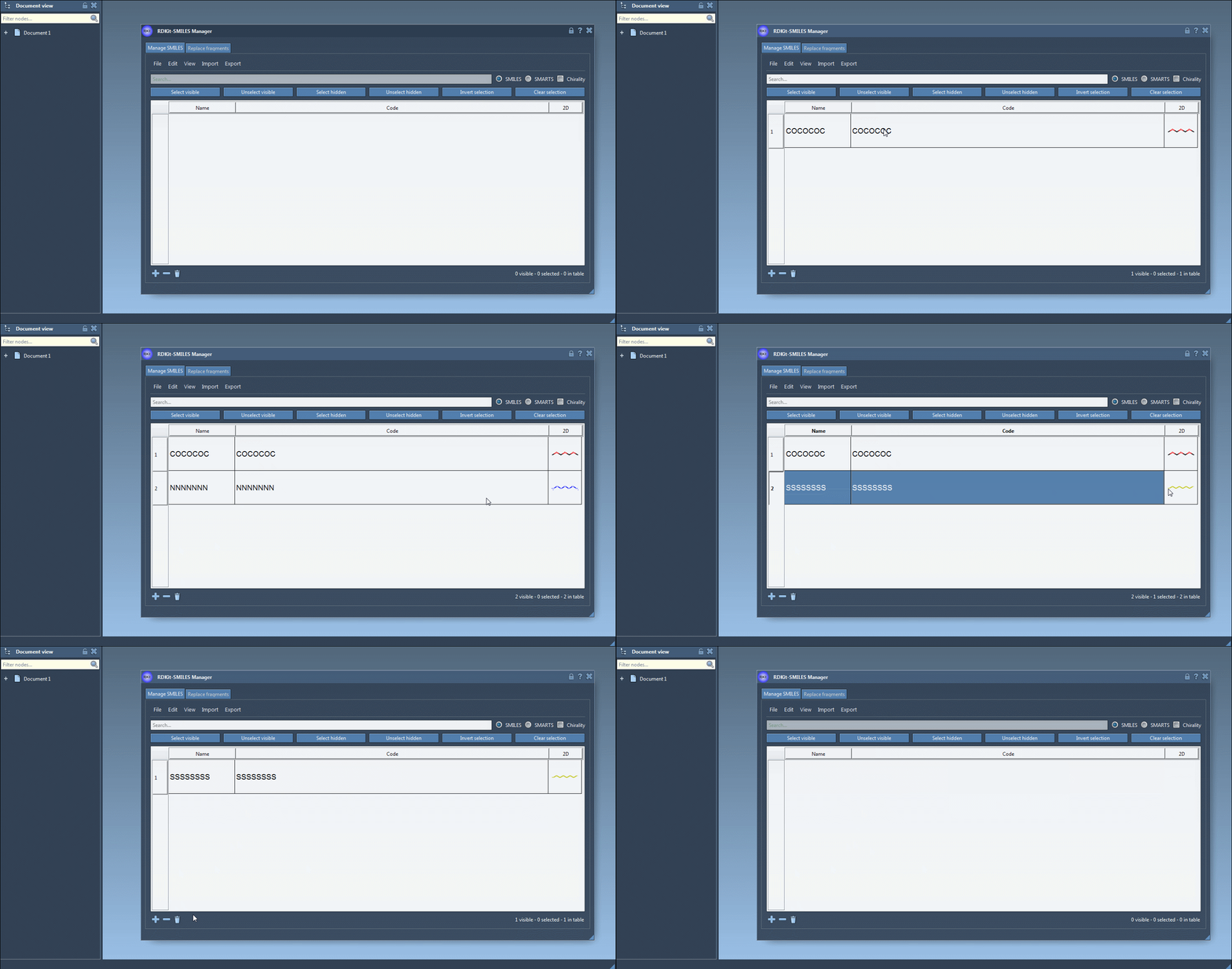
Start by importing your SMILES codes into SAMSON’s SMILES Manager. To do this, you can:
- Load a
.smior.txtfile containing SMILES strings. - Manually add strings or edit existing ones in a convenient tabular interface.
- Assign names to each molecule for better organization.
For beginners or large datasets, the visual table interface of the SMILES Manager ensures quick management of SMILES data.
Step 2: Generate 3D Structures
Once your SMILES data is loaded, simply select the molecules you’d like to convert and use the Selected SMILES string to Document option under the Export menu. This generates 3D-ready structures with associated molecular names, instantly adding them to your active workspace.
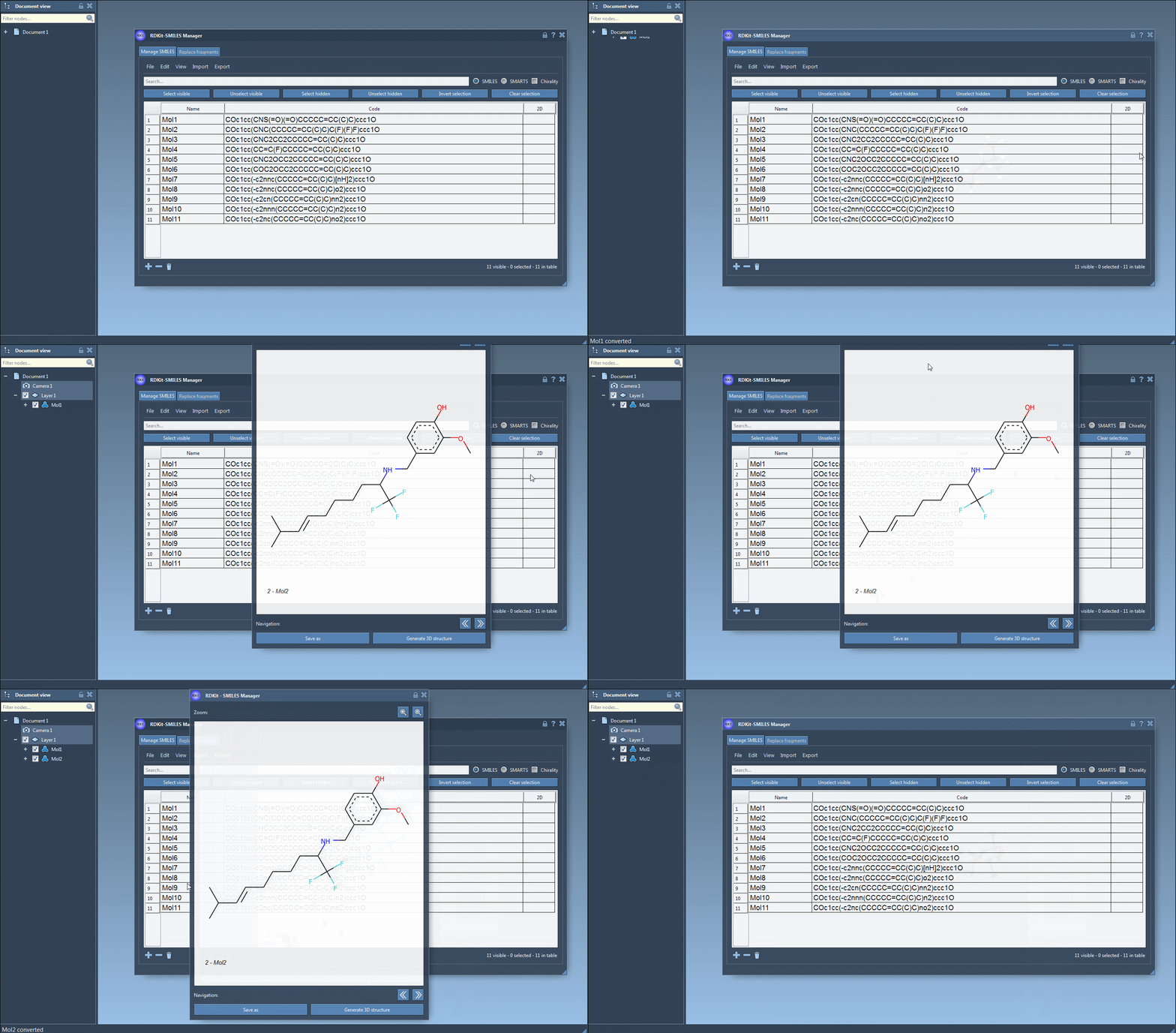
For individual SMILES strings, you can use the right-click context menu or the dedicated Generate 3D structure button in the large view window.
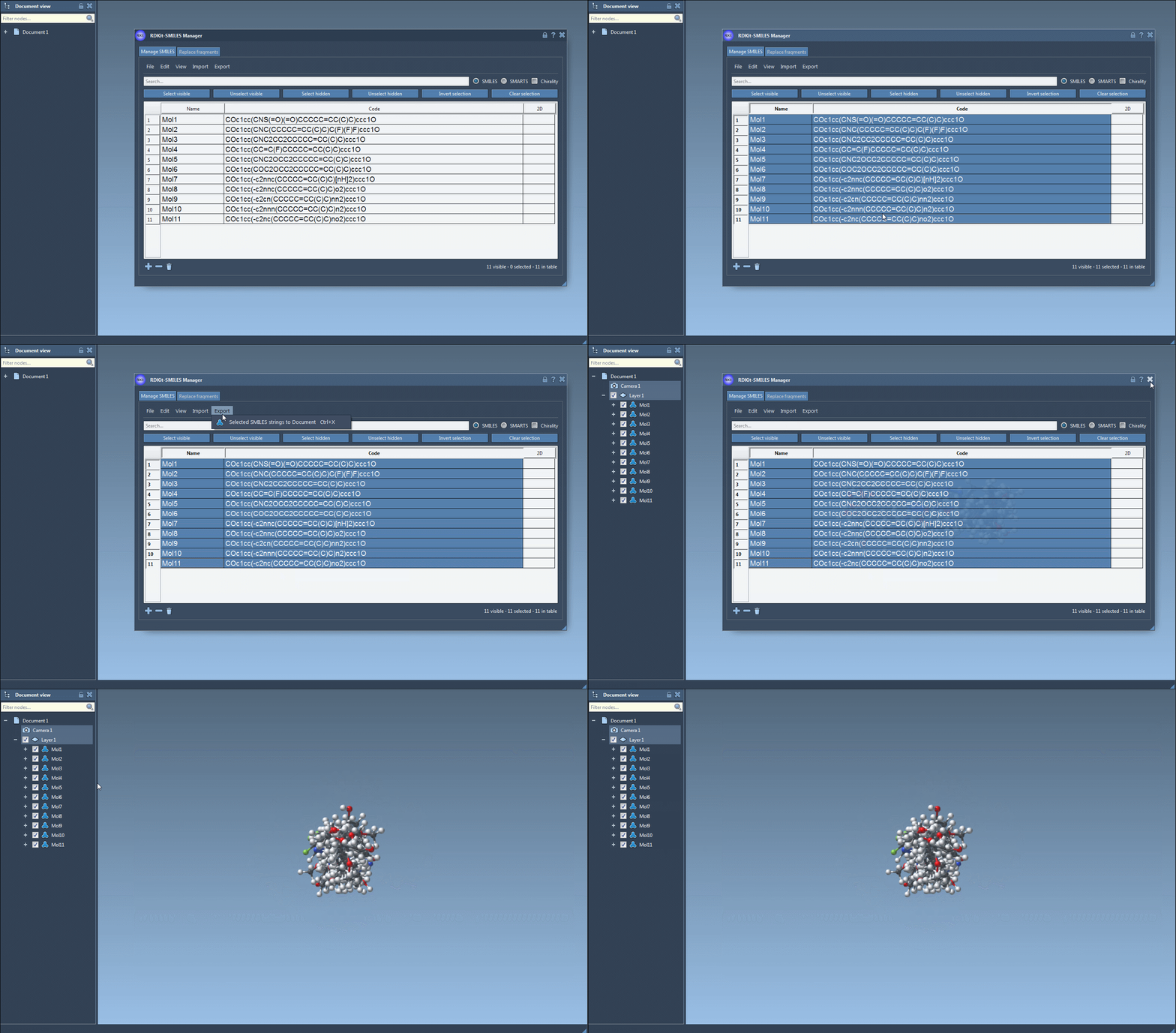
As shown in the animations, the generated structures are immediately integrated with SAMSON’s environment, allowing you to perform further analysis, docking, or visualization tasks without additional setup.
Step 3: Manage and Update As Needed
The system dynamically updates the 3D structure in real-time if you make edits to the SMILES string or the associated name. This ensures synchronization between textual and structural representations, effectively debugging and refining issues in your data.
Step 4: Export and Save
Save your modeled structures for later use or export them to integrate into other workflows. SAMSON’s SMILES Manager ensures data compatibility and usability for subsequent molecular modeling tasks.
Streamline Your Molecular Design
By prioritizing a user-friendly interface and powerful RDKit integration, the SMILES Manager module makes the generation of 3D structures from SMILES data straightforward. It removes the time and complexity often associated with this process, empowering researchers to focus on more advanced tasks like molecular optimization and docking.
If you’re ready to take your molecular modeling efficiency to the next level, explore the full documentation for more details and features. You’ll find additional tips for managing SMILES data, creating grids of 2D depictions, or generating analog series directly within SAMSON.
Note: SAMSON and all SAMSON Extensions are free for non-commercial use. Get started today by downloading SAMSON at https://www.samson-connect.net.