



One of the largest challenges for molecular modelers is dealing with the complexity of biological assemblies, such as protein complexes or viral capsids. These structures are often symmetric, and properly identifying their axes of symmetry can drastically simplify simulations, validate experimental data, and aid molecular design. This blog post explores how you can use the Symmetry Detection extension in SAMSON to tackle these challenges effectively.
Why Symmetry Detection Matters
Symmetry is not just aesthetically pleasing—it is a powerful concept that can save time and resources for molecular design and modeling. Here’s why:
- Identify Functional Interfaces: Symmetry helps detect repeating patterns across parts of a molecule, giving insights into functional interactions.
- Validate Experimental Structures: Checking symmetry elements ensures experimental data aligns with expected structural motifs.
- Reduce Computational Costs: Modeling just the unique asymmetric unit can lead to faster simulations while retaining accuracy.
- Support Nanomaterial Design: Symmetry is crucial in developing materials with predictable, repeated structures.
How to Detect Symmetry with SAMSON
The Symmetry Detection tool in SAMSON is designed to make symmetry analysis accessible and efficient. Let’s look at a quick-start workflow:
- Open SAMSON and load a biological assembly, such as
3NQ4(icosahedral capsid) or1B4B. - Launch the Symmetry Detection App via Home > Apps > Biology > Symmetry Detection.
- Click Compute symmetry. The app will analyze the structure and list the detected symmetries.
- Review the output and select an axis of interest for your next steps.
The detection includes cyclic (Cn), dihedral (Dn), and cubic (e.g., tetrahedral, octahedral, icosahedral) symmetry groups, giving actionable insights for different orders of symmetry.
Examples in Action
Let’s explore two use cases to see this tool in action:
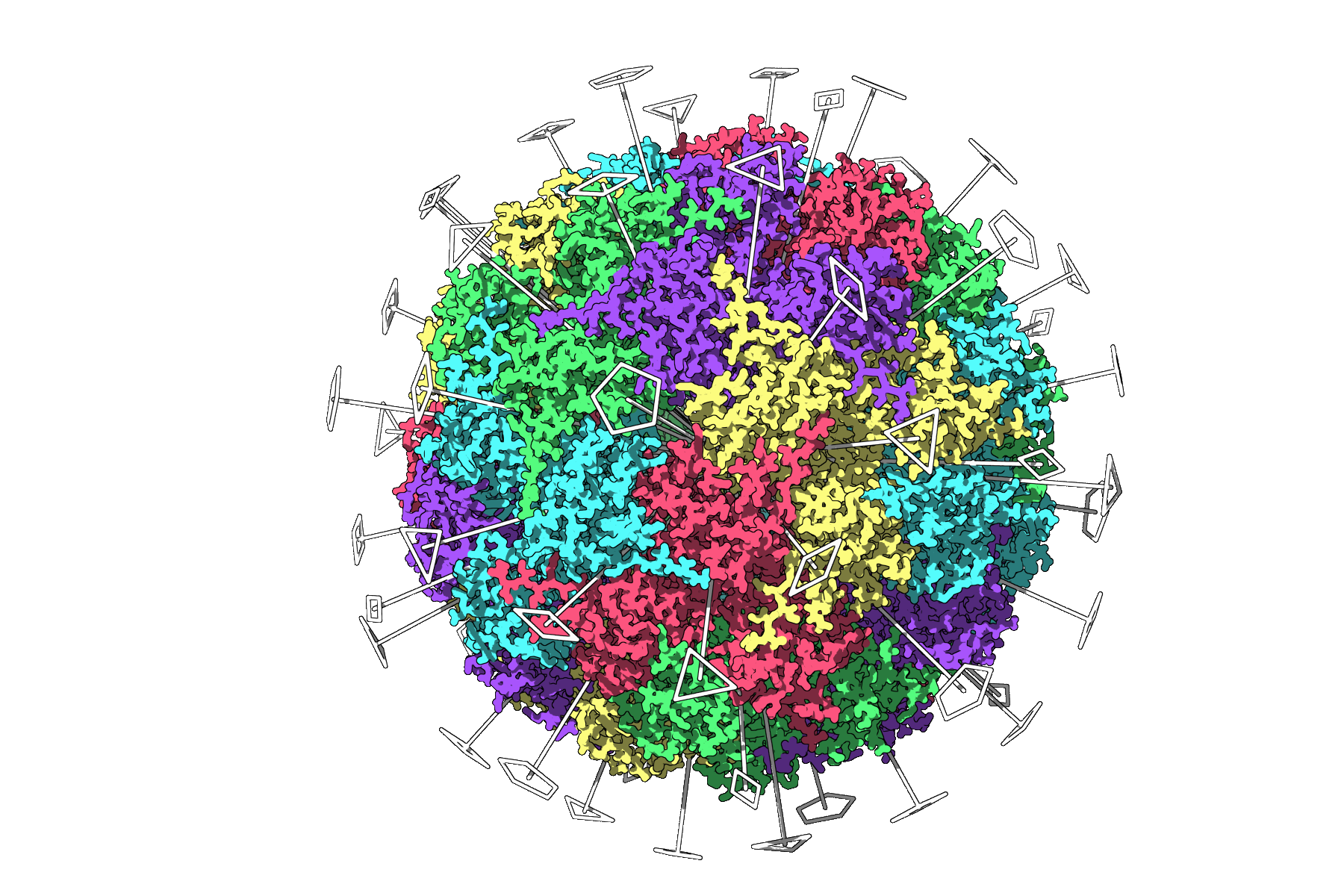
Example 1: Icosahedral Capsid (3NQ4)
This large assembly features icosahedral symmetry, with 2-, 3-, and 5-fold axes being detected by the tool. By visualizing these symmetries, users can isolate a unique asymmetric unit for focused simulations, avoiding unnecessary computational load. Below is a preview of symmetry axes identified in 3NQ4:
Example 2: Dihedral Symmetry in 1B4B
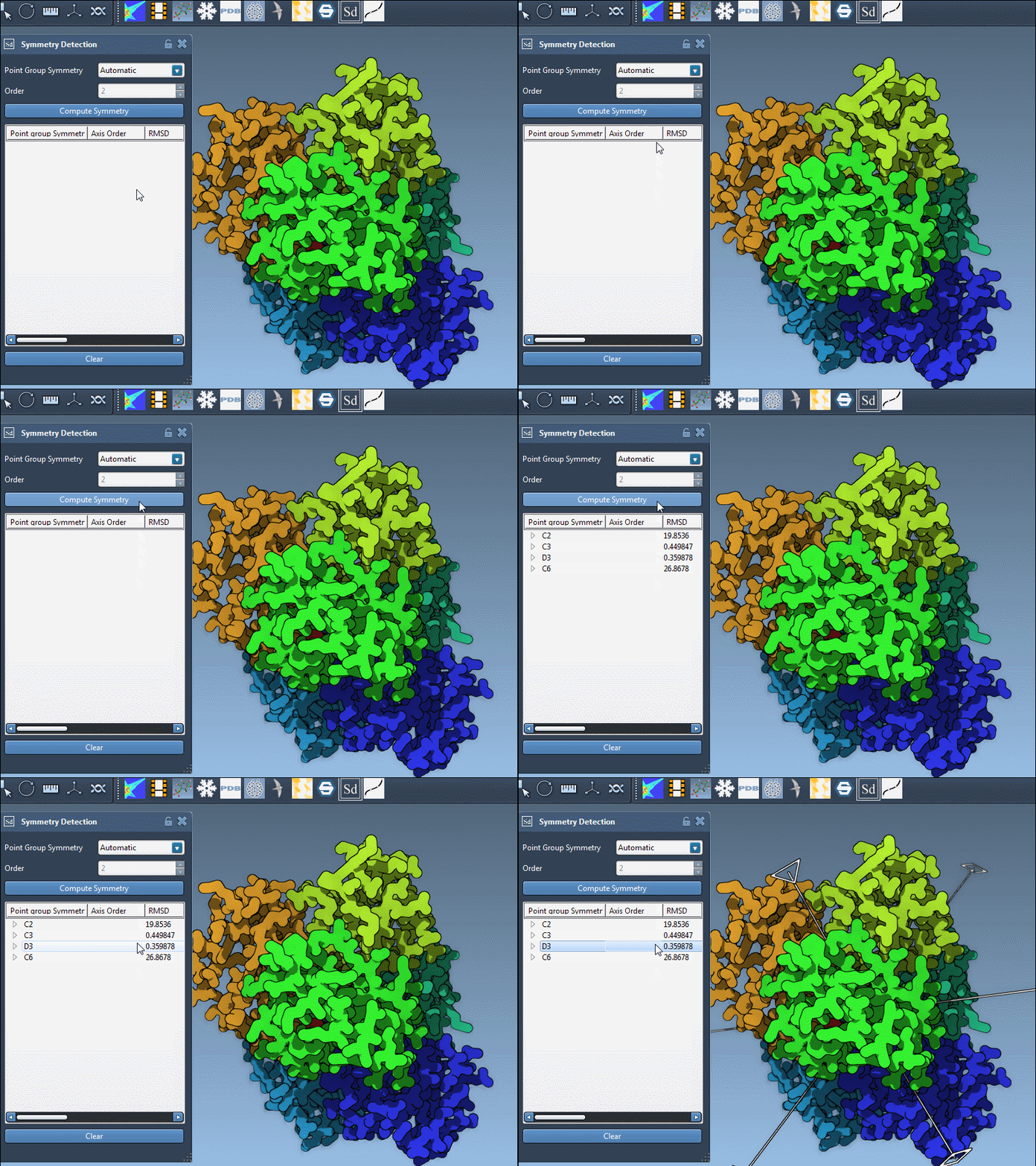
Assemblies like 1B4B, which exhibit dihedral symmetry, require careful analysis to pick the ideal symmetry group. For instance, users can navigate through the detected D3 axes and refine their simulations to align with intended objectives. Utilizing features like RMSD scores ensures reliable and meaningful results.
Working with Multiple Detected Symmetries
For complex structures, SAMSON’s automatic detection may identify several possible symmetry groups. To select the best one:
- Choose groups with smaller RMSD values.
- Select a group to highlight its primary axis in the viewport.
If needed, users can also manually specify symmetry groups and fine-tune their analyses for desired results.
Take Your Molecular Modeling Further
Symmetry Detection in SAMSON opens up numerous possibilities, from designing symmetric nanomaterials to validation and efficient simulations. To learn more, explore the original documentation page at https://documentation.samson-connect.net/tutorials/symmetry/computing-axes-of-symmetry-of-biological-assemblies/.
SAMSON and all SAMSON Extensions are free for non-commercial use. To get started, visit https://www.samson-connect.net.