



For molecular modelers, one recurring challenge is effectively visualizing and analyzing complex molecular interactions. While 3D structures provide incredible depth, they can sometimes overwhelm users looking for specific interactions or designing new molecules quickly. Enter SAMSON’s Interaction Designer, a tool that bridges 2D and 3D molecular editing to simplify how we work with molecular structures.
Why Focus on 2D Interaction Diagrams?
2D diagrams offer a simplified, schematic view of molecular structures and interactions, making them highly practical for analyzing and presenting molecular binding mechanisms, ligand interactions, and other critical insights. However, 2D diagram tools often feel disconnected from 3D models, leading to inefficiencies in workflows. SAMSON’s Interaction Designer solves this issue by ensuring two-way synchronization between 2D diagrams and 3D views.
Creating Interaction Diagrams
Did you know you can generate 2D interaction diagrams in SAMSON in just a few clicks? Here’s how:
- Navigate to Home > Diagram from the Interaction Designer interface.
- Select a specific molecular structure or opt to convert the entire document into an interaction diagram.
That’s it! SAMSON processes the current molecular selection automatically and provides a clear, annotated 2D visualization of molecular interactions.

Powerful Features for Enhanced Visualization
The Interaction Designer goes beyond static diagrams by offering key features for flexible and interactive molecular exploration. Here are some standout capabilities:
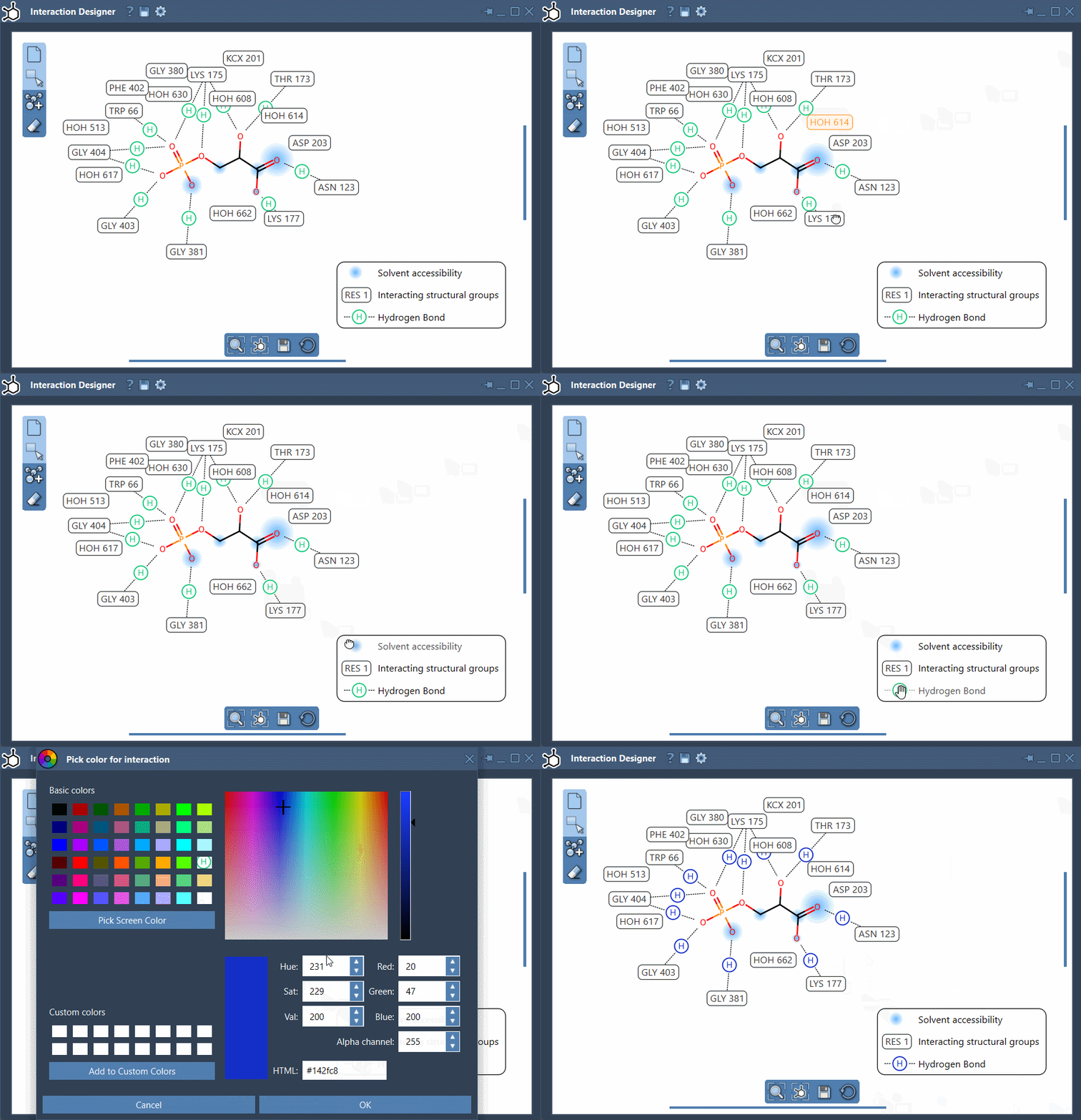
- Binding pocket visualization: Examine protein-ligand binding pockets directly from the diagram.
- Solvent accessibility: Visualize how ligands interact with solvents down to the atom level.
- Edit diagram elements: Move labels and symbols to adjust layout, toggle visibility of interactions, or customize interaction colors. Need to reset the color scheme? Restore default settings easily through the Designer’s options.
Pro Tip: Aligning 2D and 3D Views
Keeping the focus consistent between 2D and 3D representations is a breeze. Use the bottom menu of the Interaction Designer to align both views and update your perspective seamlessly. For added convenience, zoom in and out using Ctrl/Cmd + scroll and translate positions with a combination of mouse buttons.
An Integrated Approach to Editing and Design
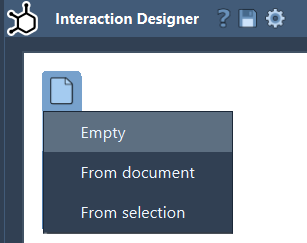
Need to not just analyze but design new molecules? The Interaction Designer enables you to create custom molecular sketches directly in 2D while maintaining real-time synchronization with 3D views. Start your designs:
- From scratch.
- Use existing molecules from your current document.
- Edit structural fragments to match your experimental needs.
Bringing Insights to Publications and Presentations
Once your diagrams are complete, you can export them in various high-quality image formats such as PNG, JPEG, BMP, and SVG. This allows you to integrate the visuals into presentations, reports, or publications effortlessly. Simply click the save button at the bottom of the Interaction Designer to export.
By combining visualization, interaction, and design capabilities in one tool, SAMSON empowers modelers to make molecular research more intuitive, interconnected, and impactful.
To dive deeper into the capabilities of the Interaction Designer, visit the official documentation at this link.
SAMSON and all SAMSON Extensions are free for non-commercial use. Discover more and get SAMSON at SAMSON Connect.