



Molecular modelers often need to study the movement of atoms, whether to perform free energy calculations, investigate ligand unbinding pathways, or visualize reaction coordinates. However, simplifying and exporting these atomic trajectories can be challenging without the right tools. The Export Along Paths Extension in SAMSON provides an elegant solution, allowing you to export atomic coordinates along predefined paths with ease.
Why Export Atom Trajectories?
Exporting atom trajectories is critical for conducting reaction coordinate studies and free energy profiling. For instance, if you are investigating ligand entry or exit pathways, tracking positional data of key atoms – such as a ligand or a binding site – along the path can be indispensable for insight generation. The exported data can serve as input for advanced simulations or be used for enhanced visualization.
Step-by-Step Workflow
The Export Along Paths Extension in SAMSON is designed with usability in mind. Follow these steps to get started:
Step 1 – Load the Sample System
First, load a tutorial-ready sample system:
- Click Home > Download in SAMSON.
- Paste the following URL:
https://www.samson-connect.net/documents/046f1acd-c799-40f6-8185-cb4847eff795. - Click Download.

This sample includes the structural model of Lactose permease (1PV7), its ligand Thiodigalactosid (TDG), and precomputed ligand unbinding paths. You can inspect these elements in the Document view under the names Protein_chain_A, TDG, and the paths that define atomic trajectories.
Step 2 – Open the Export Along Paths App
Once the sample system is loaded, open the Export Along Paths app by navigating to Home > Apps > All > Export Along Paths. Alternatively, use the Find everything… shortcut by pressing Shift + E.
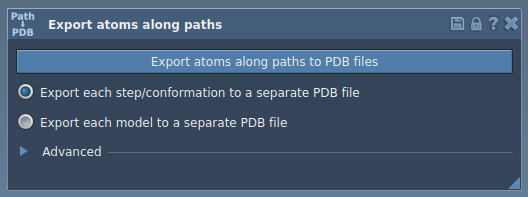
Step 3 – Export Atom Trajectories
The extension provides two options for exporting trajectories:
Option 1 – Export All Atoms
- Select one or more paths in the Document view.
- Choose the export mode:
- All frames in a single PDB file
- Each frame as a separate PDB file
- Click Export atoms along paths to PDB files and specify the destination folder and file prefix.
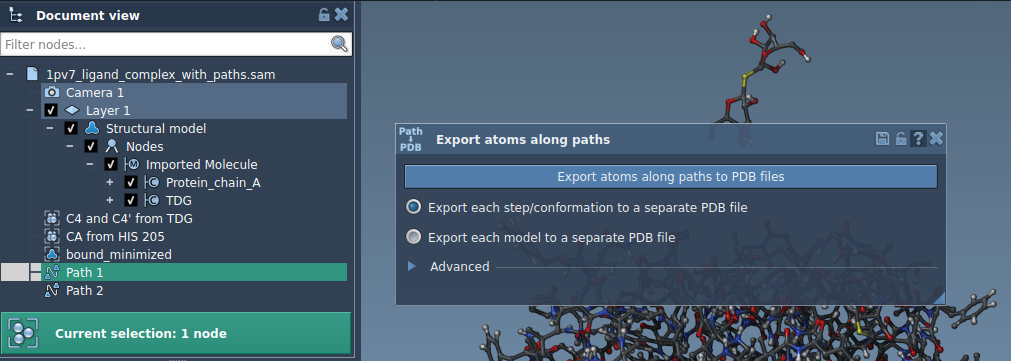
Option 2 – Export a Subset of Atoms
To focus on a specific subset of atoms, such as the ligand TDG, expand the Advanced panel and follow these steps:
- Select a subset of atoms in the Document view.
- Click Add to define this subset as a model to export.
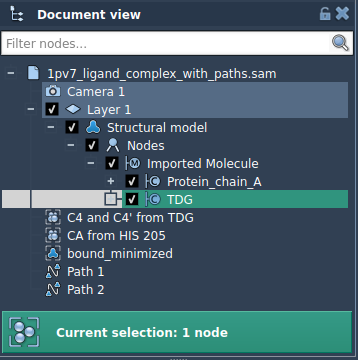
You can customize your model by:
- Renaming it by double-clicking on its name.
- Adding multiple sets of atoms to export.
- Highlighting or redefining individual selections using the interface.
Once ready, choose the export format, select the paths, and export the trajectories.
Broader Applications
- Generate reaction coordinate files for free energy calculations.
- Extract ligand exit/entry trajectories for enhanced sampling studies.
- Visualize intermediate molecular states or track specific atoms and regions of interest.
To dive deeper into the Export Along Paths Extension, visit the official documentation page.
SAMSON and all SAMSON Extensions are free for non-commercial use. Download SAMSON at SAMSON Connect.