



Molecular modelers face numerous challenges in evaluating free energy landscapes, and creating a robust Potential of Mean Force (PMF) profile can be one of them. A PMF profile not only elucidates reaction mechanisms but also assists in understanding stability and interaction potentials. Generating this profile, however, requires accuracy and efficient tools. If you’re using the SAMSON molecular design platform, the GROMACS Wizard offers a solution for simplified PMF computation by leveraging the Weighted Histogram Analysis Method (WHAM).
Why PMF matters
PMF profiles provide a quantitative understanding of free energy along a reaction coordinate. They are invaluable when studying molecular systems like protein-ligand interactions or conformational transitions in biomolecules. To create these profiles, data from umbrella-sampling simulations must be processed and converted efficiently—which is where GROMACS Wizard’s WHAM Analysis comes into play.
Walkthrough: Computing the PMF
Let’s discuss the essentials of computing a PMF profile with GROMACS Wizard. Before you begin, you need to have completed an Umbrella Sampling workflow.
1. Load your simulation data
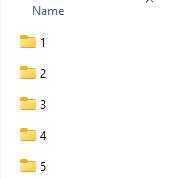
Navigate to the WHAM Analysis tab within GROMACS Wizard. Either specify the project folder path or use the handy auto-fill feature  to pull data directly from your last umbrella-sampling workflow. Ensure your project folder contains numbered subfolders that correspond to your system’s reaction coordinate and input organization.
2. Configure and compute
The tool automatically detects reaction-coordinate data, time ranges, and temperature settings. However, you can customize these parameters further:
- Select a specific reaction coordinate from the list available.
- Adjust optional parameters like custom bounds, time ranges, or energy units according to your requirements.
Once configured, click Compute to proceed. GROMACS Wizard processes your data and generates outputs.
3. Visualize the output
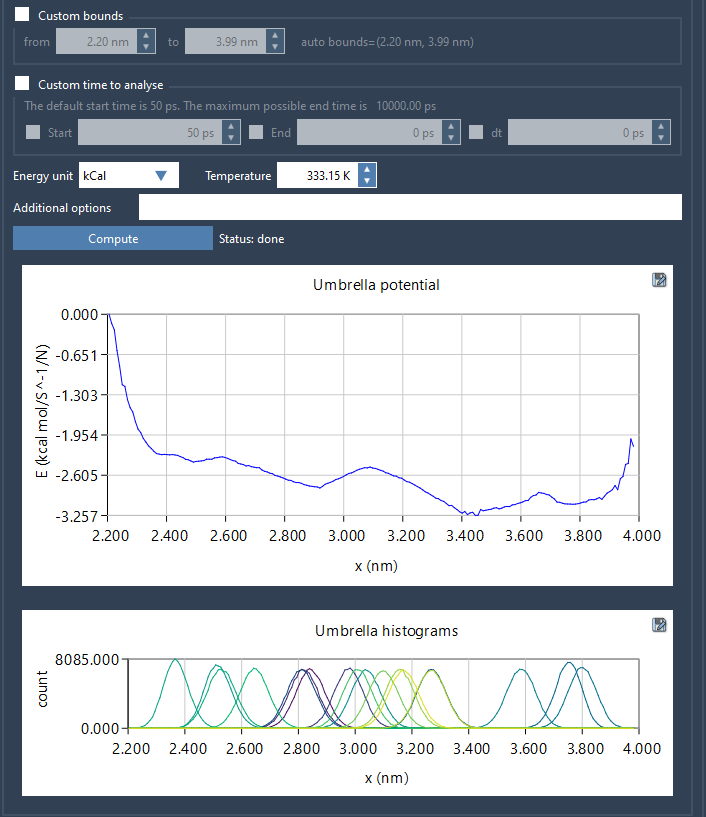
The generated results include two critical plots:
- The PMF profile: Offers insights into free energy variations across the reaction coordinate.
- The histogram: Helps evaluate how well the reaction-coordinate space is covered, highlighting any areas that may require additional sampling.
For large trajectories, the computation might take a few seconds to several minutes. Once finished, GROMACS Wizard saves the results in the wham_results folder of your project. Importantly, if you decide to switch between reaction coordinates later, the tool reuses previously computed data for the same parameters.
Evaluating your PMF
The histogram provides an overview of sampling efficiency along the reaction coordinate. Areas with insufficient sampling indicate regions where additional umbrella-sampling simulations should be performed. Properly addressing these gaps is essential for producing accurate and reliable PMF profiles.
Further learning
PMF computation can bring molecular insights within reach when combined with reliable sampling techniques. Make sure to revisit your umbrella sampling workflow as needed for areas requiring enhanced coverage. You can explore more about this process in the detailed GROMACS Wizard documentation here.
SAMSON and all SAMSON Extensions are free for non-commercial use. You can download SAMSON at this link.