



For molecular modelers, handling SMILES data can often feel tedious, especially when managing large datasets, editing molecule entries, or preparing 3D-ready structures. Designed to simplify this process, SAMSON’s RDKit-based SMILES Manager offers a comprehensive set of tools to import, visualize, modify, and export SMILES strings more effectively.
One of the standout features of the SMILES Manager is its robust capability to manage SMILES datasets, reducing the manual labor involved in preparing molecular structures. Here’s an overview of how it works and why it’s a valuable tool for molecular modelers.
Seamless Import of SMILES Data
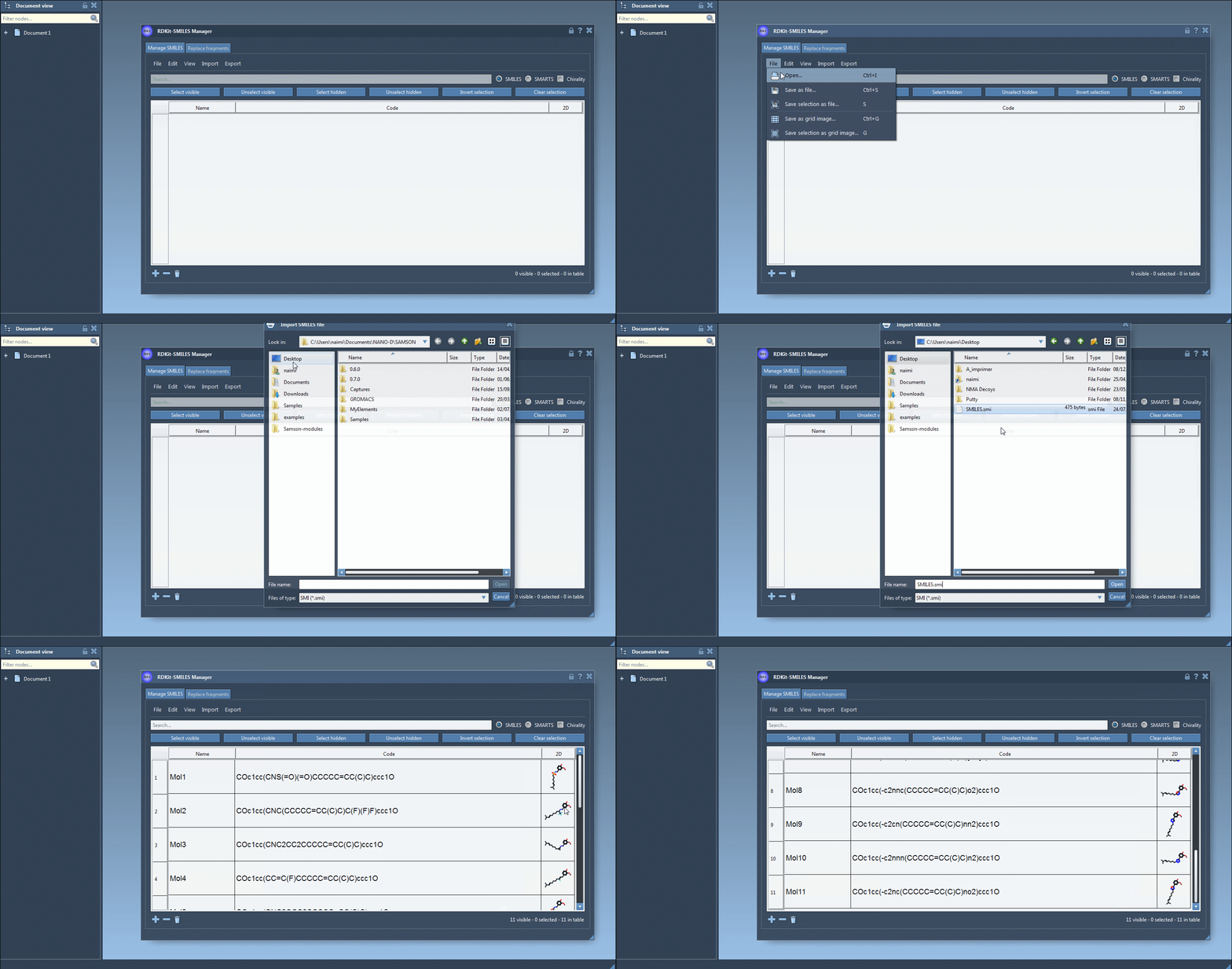
Bringing in your SMILES datasets is made incredibly simple. The manager supports various input formats:
- RDKit-style
.smifiles with SMILES strings and corresponding molecule names. - Text files (
.txt) containing one SMILES string per line. - RDKit
.smifiles with extra attributes (these attributes are ignored).
Simply click Open in the File menu to import your data. The imported SMILES will appear in a clean table format, showing molecule names and automatically generating 2D molecular depictions for easy visualization.
Flexible Editing and Organization
Managing SMILES strings becomes intuitive with the built-in editing features:
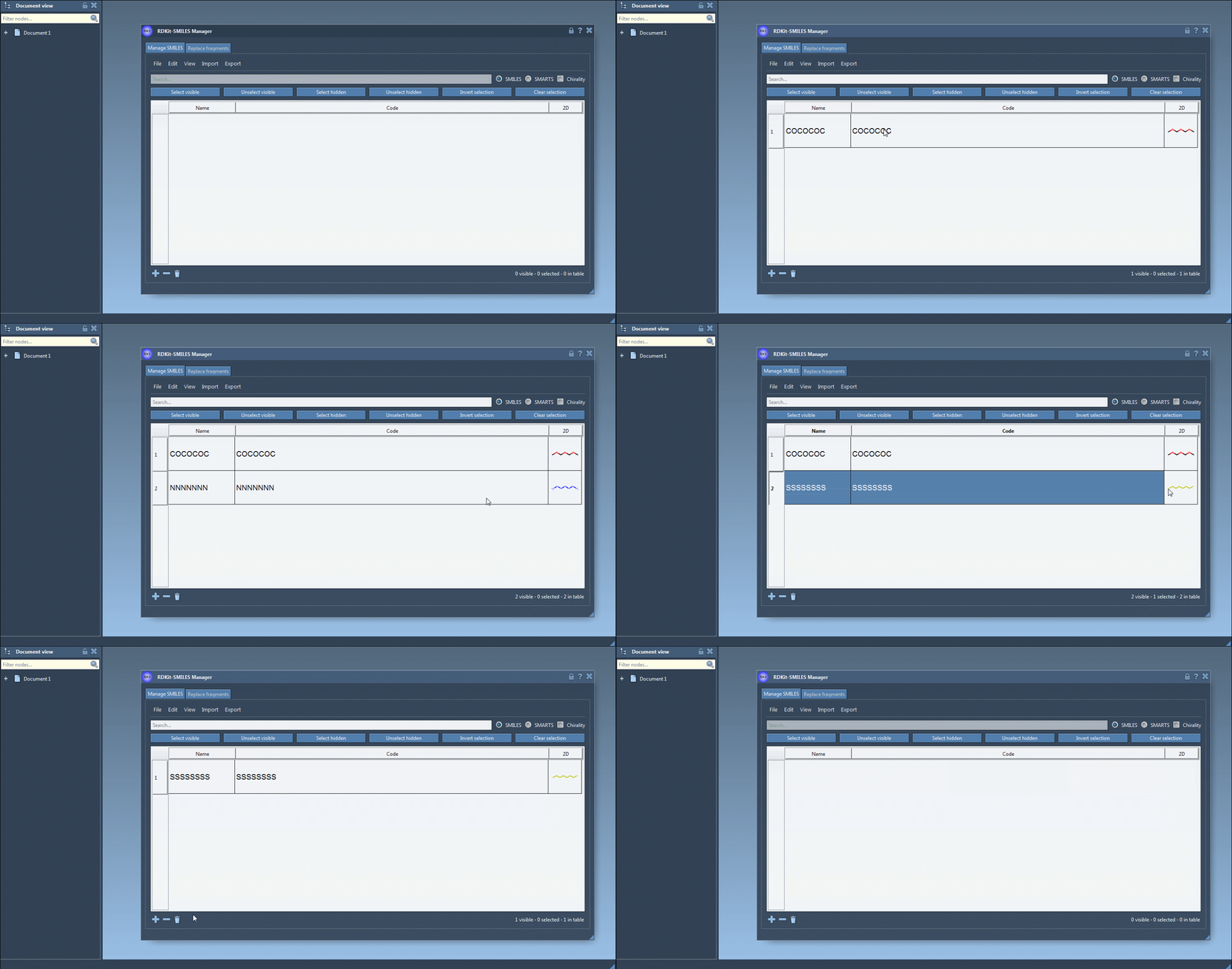
- Manually add new SMILES entries using the Add line action or Add button.
- Edit SMILES strings directly in the table by modifying the Code cell.
- Assign names to molecules or let the software use the SMILES string as its default name.
- Remove specific entries or clear the table entirely with a click.
These options make it easy to customize and curate your datasets, whether you’re working on a small project or handling a large library of molecules.
Real-Time Visual Feedback with 2D Depictions
One of the key advantages of the SMILES Manager is its automatic 2D depiction generation using RDKit. These depictions help molecular modelers spot errors, inconsistencies, or peculiarities in SMILES data effortlessly:
- Invalid SMILES strings are highlighted, and an error image is displayed for immediate feedback.
- Zoom in or out on depictions for better clarity or to focus on specific details.
- Save depictions as separate PNG or SVG files or as a grid layout for presentations or reports.
Hide, show, update, or revisit 2D depictions at any time to adapt the visualization to your needs.

Creating 3D-Ready Structures
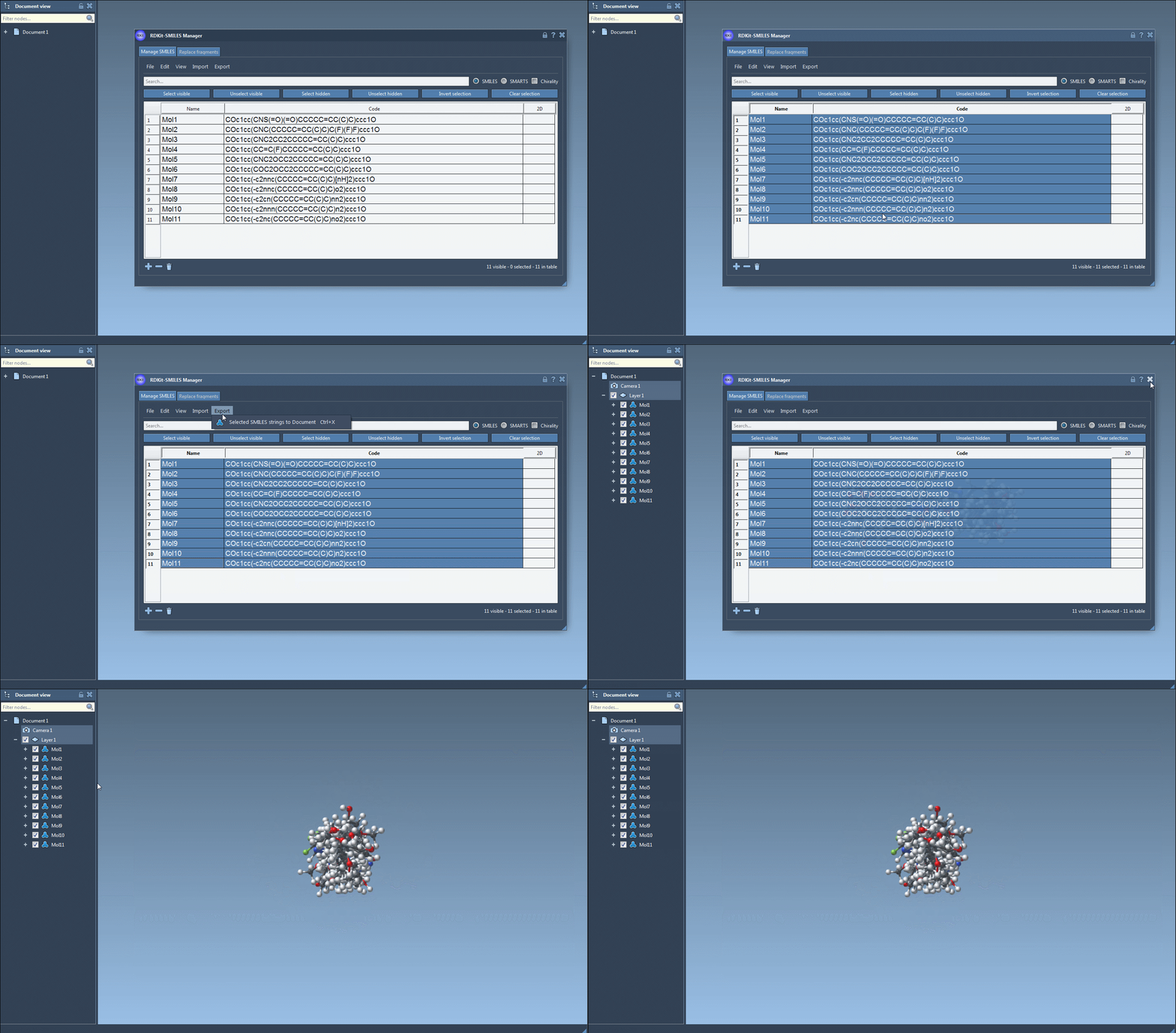
Generating 3D structures from your SMILES strings is straightforward with the SMILES Manager. After selecting molecules in the table, you can use the Selected SMILES string to Document action to convert them into 3D-ready structures:
- Generate 3D structures for multiple SMILES strings simultaneously.
- Modify and re-generate structures seamlessly as molecule entries evolve.
This feature is indispensable for moving from theoretical molecular descriptions to practical 3D visualizations ready for docking or computational analyses.
Why Choose SAMSON’s SMILES Manager?
With its intuitive interface and RDKit-driven functionality, the SMILES Manager simplifies one of the trickiest aspects of cheminformatics workflows. Whether you’re organizing SMILES strings, generating molecule depictions, or preparing for docking simulations, this tool handles it all in one environment.
Learn more about how to manage and transform SMILES data with SAMSON’s SMILES Manager by visiting the original documentation page: https://documentation.samson-connect.net/tutorials/smiles-manager/using-the-rdkit-smiles-manager/.
SAMSON and all SAMSON Extensions are free for non-commercial use. You can download SAMSON at https://www.samson-connect.net.