



For molecular modelers, achieving stable and realistic molecular structures before running detailed simulations is often a challenge. Pre-simulation geometry optimization is essential for eliminating distortions and relaxing structural features. The FIRE Minimizer in SAMSON offers a straightforward and efficient method to address this issue, especially when working with complex molecular systems.
What is the FIRE Minimizer?
The FIRE Minimizer, or Fast Inertial Relaxation Engine, is an algorithm designed for quick geometry optimization. Its efficiency shines when handling large-scale molecular motions, which are common in systems where subtle energy changes can still cause significant structural shifts. Compared to the traditional steepest descent algorithm, FIRE converges faster, allowing you to focus on refining your molecular models with fewer interruptions.
How Can It Help You?
By integrating the FIRE Minimizer into your molecular design workflow, you’ll enjoy a number of benefits:
- Speed: The FIRE Minimizer is particularly effective for collective molecular motions, offering faster optimization than steepest descent techniques.
- Flexibility: It works seamlessly with any SAMSON interaction model, making it adaptable to your specific needs.
- Practicality: Ideal for cleaning up structures before running interactive simulations or detailed analyses.
Getting Started with the FIRE Minimizer
To start using the FIRE Minimizer, follow these simple steps:
- Log into SAMSON Connect and add the FIRE Minimizer Extension to your SAMSON setup.
- Restart SAMSON to activate the extension.
- Load a molecular system in an appropriate format, such as PDB or MOL2. If you’re new to this, consult the Loading Molecules Guide for assistance.
- Add a simulator by navigating to Edit > Add Simulator, then choose an interaction model and select FIRE in the State Updaters list.
A Quick Look at Settings
The FIRE Minimizer offers a range of settings to fine-tune your optimization experience:
| Setting | Description |
|---|---|
| Step size | Initial integration step for the optimization process. |
| Steps | Specifies the number of FIRE steps before updating the display. |
| Fixed | Allows you to keep the step size constant if needed. |
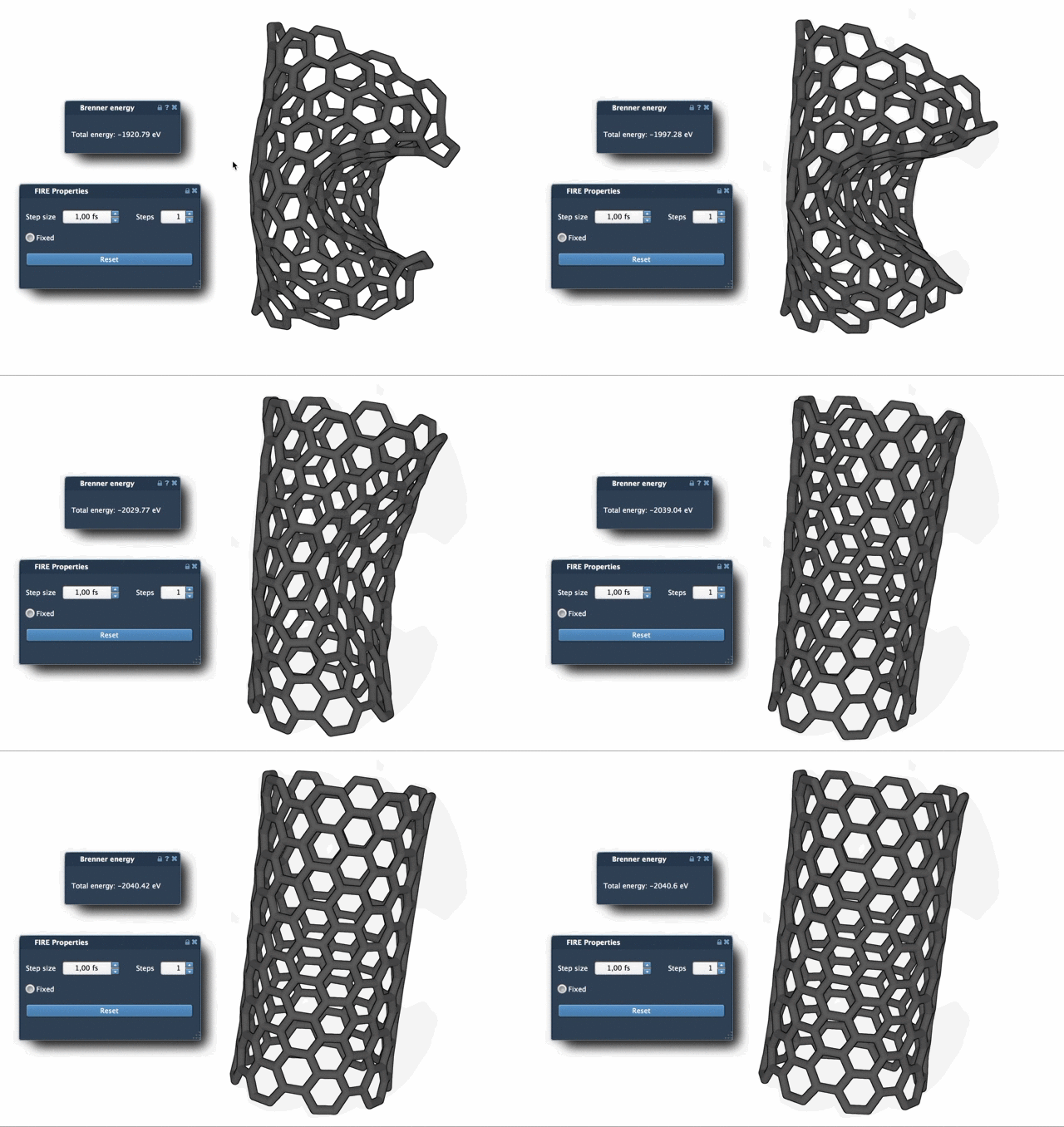
By adjusting these parameters, you can control the resolution and visibility of optimization progress.
The FIRE Advantage
One of the key strengths of the FIRE Minimizer is its efficiency over the steepest descent method. When dealing with molecular systems that exhibit small potential energy changes but significant geometry evolution, FIRE’s ability to converge faster results in tangible time savings. To make visualizing convergence easier, consider adjusting the Steps setting for less frequent but more pronounced viewport updates.
Integration in SAMSON Workflows
The FIRE Minimizer is implemented as a SAMSON State Updater, which allows it to integrate seamlessly with other SAMSON extensions. For example, it’s used in the Molecular Restrainer Extension to perform restrained minimization of structures derived from NMR data.
Optimizing your molecular systems with the FIRE Minimizer can significantly enhance the efficiency of your modeling process. To explore further details and scenarios, visit the official documentation.
SAMSON and all SAMSON Extensions are free for non-commercial use. You can get SAMSON at https://www.samson-connect.net.