



In molecular modeling, achieving stable and realistic molecular structures is crucial for simulations and workflows. One of the most common challenges modelers face is quickly optimizing complex geometries, especially when dealing with large-scale structural motions. The Fast Inertial Relaxation Engine (FIRE) minimizer in SAMSON emerges as a practical and efficient solution for this problem, making geometry optimization faster and more effective than traditional methods like the steepest descent algorithm.
Why Choose the FIRE Minimizer?
The FIRE minimizer is specifically designed to handle large-scale collective motions efficiently. By integrating seamlessly with any SAMSON interaction model, it is versatile and particularly well-suited for tasks like:
- Pre-simulation cleanup: Preparing molecular systems for simulations by removing unrealistic structural distortions.
- Structural relaxation: Fine-tuning molecular geometries while transitioning towards a stable energy minimum.
Compared to the steepest descent algorithm, FIRE provides faster convergence, which is especially beneficial when the geometry still evolves significantly despite small changes in potential energy.
How to Use the FIRE Minimizer
Here’s a step-by-step guide to implementing the FIRE minimizer within SAMSON for optimizing molecular geometries:
- Load a molecular system: Import structures in formats like PDB, MOL2, or others supported by SAMSON. For detailed guidance, check out the Loading Molecules Guide.
- Add a simulator: Navigate to
Edit > Add Simulator. Choose an interaction model (such as a force field) and then select FIRE in the State Updaters list.
The integration step size, number of steps, and other options can be adjusted through the FIRE Minimizer Settings panel. Here are the main settings:
| Setting | Description |
|---|---|
| Step size | Defines the initial integration step for minimization. Smaller steps enhance precision but may slow the process slightly. |
| Steps | Determines how many FIRE steps are calculated before updating the viewport. Setting this value higher provides a clearer visualization of larger motions. |
| Fixed | Optional. Forces the step size to remain constant throughout minimization. |
The Benefits: A Comparison
Still wondering why FIRE is an excellent choice for optimization? Let’s compare its performance to the steepest descent algorithm. In scenarios where potential energy changes are subtle, but structural adjustments are significant, FIRE achieves much faster convergence. Take a look at these visualizations:
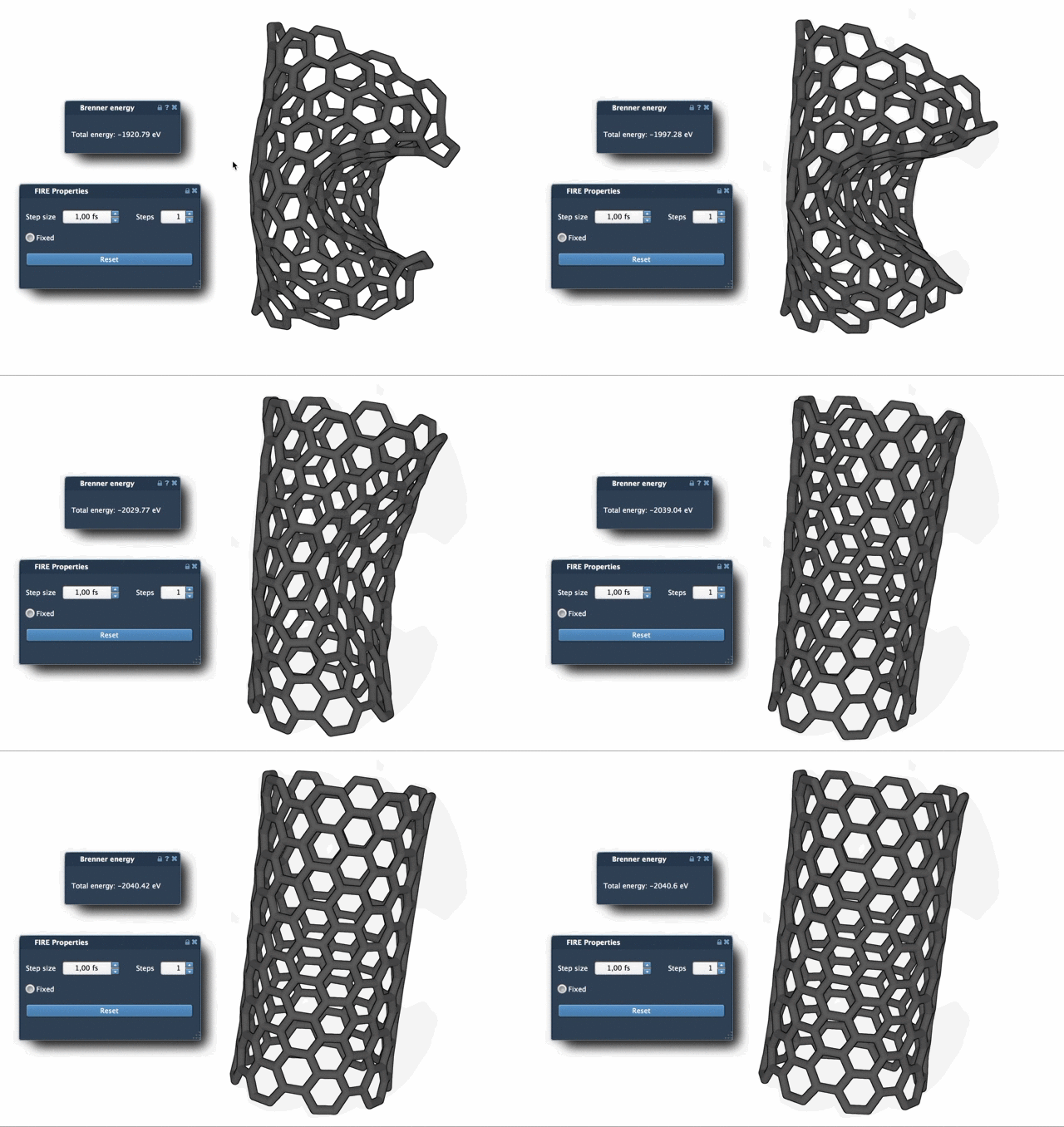
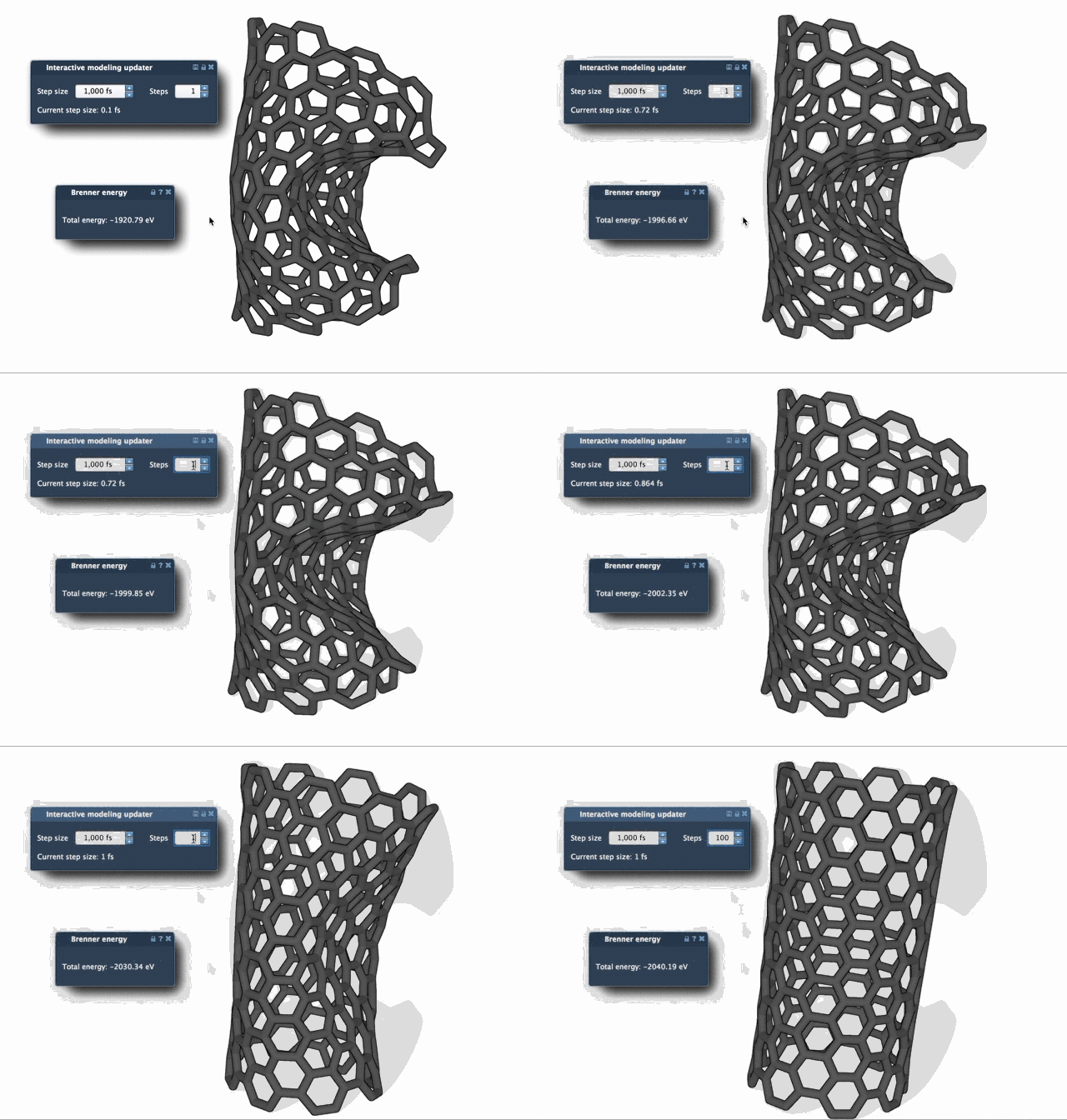
The differences in efficiency are clear, making FIRE the preferred choice where rapid structural adjustments are needed. For improved visualization during minimizations, increasing the Steps setting will reduce the update frequency and create smoother animations of the process.
Get Started
If you’re looking to streamline the cleanup of molecular systems before simulations or bring your geometries closer to realistic energy minima, the FIRE minimizer in SAMSON is an excellent tool. You can explore a more detailed tutorial and additional examples in the official FIRE Minimizer documentation.
SAMSON and all SAMSON Extensions are free for non-commercial use. Download SAMSON at samson-connect.net.